Support/Help Desk

Resolve faster.
Delight every customer.

Manage every request, hit your SLAs, empower agents with a connected knowledge base, and give your support team the tools to deliver exceptional service — all in one platform.

50%
faster first response times
100%
of tickets tracked with SLAs
AI
drafts responses from your KB
Zero
tickets falling through the cracks

How support teams handle tickets in Llumo

From the first request to final resolution — every step is tracked, every agent is informed, and every SLA is visible.

1

Customer submits a request

Customers fill in a structured intake form with all the info your team needs. No back-and-forth. The request lands in the queue with the right category, priority, and owner.

2

Agent gets full context

The agent sees the full ticket, can search the Knowledge Base for answers, and uses the Luxon AI to draft a reply. They respond on the first touch — not the third.

3

SLA clock is always visible

Every ticket shows time remaining against its SLA. Managers get alerts before breaches. High-priority tickets escalate automatically before they become a problem.

4

Resolve, report & improve

Track resolution time, agent performance, and recurring issue patterns on live dashboards. Use the data to improve your knowledge base and reduce repeat tickets.

Everything your support team needs to deliver

From the first request to final resolution, every Llumo feature is designed to help support teams respond faster and resolve more on the first try.

Structured Ticket Queue

Every request lands in a structured queue with priority levels, categories, and assignees. Nothing falls through the cracks — every request has a clear owner and status at all times.

SLA Tracking & Alerts

Set SLA targets by priority level and get automatic alerts before deadlines are breached. Managers see response and resolution times across the whole team in real time.

Agent Knowledge Base

Give every agent instant access to FAQs, troubleshooting guides, and product documentation. Faster answers, consistent responses, fewer escalations — searchable by the whole team.

AI-Assisted Responses

The Luxon AI drafts replies, summarizes ticket history, and suggests solutions based on your knowledge base — cutting handle time and helping newer agents respond like experts.

Custom Intake Forms

Build structured forms so customers submit requests with all the information agents need upfront. Reduce back-and-forth and resolve issues on the first reply, every time.

Support Dashboards

Track open tickets, resolution rates, SLA compliance, and agent performance on live dashboards. Share reports with management to demonstrate team impact and identify bottlenecks.

Agent Training & Onboarding

Use Academy to onboard new support agents with product knowledge courses and certification paths. Reduce ramp time and improve first-contact resolution rates from day one.

Internal Escalation Chat

Escalate complex cases to engineering or product in Team Chat without leaving your workspace. Share ticket context directly in a thread so experts can resolve it fast.

Workflow Automation

Auto-assign requests by category or priority. Set rules to trigger follow-ups, escalations, or status updates — so your team spends time solving problems, not managing queues.

📥 Request Queue

Every ticket, visible and prioritised

Your full support queue in one view — with status, priority, assignee, and SLA at a glance. Triage incoming requests, assign to the right agent, and move work forward without anything slipping through.

  • Centralised queue with priority and status columns
  • Filter by assignee, category, or urgency
  • One-click assignment and status updates
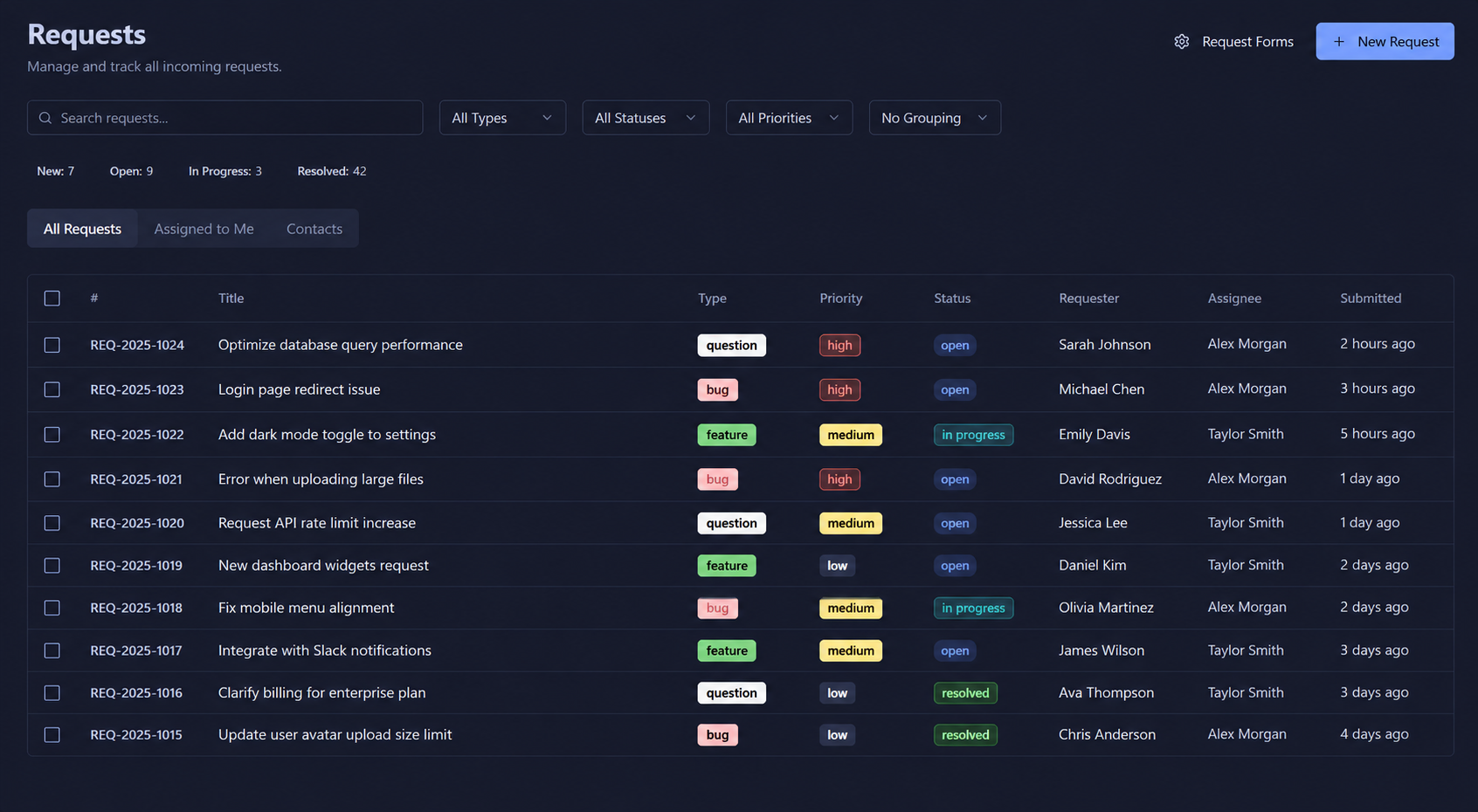
Requests queue view
🎫 Request Detail

Every ticket tells the full story

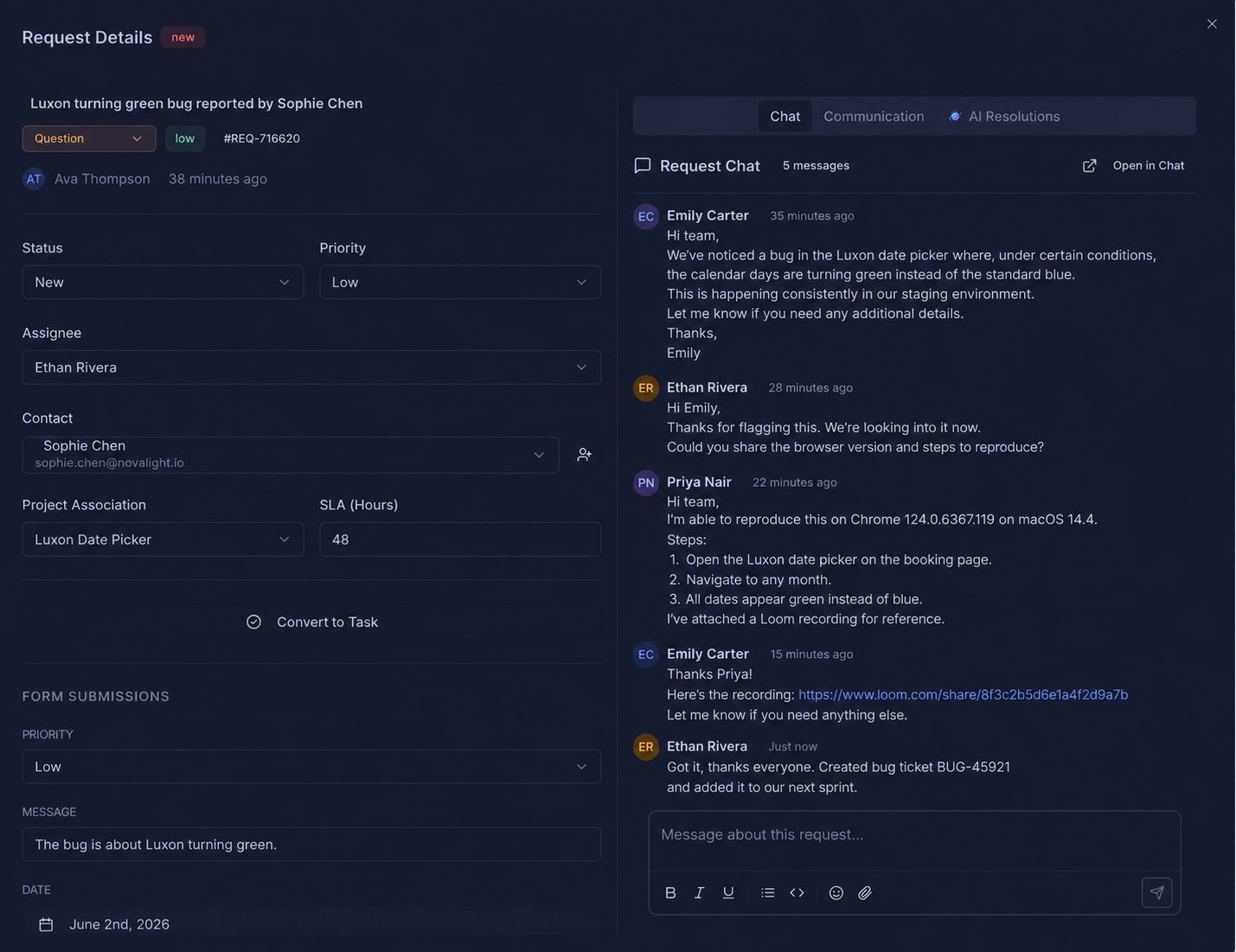
Open any request and see the complete picture — status, priority, SLA timer, assignee, and the full conversation thread. Everything your team needs to resolve it, all in one place.

  • SLA timers visible on every open request
  • Full conversation thread with customer history
  • Assignee, priority, and category all editable inline
Request detail view with chat
✉️ Email Communication

Reply to customers without leaving Llumo

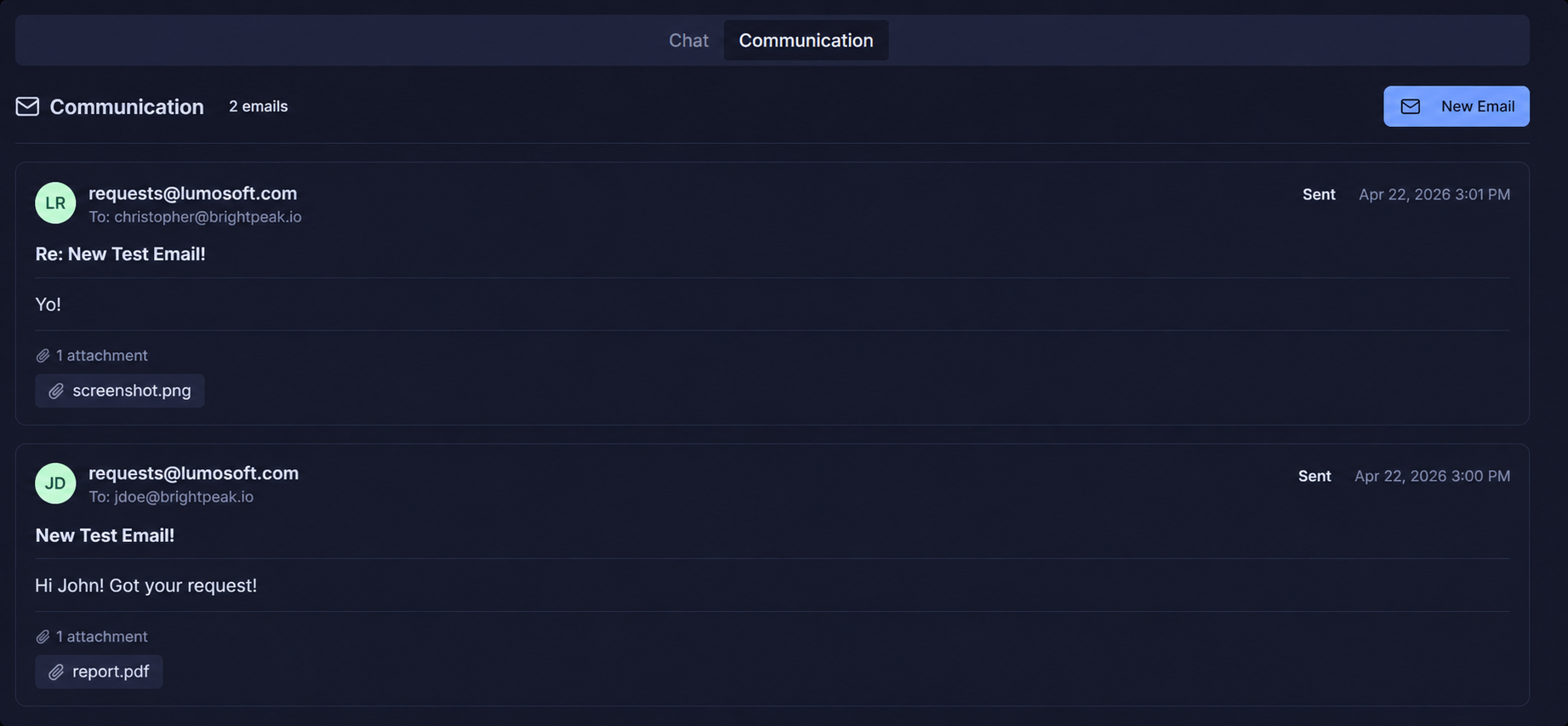
Handle the full email thread directly inside the request. Every reply, forward, and update is logged in one place — so no context is ever lost between agents or handoffs.

  • Two-way email communication inside the request
  • Full thread history visible to every agent
  • No switching between inbox and helpdesk
Email communication thread
🤖 AI Resolution Suggestions

AI suggests the answer before you type it

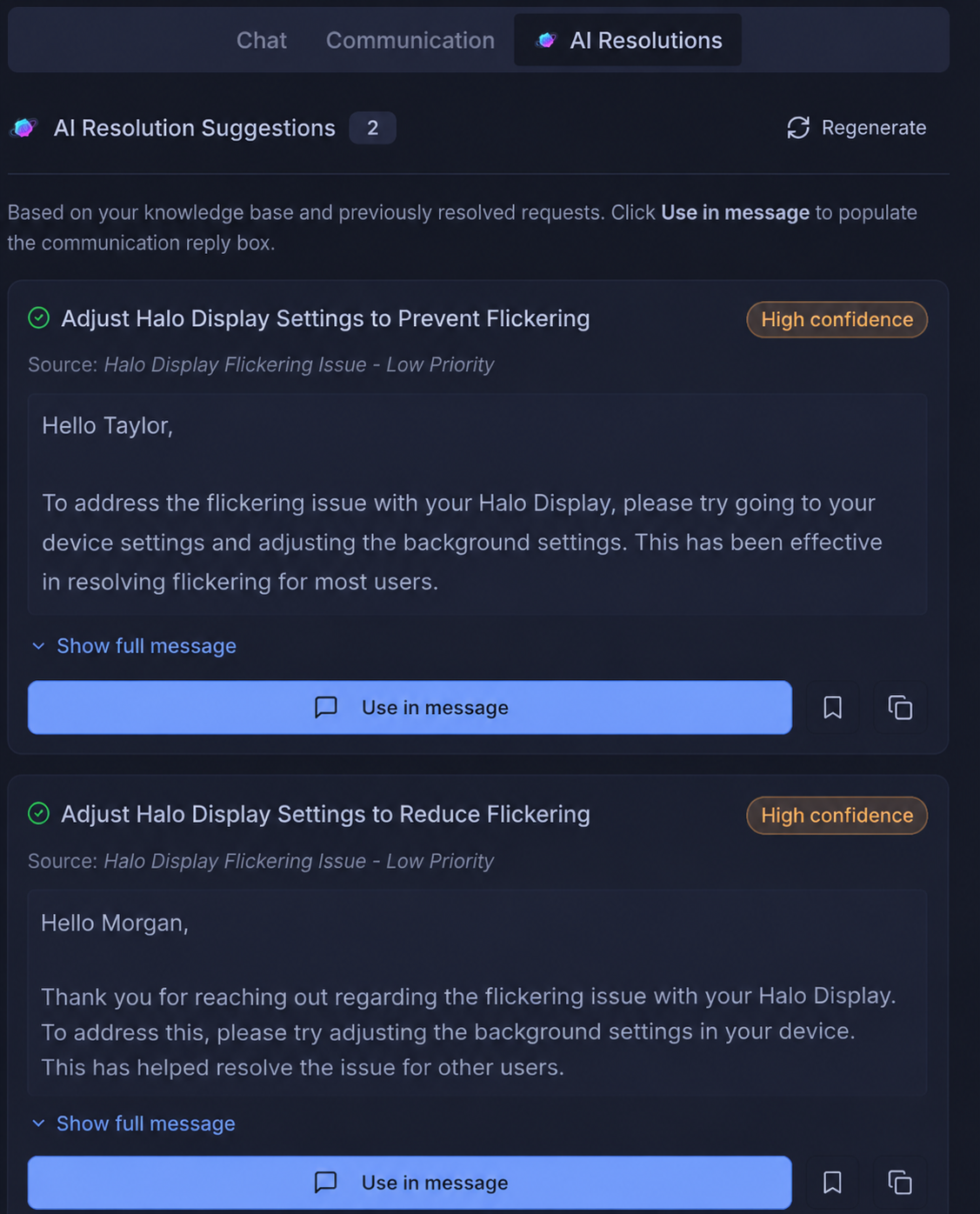
Luxon AI reads the incoming request and pulls resolution suggestions from your Knowledge Base and past tickets. Agents resolve faster — and new agents perform like veterans from day one.

  • Instant suggestions from KB articles and past resolutions
  • Gets smarter with every ticket resolved
  • Cuts average handle time significantly
AI resolution suggestions
📋 Request Forms

A form for every type of request

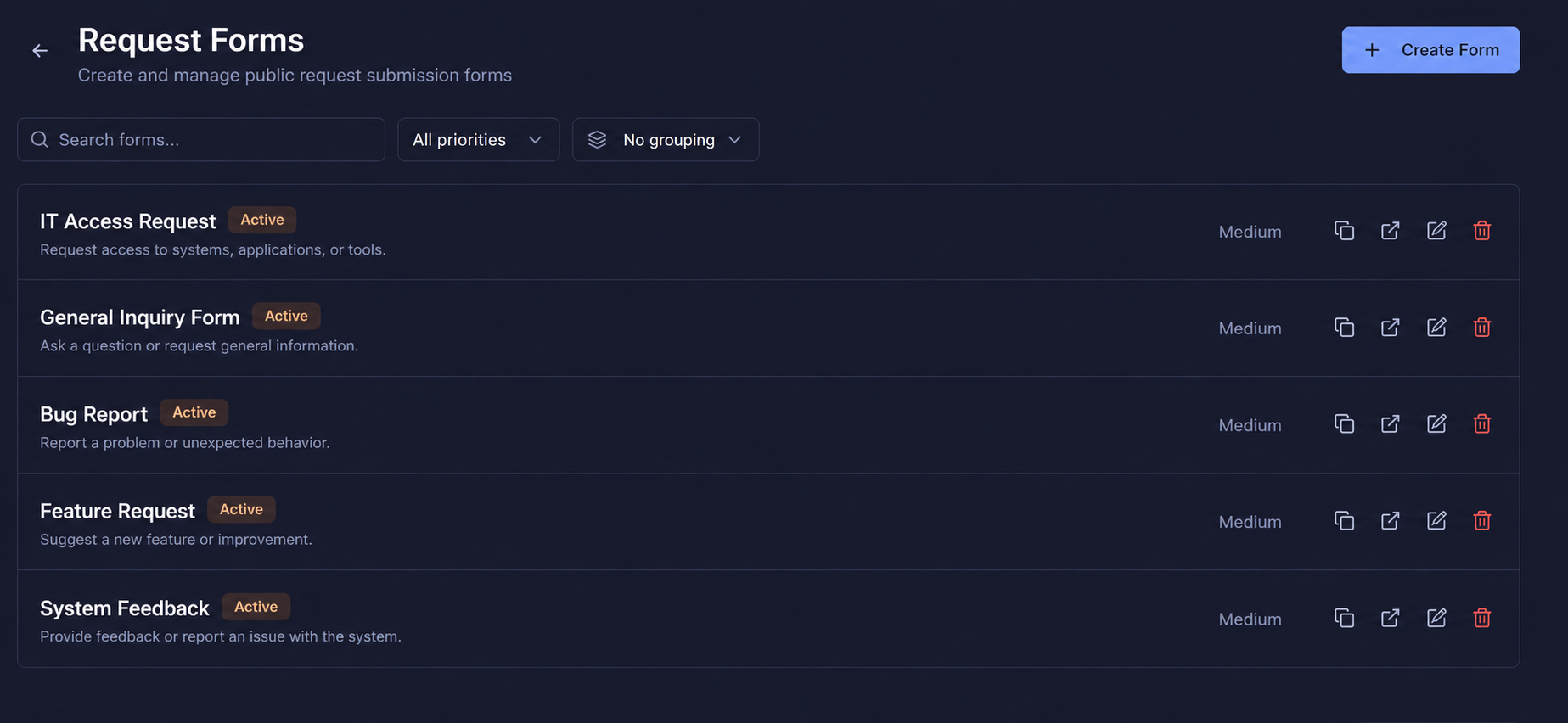
Build and manage multiple intake forms — one for IT, one for HR, one for customer support. Each form routes to the right queue automatically so nothing lands in the wrong place.

  • Unlimited forms per team, category, or department
  • Auto-routing based on form type
  • Manage all forms from a single control panel
Request forms management list
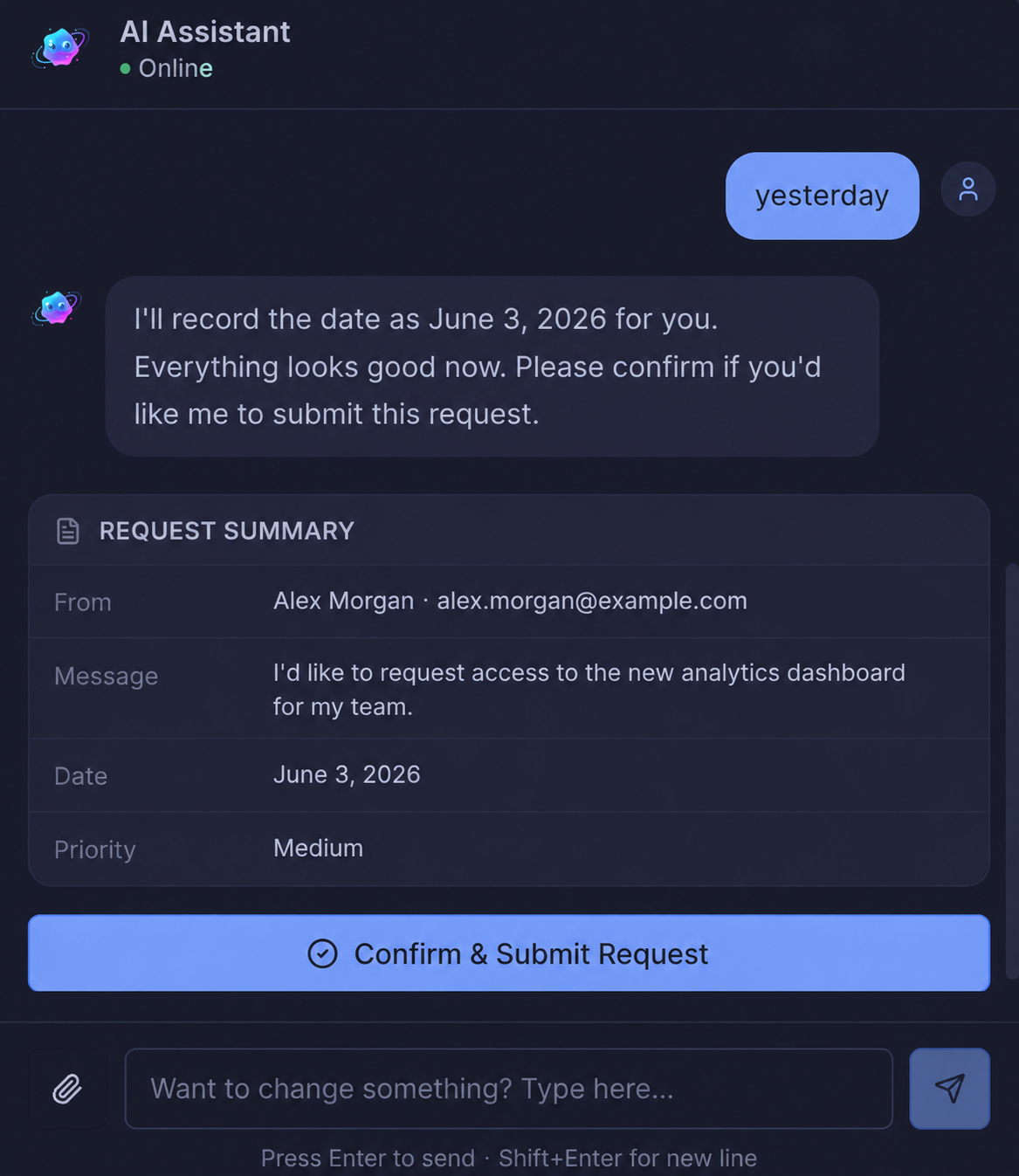
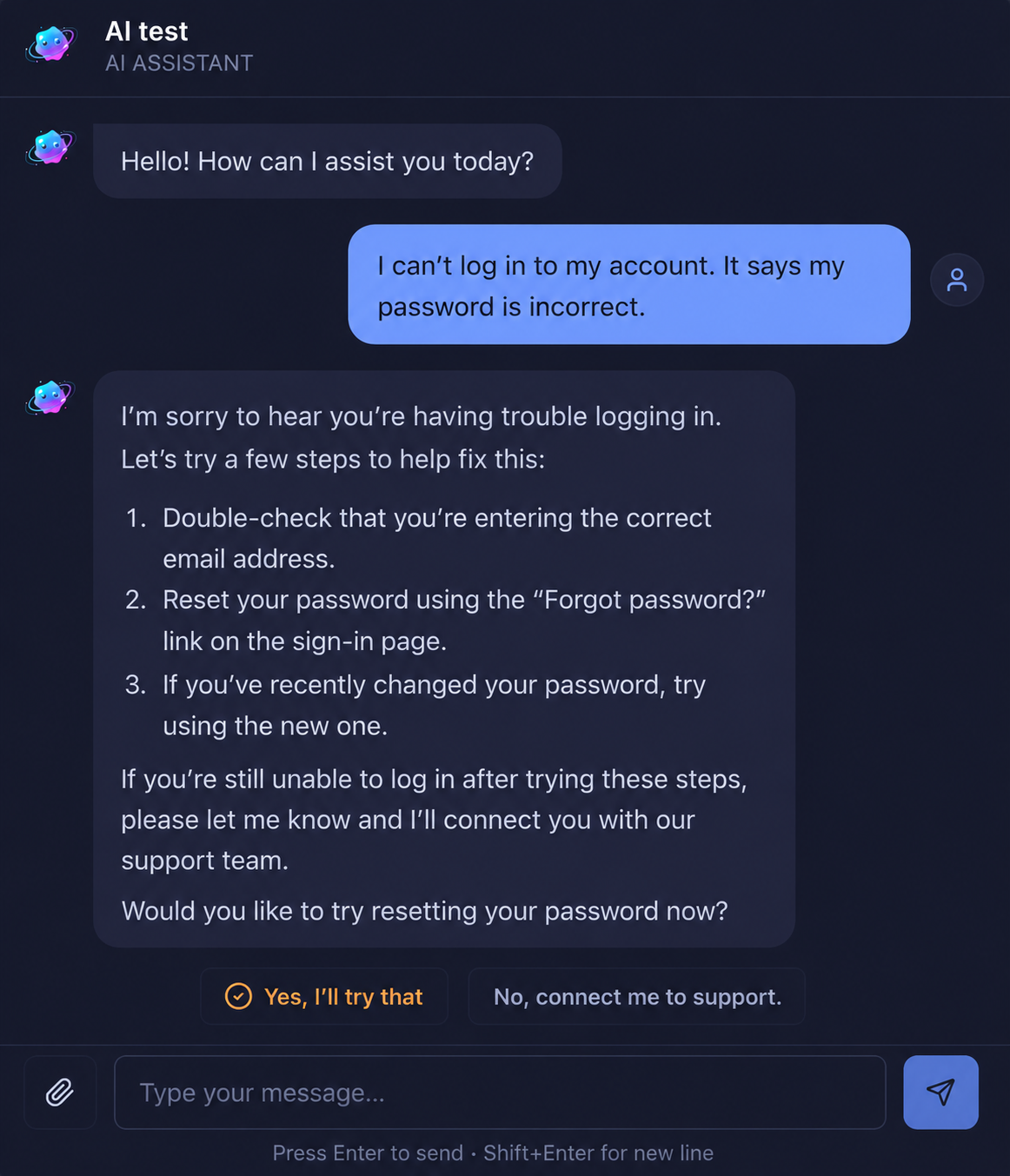
💬 AI Support Chat

Guide customers through every request

The AI support chat guides users through submitting the right type of request — asking clarifying questions, collecting the information you need, and routing to the right team before an agent even sees it.

  • Conversational intake that collects structured data
  • Reduces incomplete or misrouted submissions
  • Available 24/7 without any agent involvement
AI Support chat guiding user through request
⚡ AI Auto-Resolve

Some tickets resolve themselves

Luxon AI can automatically resolve common requests using past knowledge — without an agent needing to touch them. Free your team to focus on complex issues that actually need human judgement.

  • Auto-resolve common requests from KB and history
  • Customer notified instantly with the resolution
  • Escalates to human agents when confidence is low
AI automatically resolving a request
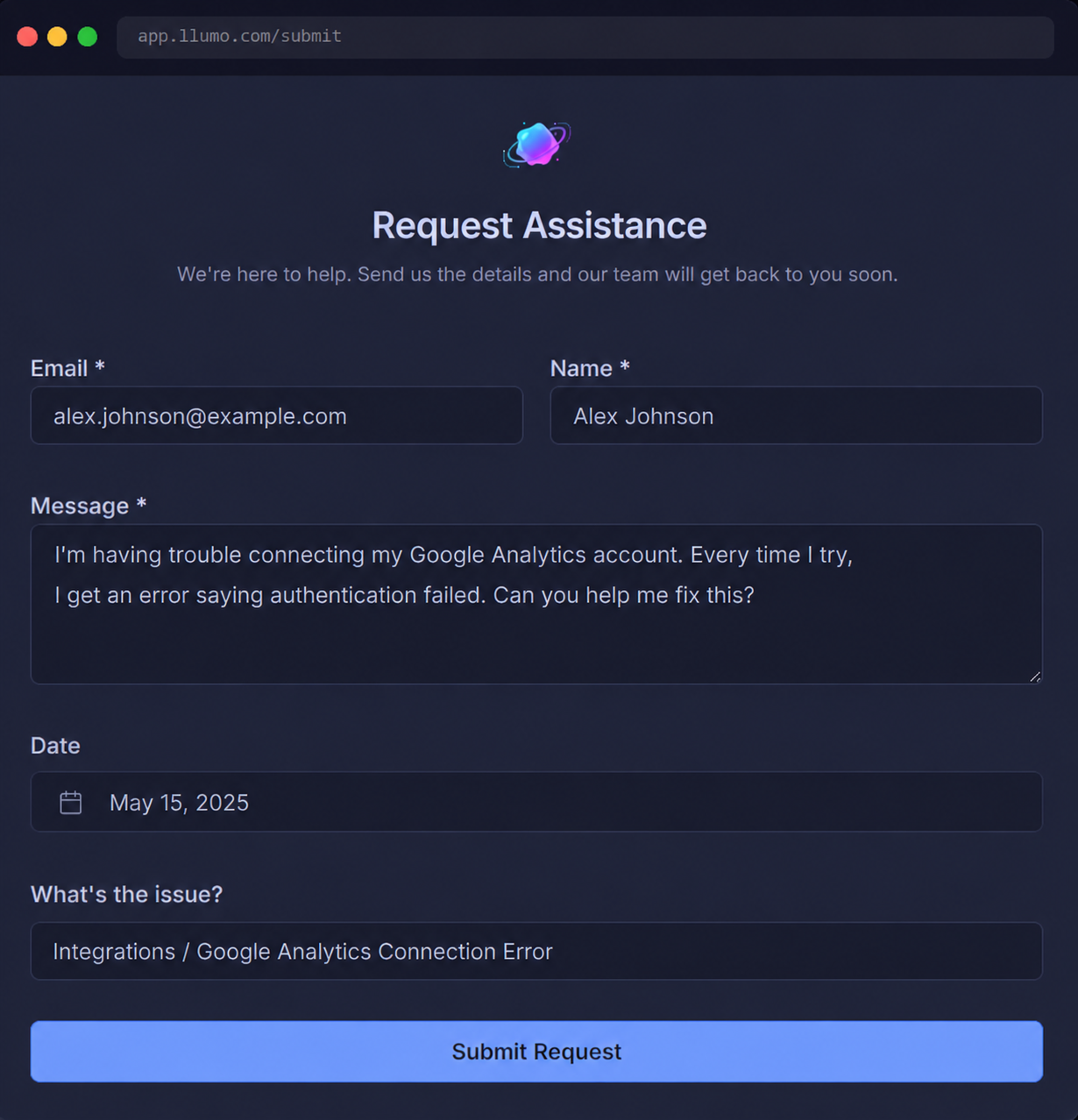
🌐 Public Request Portal

A branded portal your customers actually use

Share a public-facing form link with customers, partners, or staff. No login required — just a clean, branded submission experience that feeds directly into your support queue.

  • Public URL shareable by email, website, or QR code
  • No account required for customers to submit
  • Submissions land instantly in your agent queue
Public-facing request submission form
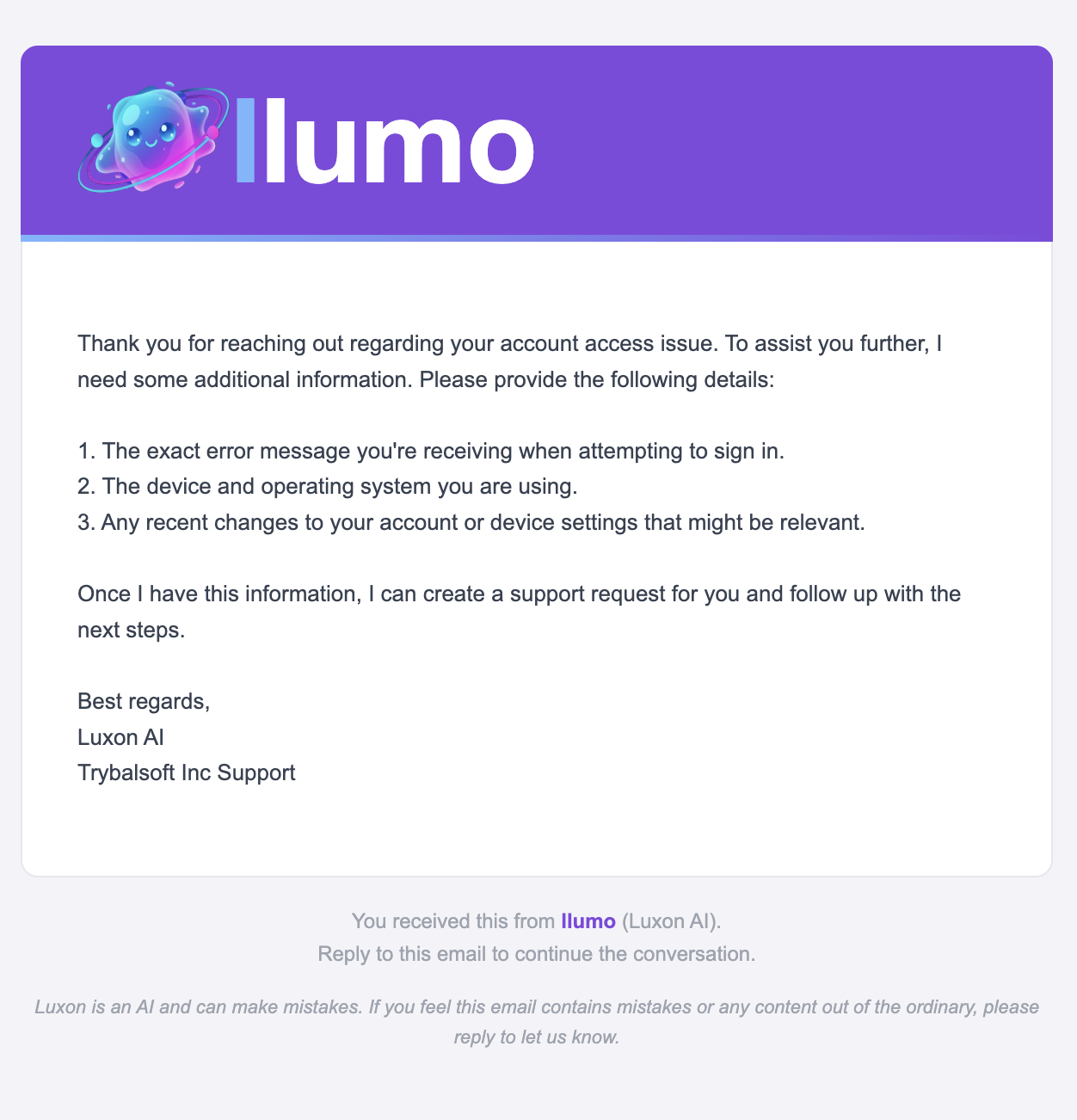
✨ Luxon AI Email Drafting

AI drafts the reply, you hit send

Luxon AI reads the request context and drafts a professional response for your agent. Edit, approve, and send — cutting reply time dramatically while keeping your brand voice consistent.

  • Context-aware drafts based on the full ticket thread
  • Edit before sending or approve in one click
  • Consistent tone across every agent and response
Luxon AI drafting an email reply

The three pillars of great support

Llumo gives your support team everything needed to hit the three metrics that actually define a great support operation.

Speed

SLA timers on every ticket, AI-drafted first replies, and structured intake forms mean agents respond faster on every ticket — without cutting corners on quality.

Accuracy

Agents pull answers from the Knowledge Base and Luxon AI — the same source of truth every time. Consistent, accurate responses that build customer trust with every interaction.

Visibility

Live dashboards show managers queue health, SLA compliance, and agent performance at any moment. Spot issues before they become crises. Report confidently to leadership.

The tools your support team relies on

Every Llumo tool is connected — agents have the context, knowledge, and communication they need in one place, not spread across five apps.

Your customers deserve better support

Join support teams who cut resolution times and improved satisfaction by bringing everything into one connected Llumo workspace.