Project Managers

Full visibility across
every project you run

Llumo gives project managers a single command center to plan projects, track progress, manage resources, report to stakeholders, and flag risks — without juggling five different tools.

40%
less time on status reporting
All
projects visible in one view
AI
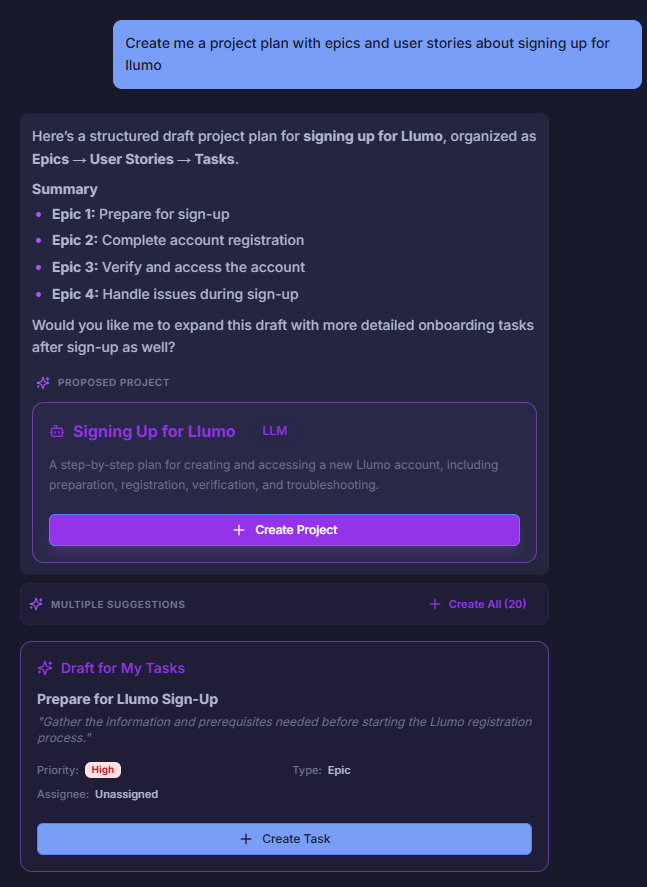
generates project plans from a brief
Live
dashboards replace status meetings

How PMs run projects end-to-end in Llumo

From kickoff to delivery — every phase of the project lifecycle lives in one connected workspace.

1

Kick off fast with AI

Describe your project<. The Luxon AI generates a full task breakdown, assigns owners, estimates a timeline, and builds a Gantt chart — in minutes, not days.

2

Track every dependency

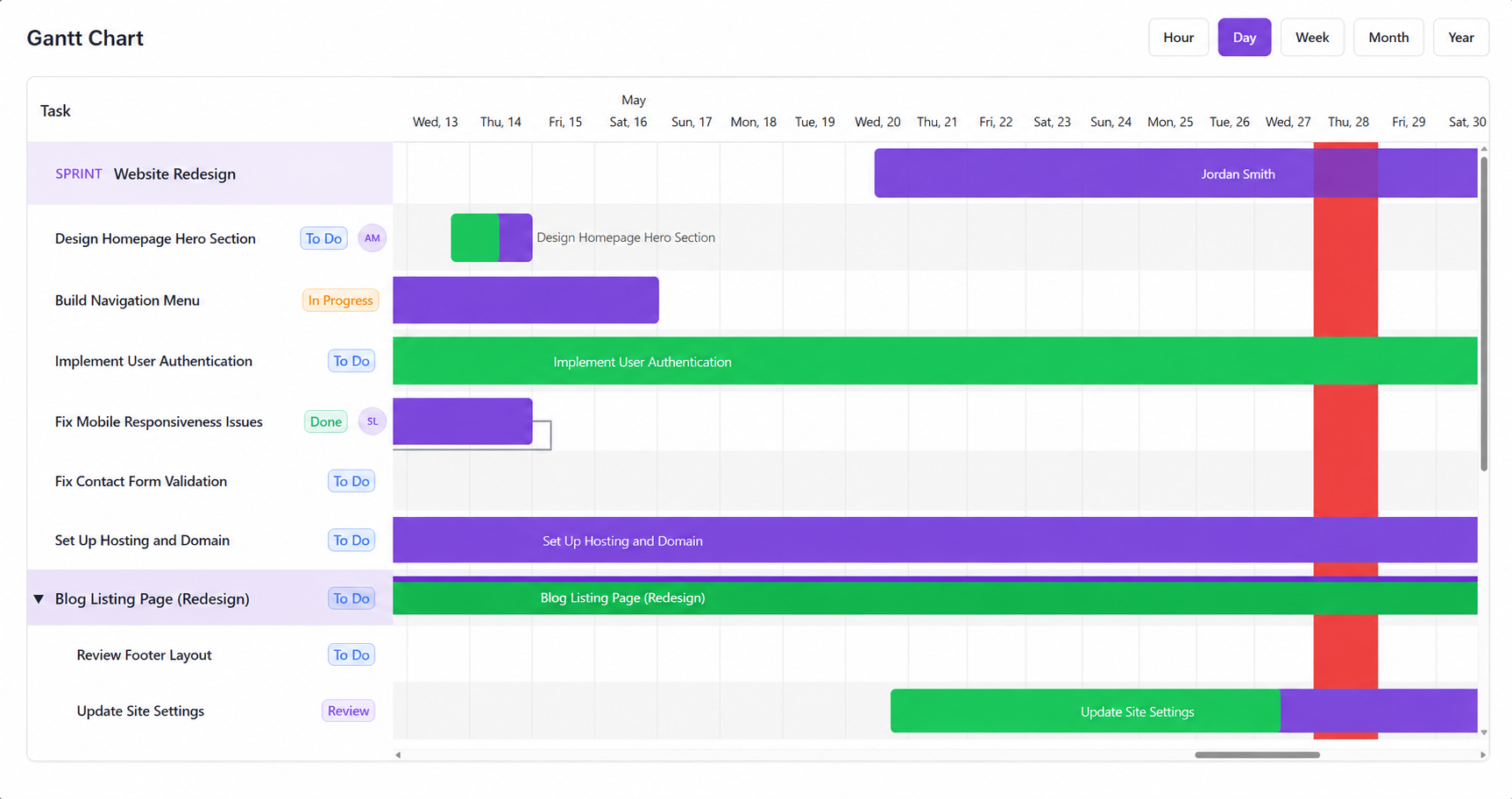
Map milestones and cross-task dependencies on Gantt charts. See the critical path clearly and know exactly which tasks would delay the project if they slip.

3

Report to stakeholders

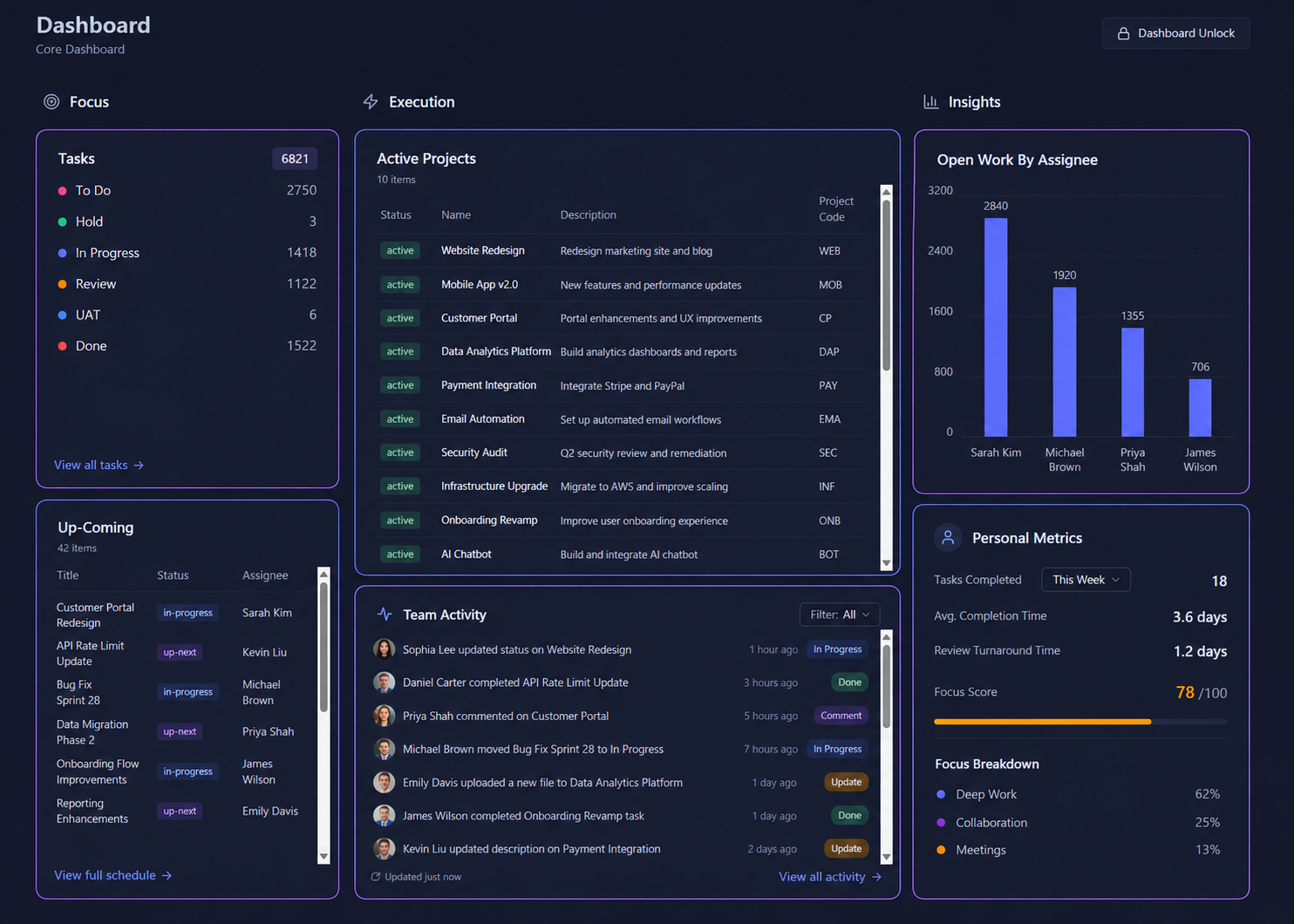
Build live dashboards for leadership, clients, or investors. Share a link — they see real-time progress without you having to prepare a single status deck.

4

Deliver & document

Capture retrospectives, lessons learned, and project docs in the Knowledge Base. Every future project inherits the knowledge from the last one.

Every tool a PM reaches for — in one place

Timelines, tasks, reports, resource planning, docs — all connected in Llumo so you're never switching context mid-project.

Gantt Charts & Milestones

Build detailed timelines with task dependencies, milestones, and critical path analysis. Drag to reschedule and the whole plan updates automatically.

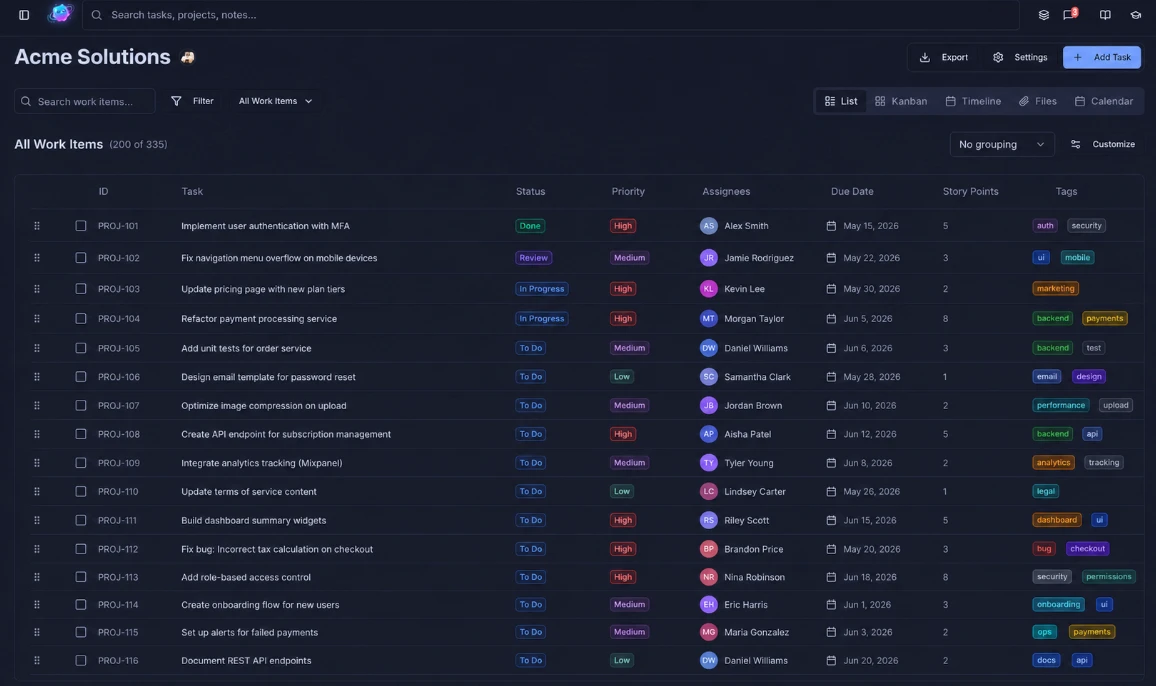
Multi-Project Portfolio View

Manage multiple projects from a single view. See which are on track, which are at risk, and where resources are concentrated — all at a glance without opening each project.

AI Project Planning

Describe a project and let the AI generate a full task breakdown, suggest owners, and estimate a timeline. Cut project setup from hours to minutes.

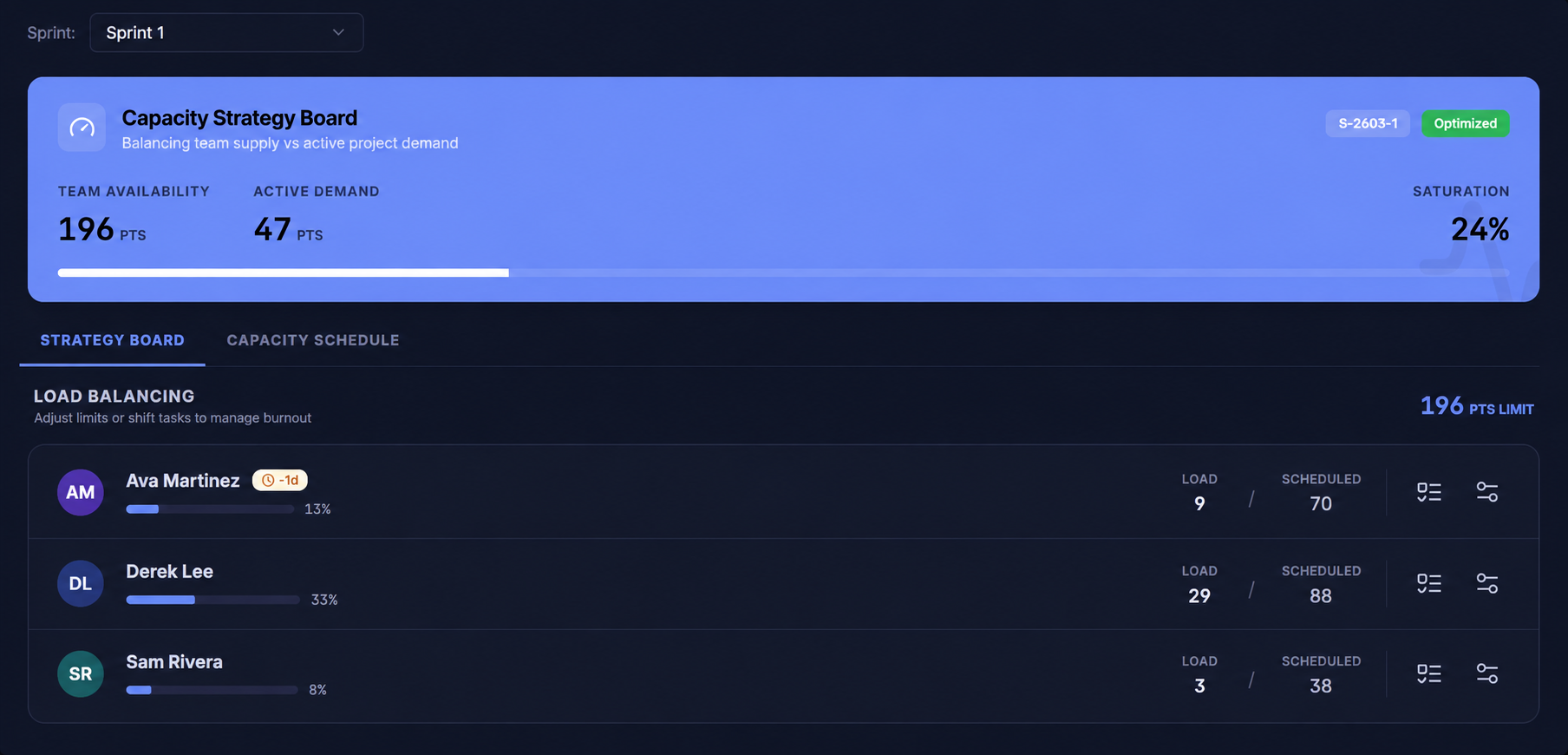
Resource & Capacity Planning

The Scheduler shows exactly who is overloaded and who has capacity. Balance workloads before deadlines slip — not after they already have.

Stakeholder Dashboards

Custom dashboards for every audience — executives get high-level status, teams get task details. Share live links so everyone has the latest numbers.

Risk & Blocker Tracking

Flag blockers and risks directly on tasks. The AI summarizes project health and surfaces risks you might have missed — before they become real problems.

Project Documentation

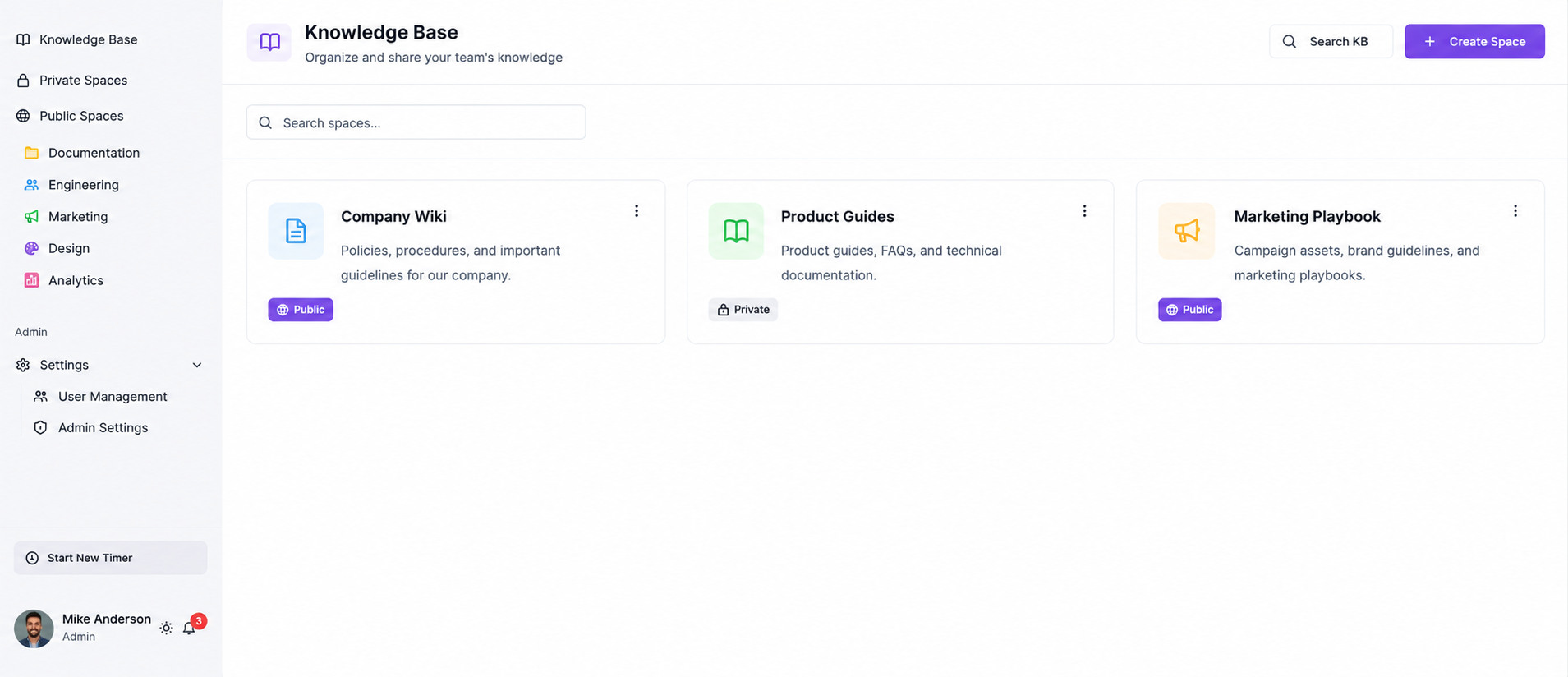
Keep project charters, scopes of work, decision logs, and retrospectives in the Knowledge Base — linked to the project so nothing gets lost after kickoff.

Time & Budget Tracking

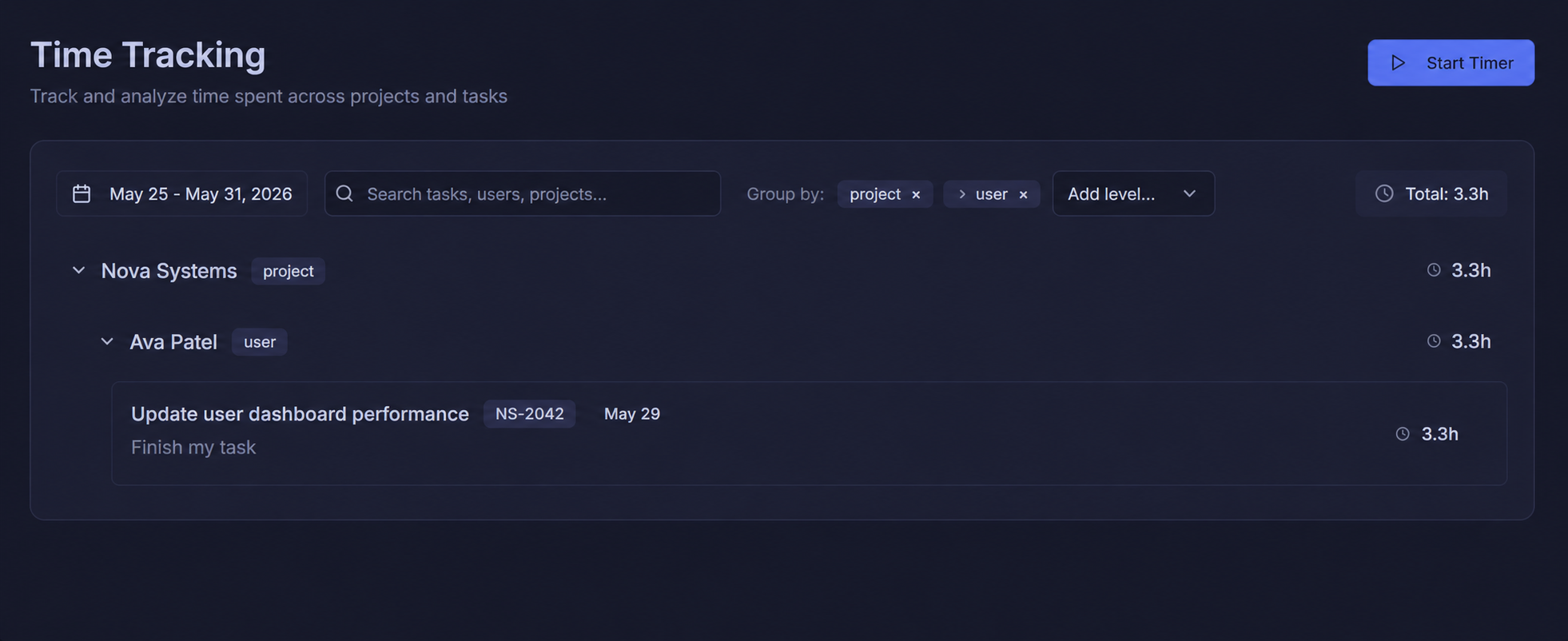
Track time logged per task and per project. Compare actuals to estimates and use the data to build better forecasts for future projects.

Change Request Management

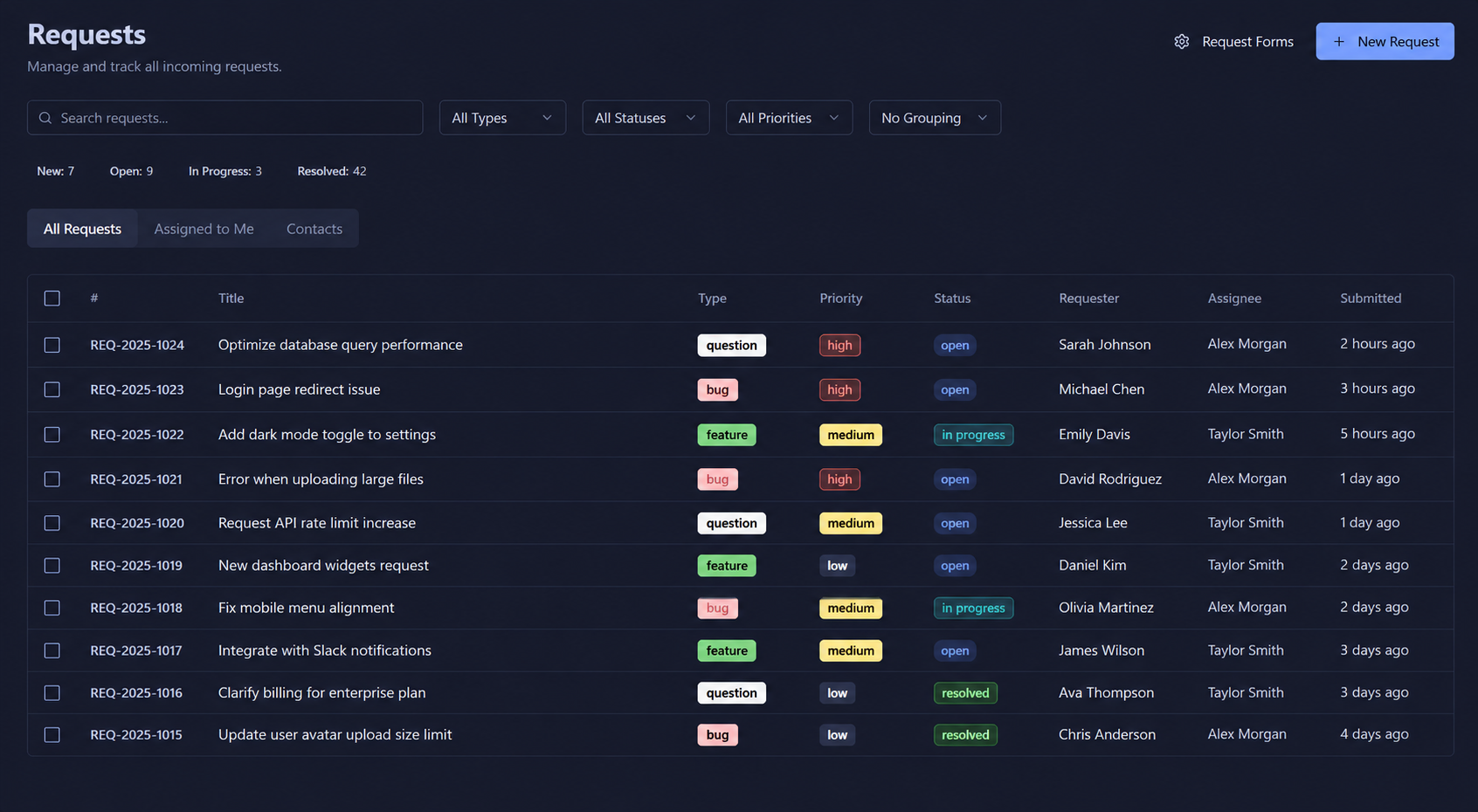
Handle scope changes through the Requests module. Every change is tracked, prioritized, and linked back to the project it affects — with a full audit trail.

Built for how PMs actually work

Two of the hardest parts of project management — stakeholder reporting and resource conflicts — handled automatically.

Never build another status deck

Llumo Dashboards update in real time as tasks are completed. Share a single link with your stakeholders and they always see the current state of the project — no manual updates, no exported spreadsheets, no deck building on Friday afternoons.

Catch resource conflicts before they hurt

The Scheduler shows team capacity across every project you're running. Before assigning a new task, see exactly how loaded each person is. Prevent the invisible overloading that causes quality drops and missed deadlines — every time.

AI that does the planning for you

Drop in a project brief — the Luxon AI writes the task list, assigns likely owners, maps dependencies, and drafts a timeline. You get a head start that would have taken half a day, and you can edit from there.

Every project document in one place

SOWs, change logs, retrospectives, and decision records all live in the Knowledge Base, linked to the project they belong to. When a project closes, the knowledge doesn't disappear — it builds your institutional memory.

The PM toolkit inside Llumo

Every tool a project manager reaches for — timelines, tasks, reports, docs — all connected in one workspace.

Deliver every project on time

Join project managers who replaced spreadsheets and disconnected tools with one Llumo workspace — and never missed a deadline again.