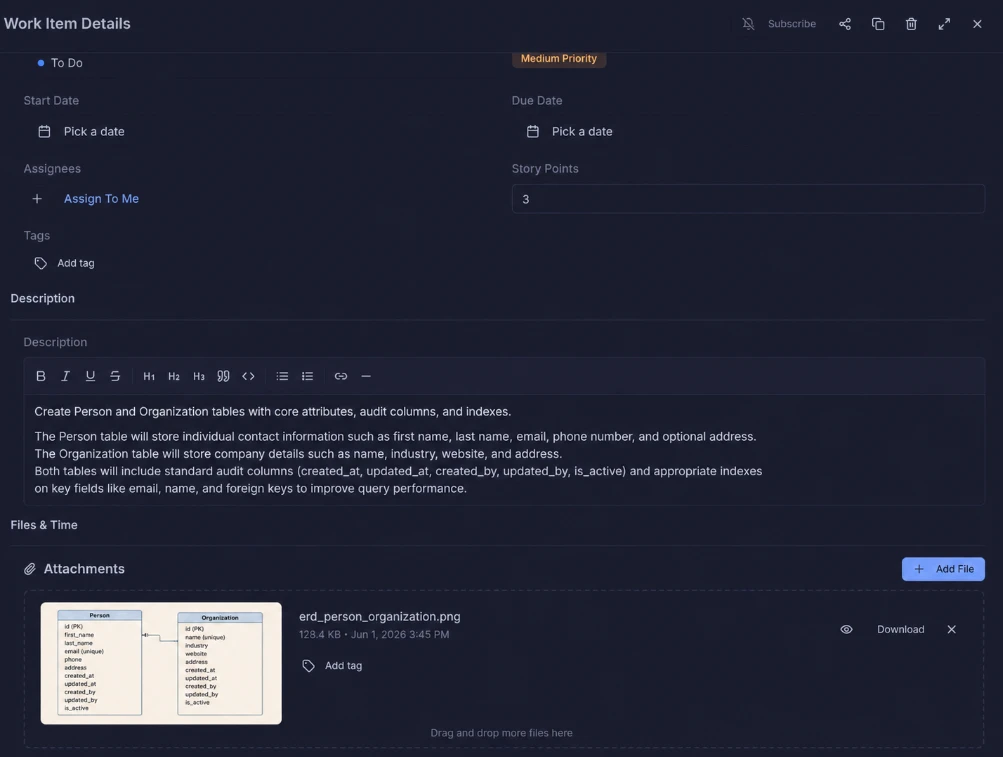
See every task. Move work forward.
Llumo’s Kanban board gives your team a live, visual overview of every task across every stage. Drag cards between columns, set priorities, assign story points, and track time — all without leaving the board.
- Custom columns that match your exact workflow (To Do, In Progress, Review, UAT, Done)
- Priority labels — urgent, high, medium, low — colour-coded at a glance
- Story points, time estimates, and due dates on every card
- Switch instantly between List, Kanban, Timeline, Files, and Calendar views
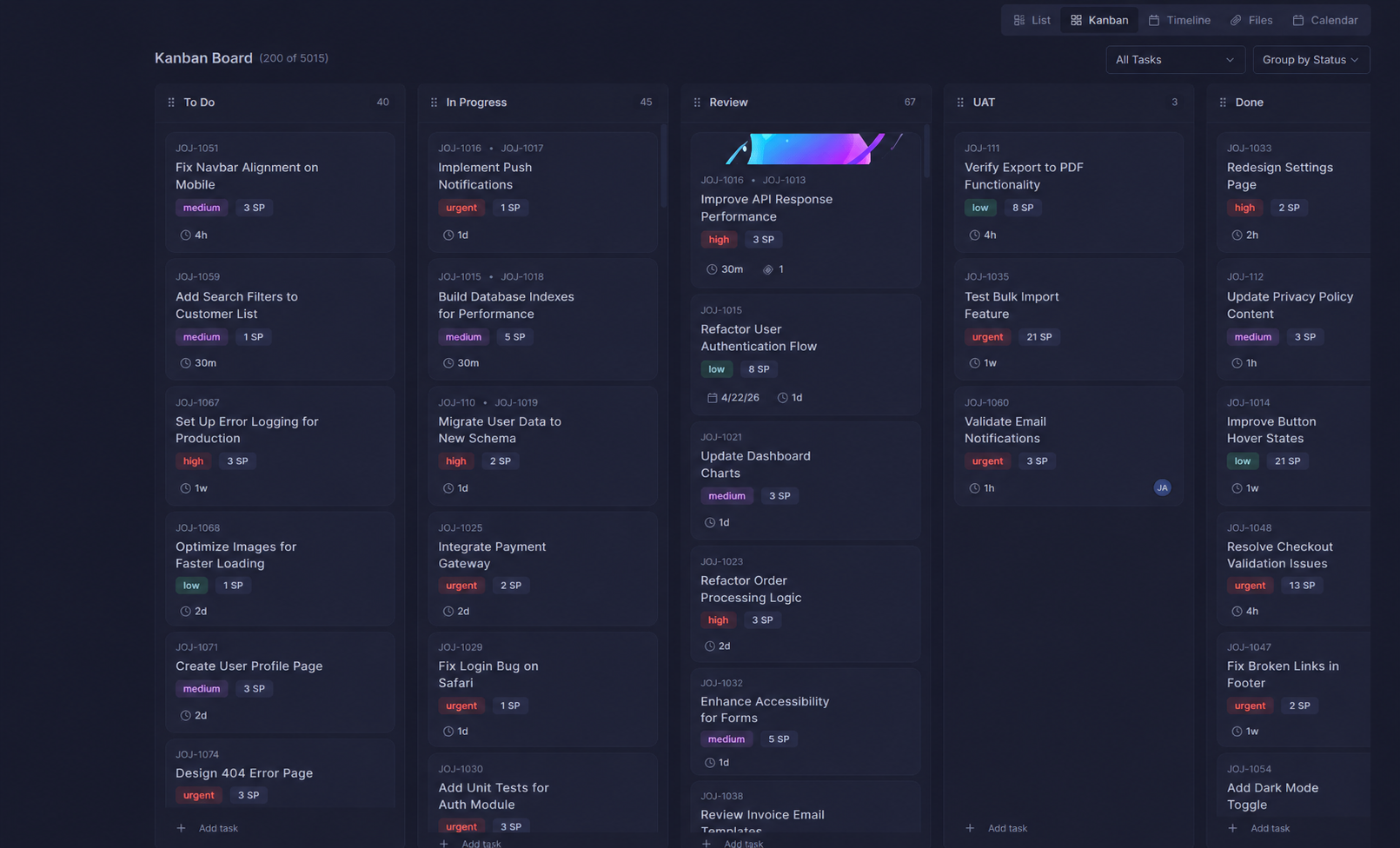
Every card tells the full story.
Click into any task card and get everything in one place — priority, story points, assignees, due date, attachments, and parent task links. And when work moves forward, simply drag and drop the card into its next status — from Review to UAT, or UAT to Done — and the whole team sees it instantly.
- Drag & drop cards across status columns — move a task from Review → UAT → Done instantly
- Parent → child task linking for full traceability
- Attachments and file count visible directly on cards
- Time tracking built right in
- Assignee avatars so ownership is always clear
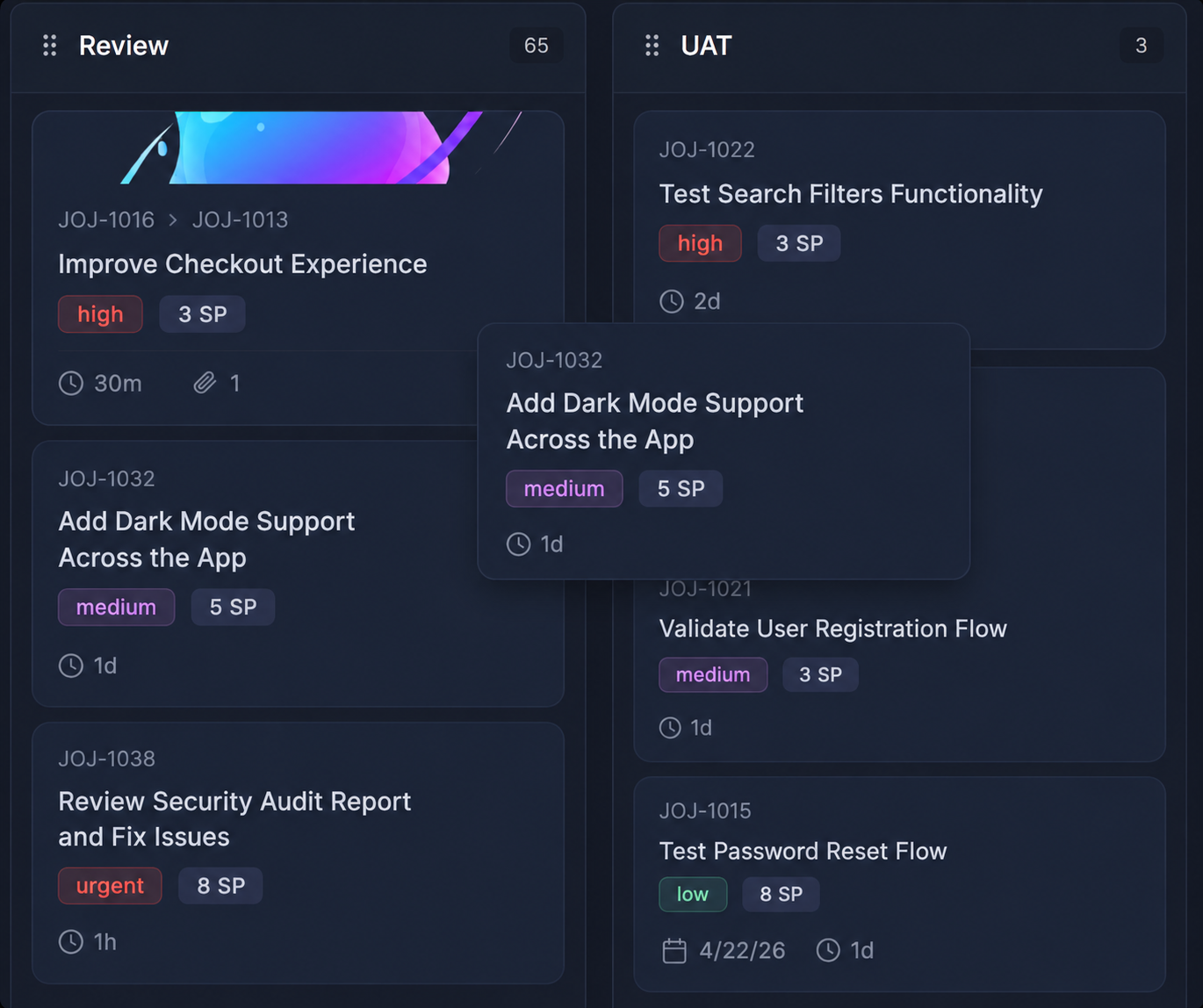
Run sprints that actually ship.
Create and manage sprints with clear start and end dates, track active vs completed sprints, and keep your team focused on what matters this iteration. Every sprint has a core objective so nothing gets lost.
- Active and completed sprint history in one view
- Sprint status — In Progress, Pending, Complete
- Named sprints with goals and date ranges
- Tabs for Grooming, Planning, Calendar, and Capacity
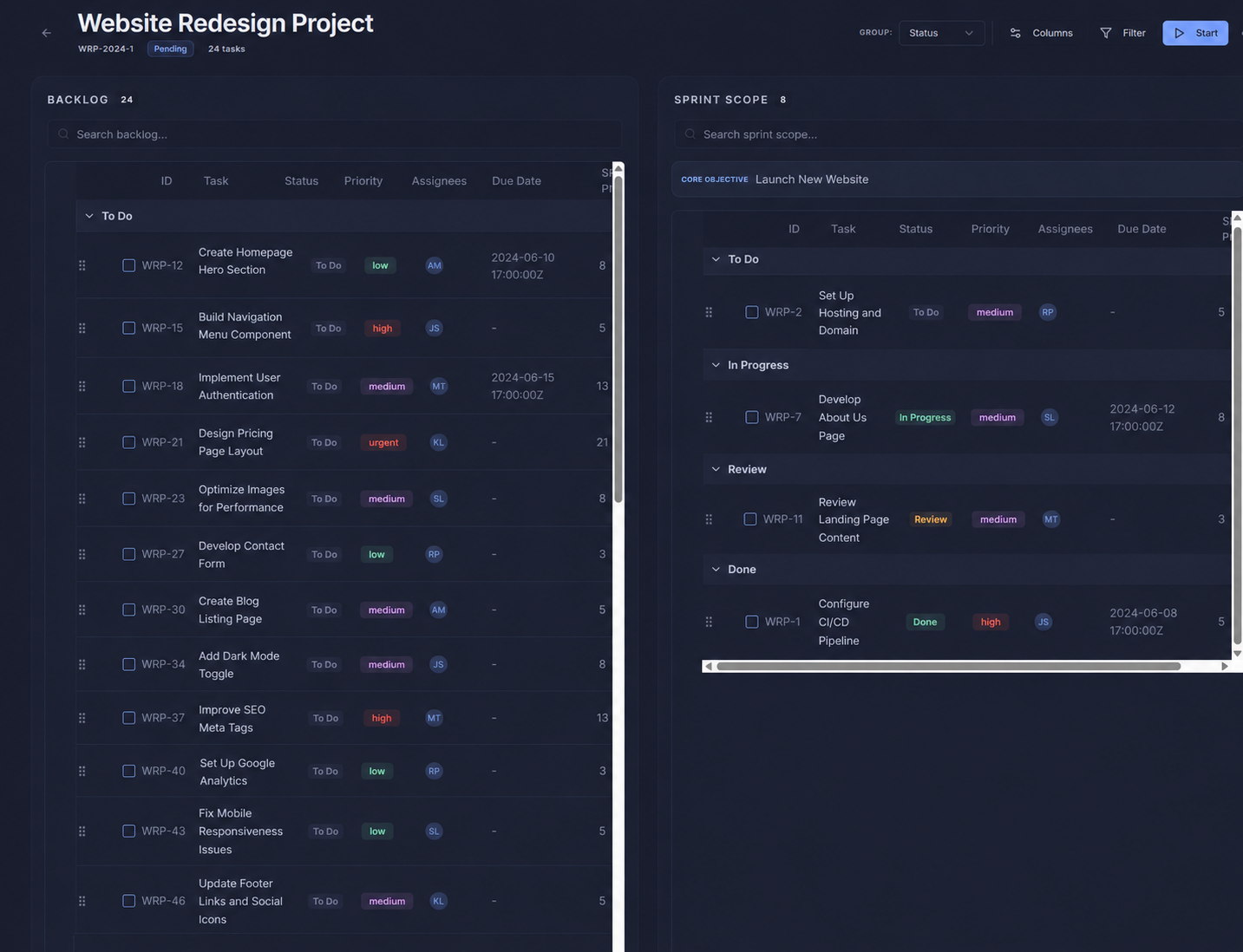
Plan your sprint with precision.
Llumo’s sprint planning view puts your full backlog on the left and your sprint scope on the right. Drag tasks across, set priorities, assign team members, and lock in your sprint — all in a single screen.
- Full backlog with 80+ tasks searchable and filterable
- Sprint scope panel shows exactly what’s committed
- Status, priority, assignee, and due date on every row
- Group by status to see workload distribution instantly
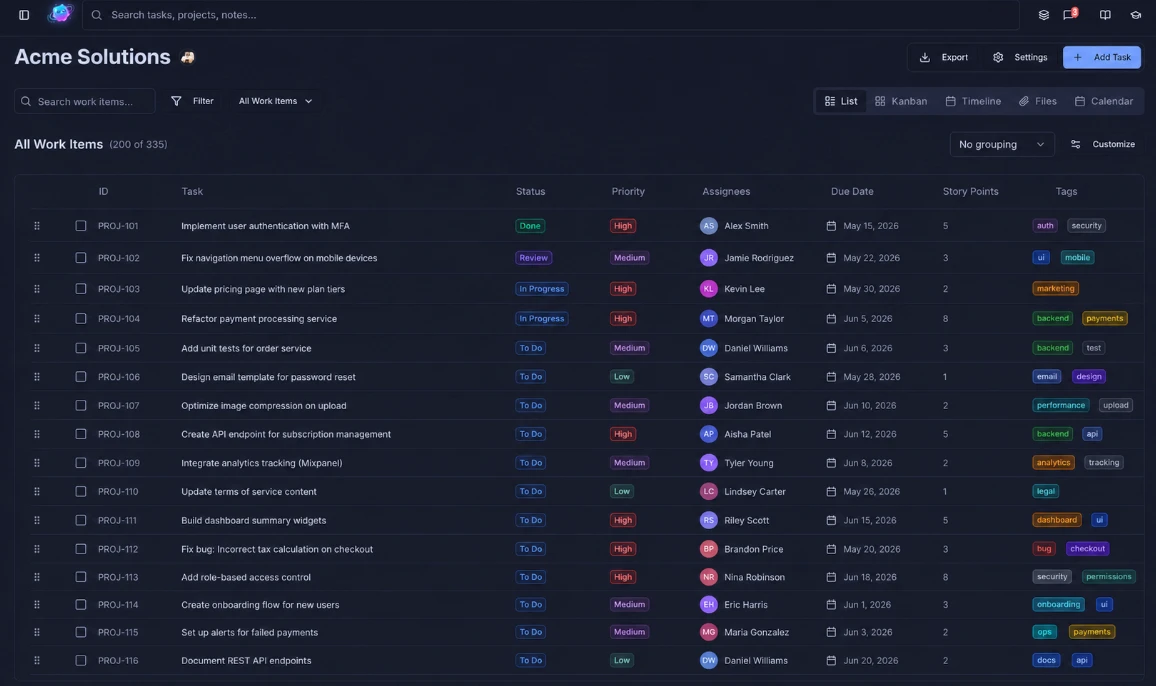
Every task across every project, one view.
The All Work Items view gives you a single, searchable list of every task in your workspace. Filter by assignee, status, priority, or tag — and see story points, due dates, and custom tags all inline.
- Search, filter, and sort across hundreds of tasks instantly
- Custom tags, story points, due dates, and assignees on every row
- Filter by any assignee, status, priority, or tag combination
- Switch to Kanban, Timeline, Files, or Calendar in one click
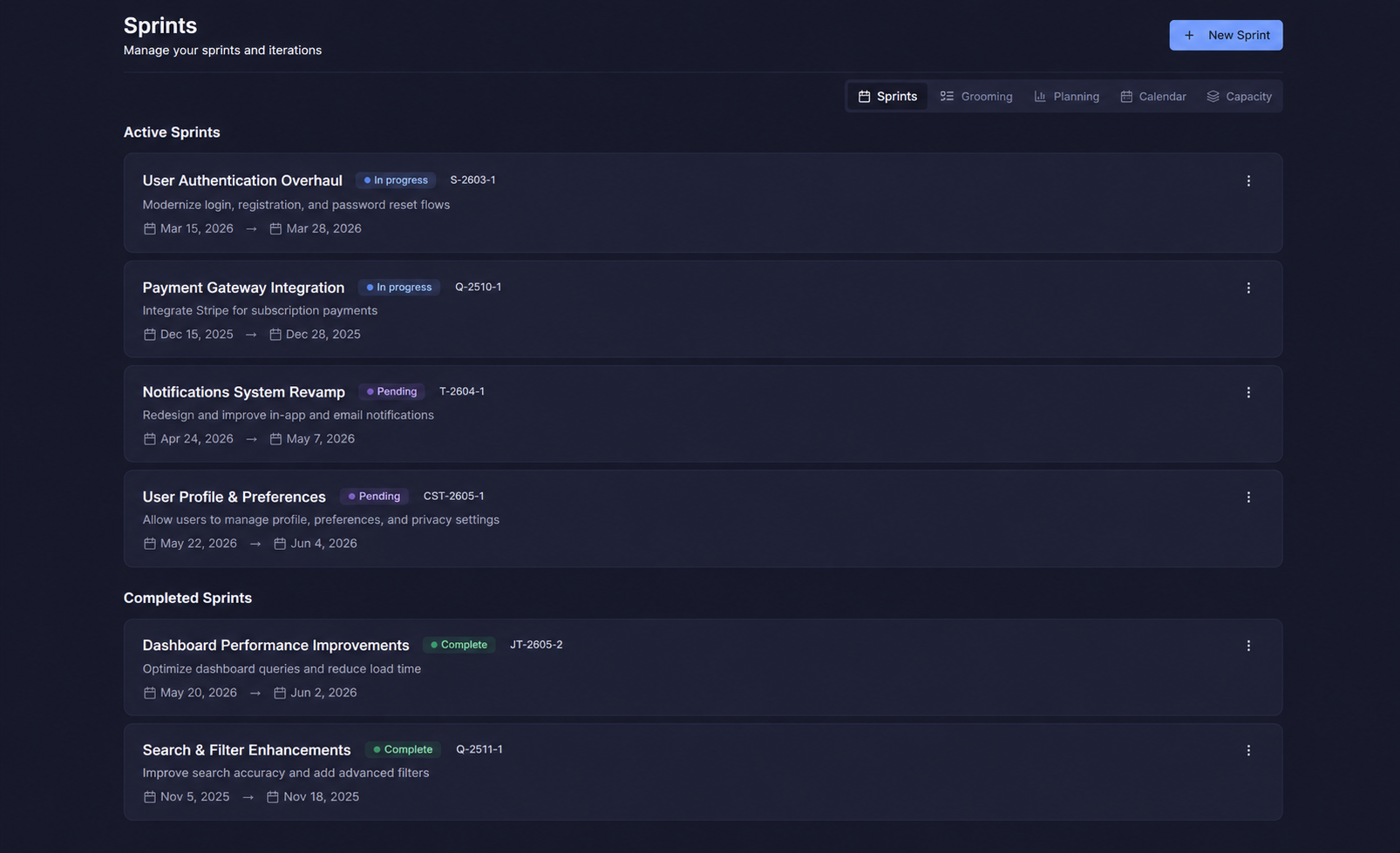
Every detail, all in one place.
Click into any task and get the full picture — status, priority, assignees, story points, start and due dates, a rich-text description, and a full file attachment panel. Everything your team needs to execute, without switching tools.
- Rich-text description with headings, code blocks, bullet lists, and links
- Attach files, ERDs, designs, and docs directly to the task
- Story points, assignees, start date, due date, and priority in one view
- Subscribe, share, duplicate, or delete from the task header