Education & Training

Train smarter.
Grow every person on your team.

From new hire onboarding to professional certifications, Llumo gives education and training teams one platform to build courses, track learner progress, manage content, and report on outcomes — all in one connected workspace.

100%
learner progress tracked automatically
1 place
for courses, docs, chat & requests
Zero
knowledge lost when people leave
Every
certification tracked with expiry alerts

How education teams use Llumo end-to-end

From building your first course to tracking completion across your entire organization — one connected workflow.

1

Build your courses

Create structured courses with lessons, modules, quizzes, and assessments directly in Llumo Academy. Organize content into learning paths and set prerequisites to guide learners.

2

Assign & enroll learners

Assign courses to individuals, teams, or roles. Set deadlines, required completions, and certification targets. Learners get notified and can start immediately from any device.

3

Track progress in real time

Dashboards show completion rates, quiz scores, and time spent per learner. Spot who's falling behind before they miss a certification deadline or fall short of a compliance requirement.

4

Report outcomes & improve

Share completion reports with leadership or clients. Use assessment data to identify gaps in your content and continuously improve course quality over time.

Everything education & training teams need

Llumo replaces your separate LMS, wiki, chat tool, and project tracker — giving your L&D team one connected workspace built for how learning actually happens.

Course Builder & LMS

Build structured courses with text lessons, video embeds, quizzes, and assessments directly in Llumo Academy. Organize content into modules and set prerequisites for a guided learning path.

Learner Progress Tracking

Monitor every learner's progress — lessons completed, quizzes passed, time spent, and certificates earned. Filter by team, role, or course to get exactly the view you need.

Certifications & Badges

Issue certificates automatically when learners complete a course or pass an assessment. Set expiry dates for compliance training and get reminders when renewals are due.

Structured Learning Paths

Build role-specific learning paths that guide learners through a sequence of courses. New hires follow the onboarding path; senior staff follow the leadership development path.

Knowledge Base Integration

Link courses to relevant Knowledge Base articles, policy docs, and reference materials. Learners can deepen their understanding without leaving the platform.

Training Project Management

Manage course development as a project — assign writers, reviewers, and designers to tasks with deadlines and approval stages. Launch new programs on time, every time.

Training Requests

Employees can submit training requests through the Requests module. L&D teams review, prioritize, and track delivery — giving the whole organization a clear path to request development.

L&D Dashboards & Reports

Build dashboards showing completion rates, assessment scores, certification status, and training ROI. Share live reports with leadership to prove the impact of your L&D program.

🎓 Learning Dashboard

Every course, every learner, one view

The Academy dashboard gives learners a clear view of enrolled courses, progress, and what to tackle next. Admins see completion rates and certification status across the entire organisation at a glance.

  • Course cards with progress indicators for every learner
  • Admin view of completion rates across teams
  • Jump straight into any course from the dashboard
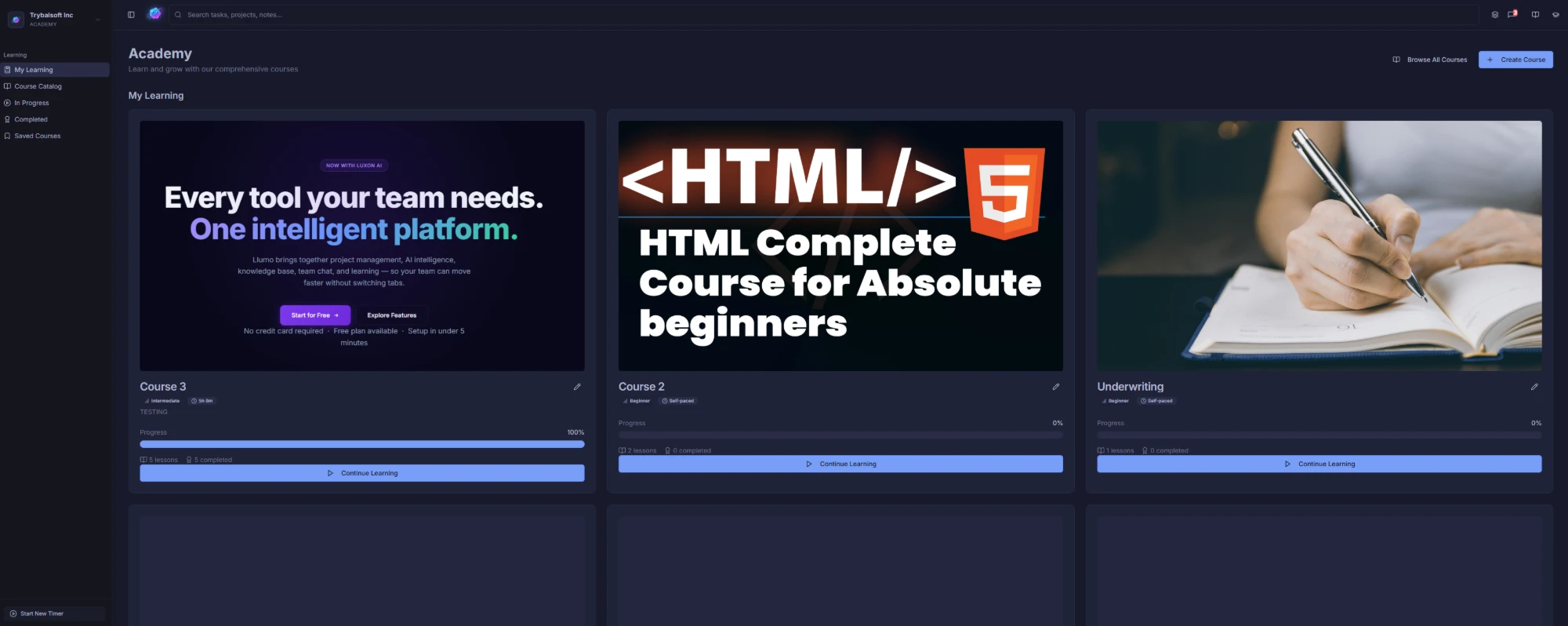
Academy learning dashboard
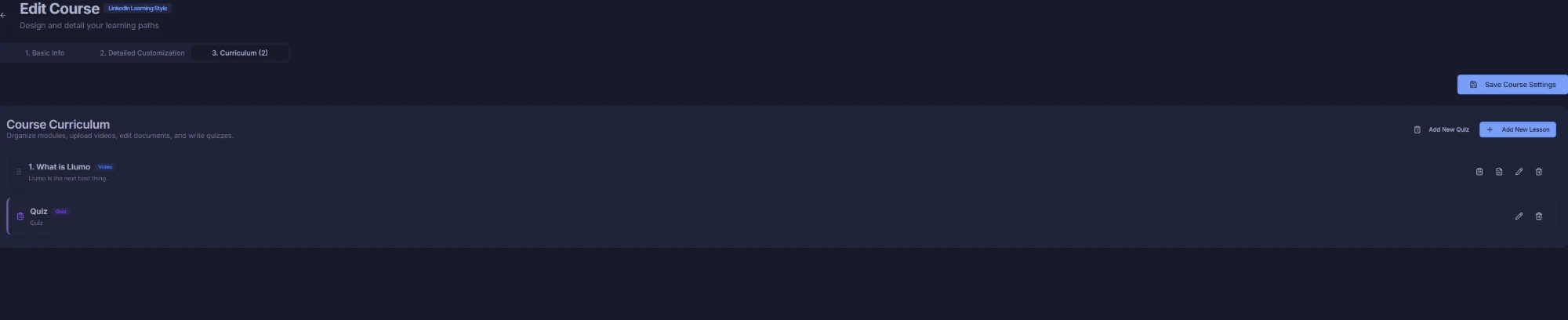
📚 Course Curriculum

Structure your content into clear learning paths

Organise lessons and modules into a structured curriculum that guides learners step by step. Set prerequisites, lock content until prior lessons are complete, and build courses that flow the way you intend.

  • Drag-and-drop module and lesson ordering
  • Prerequisites to enforce learning sequence
  • Mix text, video, and quiz lessons in any order
Course curriculum builder
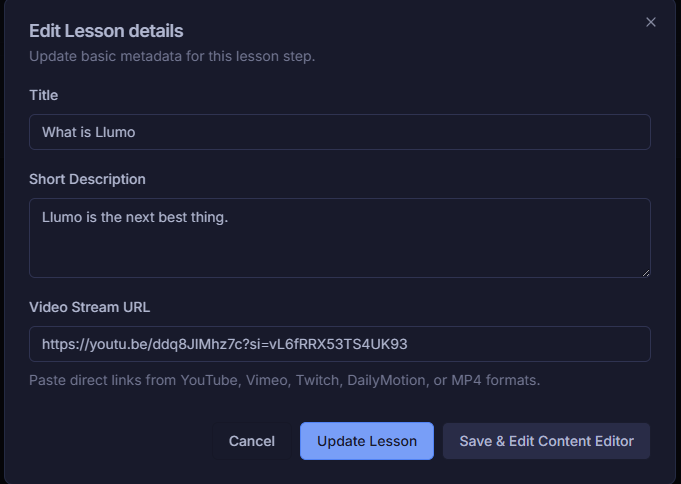
🎬 Lesson Builder

Build lessons with video, text, and rich content

Add video lessons by pasting a URL, write rich text content, embed files, and format exactly how you want. Create professional lessons without needing a dedicated authoring tool or technical help.

  • Video lessons via URL — no file upload needed
  • Rich text editor for written lesson content
  • File attachments and supplementary materials
Lesson editor with video URL field
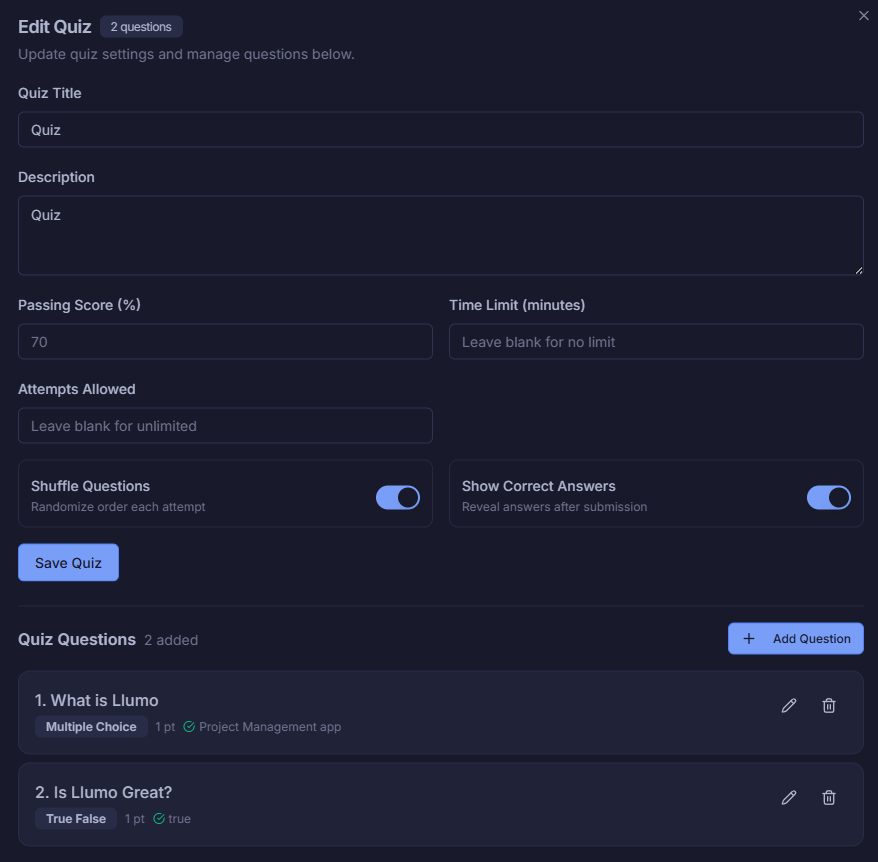
✅ Quiz Builder

Test understanding with built-in quizzes

Add quizzes to any lesson or module to check comprehension and reinforce key concepts. Set passing scores, allow retakes, and automatically track results per learner — no third-party tool required.

  • Multiple choice and true/false question types
  • Set pass thresholds and retake rules
  • Results tracked automatically per learner
Quiz builder with question management
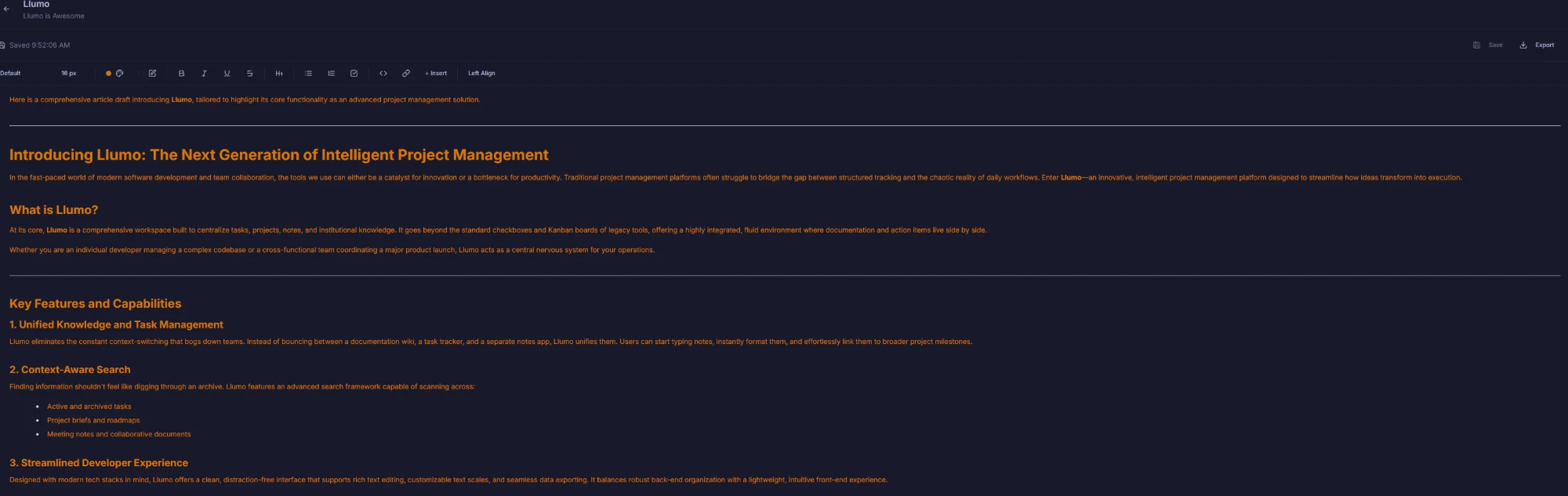
✍️ Rich Text Editor

Write lessons as rich, formatted content

The built-in rich text editor lets you write detailed lessons with headings, bullet points, callouts, images, and embedded media — so your content looks polished without any design work.

  • Full formatting: headings, lists, callouts, tables
  • Inline images and embedded media
  • Clean, readable layout for every learner
Rich text content editor
📋 Course Setup

Set up every course in minutes

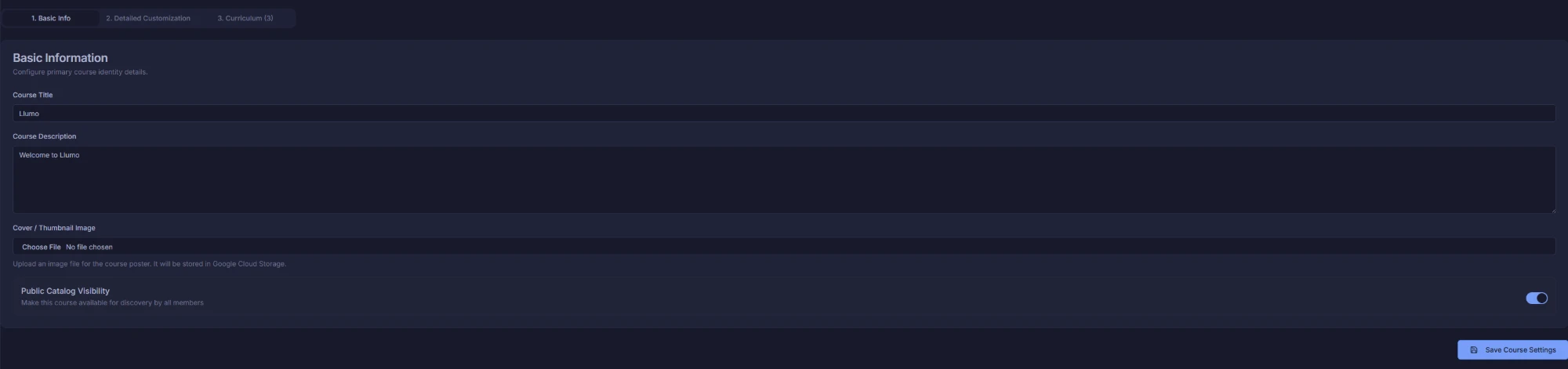
Configure course name, description, category, difficulty level, and estimated duration before you publish. Give learners the context they need to choose the right course and know what to expect.

  • Title, description, category, and difficulty settings
  • Estimated duration displayed to learners
  • Draft and publish workflow to control visibility
Basic course info setup
🎨 Course Customization

Make every course look the part

Add a cover image, course banner, and custom branding to give each course a professional, polished appearance. Learners see a LinkedIn-style course card before enrolling — first impressions matter.

  • Custom cover image and course banner
  • Professional course card visible before enrolment
  • Consistent branding across your entire Academy
LinkedIn-style course customization
🚀 Course Enrollment

Learners enroll and start immediately

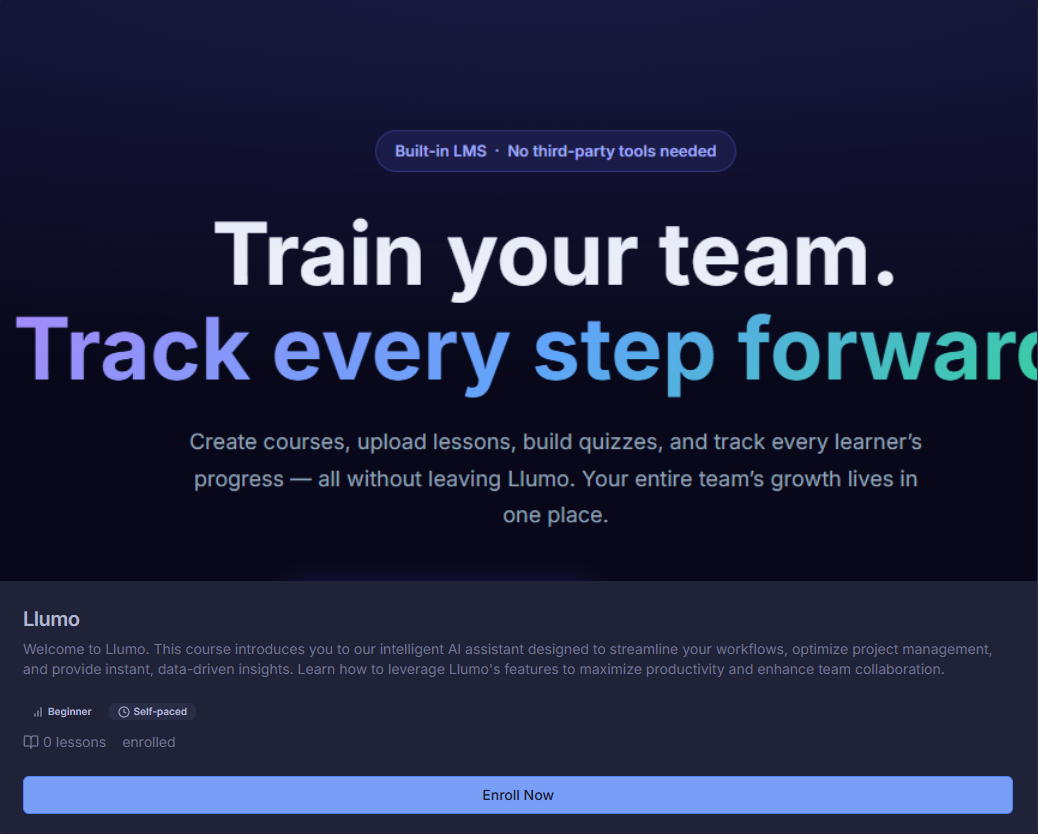
A clean course card shows learners everything they need — description, duration, modules, and instructor — before they enroll. One click to enroll, one click to start. No friction, no waiting.

  • Course overview card with all key details
  • One-click enroll and immediate access
  • Admin-assigned enrolment for mandatory training
Course enrollment card
▶️ Course Viewer

A focused learning experience for every learner

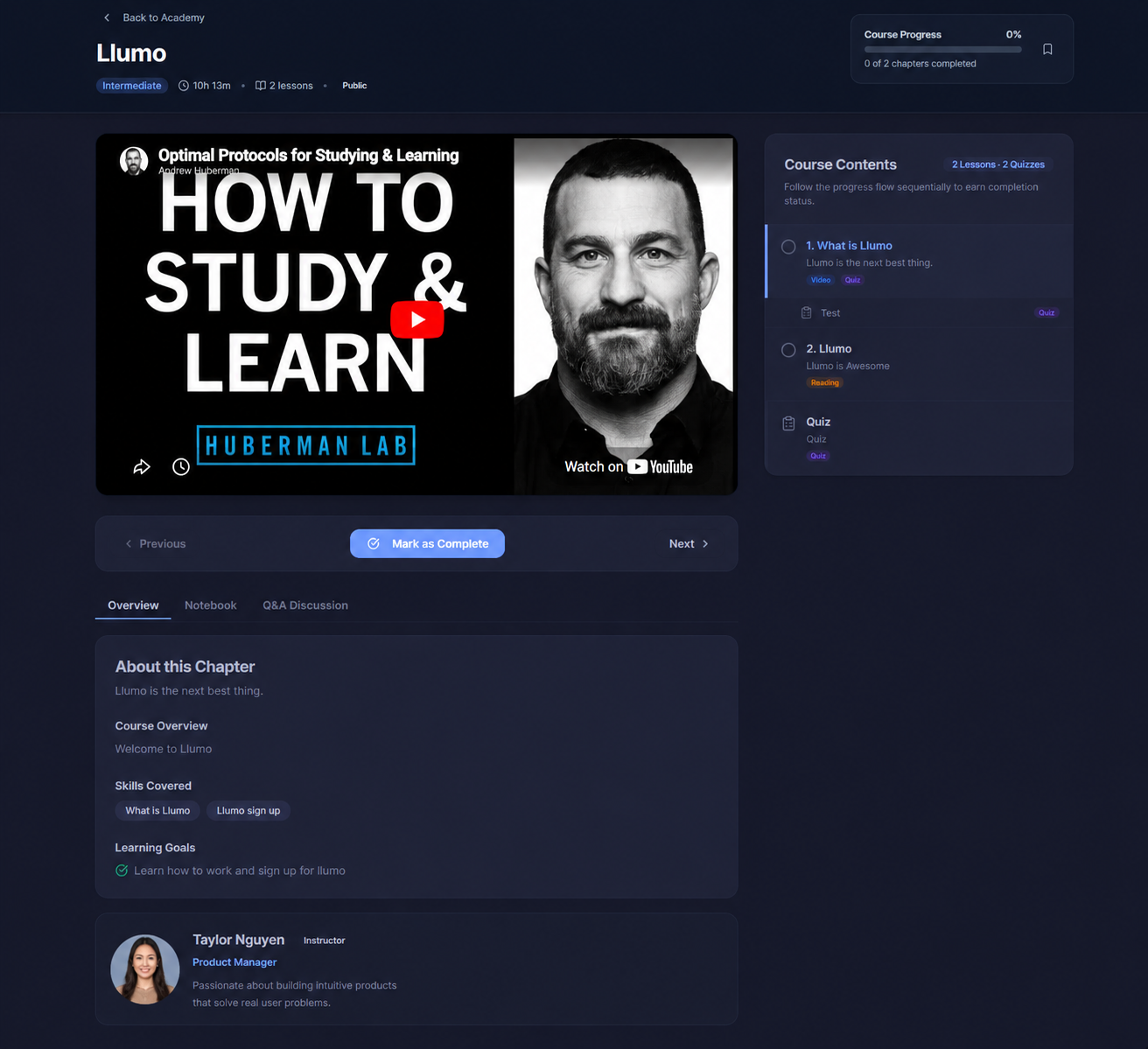
The course viewer puts video front and centre with a structured sidebar showing all modules and lessons. Learners navigate at their own pace, track their progress, and always know exactly where they are.

  • Video player with lesson sidebar navigation
  • Progress tracking visible throughout the course
  • Clean, distraction-free learning interface
Course viewer with video and sidebar
🧠 In-Video Quizzes

Test knowledge right inside the lesson

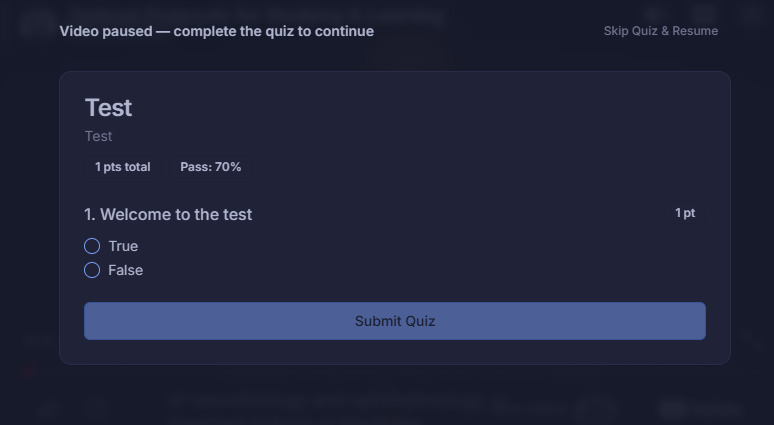
Quiz popups appear during or after a video lesson to check comprehension without breaking the learning flow. Learners answer inline — no page change, no interruption, just a moment to check understanding.

  • Quiz popups triggered inside the lesson view
  • Seamless experience — no page navigation required
  • Results recorded automatically for reporting
In-video quiz popup
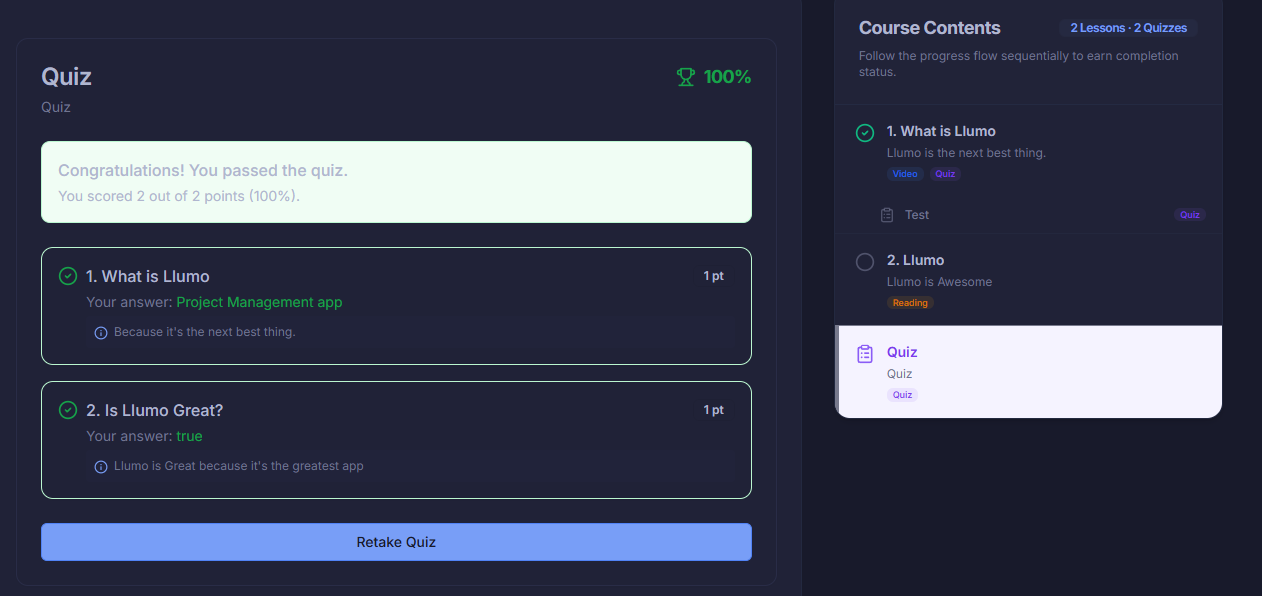
📊 Quiz Results

Instant feedback with a full answer review

Learners see their score immediately after completing a quiz — along with a breakdown of correct and incorrect answers. Admins get aggregated results to identify where learners are struggling.

  • Score displayed instantly after submission
  • Full answer review showing correct responses
  • Aggregate results tracked in admin reporting
Quiz results with score and answer review
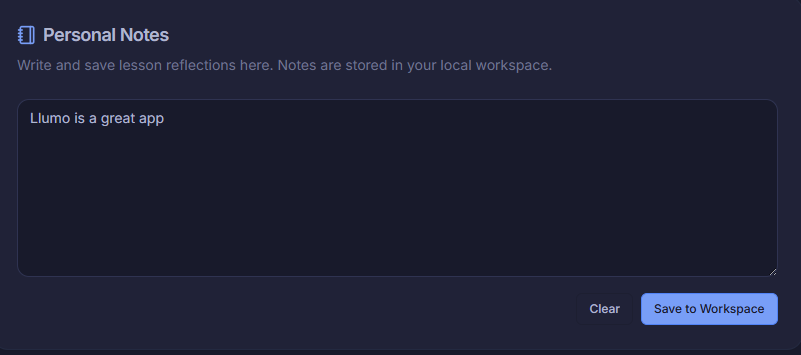
📝 Learner Notes

Personal notes, saved inside every course

Learners can take personal notes while studying — pinned to the course and accessible any time. Notes stay private to each learner and make it easy to revisit key takeaways long after a course is complete.

  • Personal notebook tab inside every course
  • Notes saved automatically and always accessible
  • Private to each learner — never visible to admins
Personal notes notebook inside course
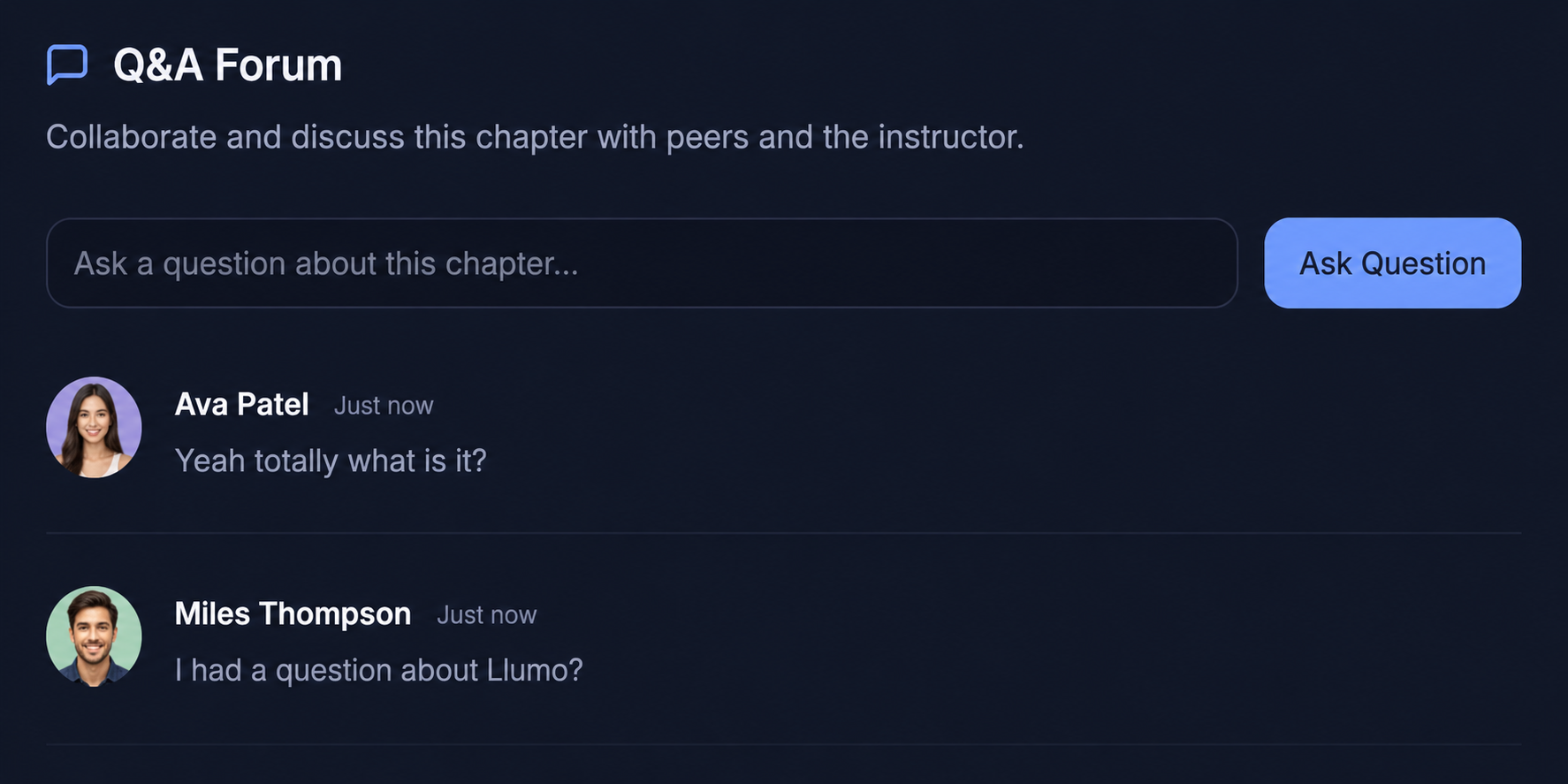
💬 Q&A Forum

Peer discussion built into every course

The course Q&A tab lets learners ask questions, share insights, and support each other — all inside the course. Instructors can answer, pin important threads, and build a community around every program.

  • Q&A thread per course visible to all enrolled learners
  • Instructor replies and pinned answers
  • Community discussion that improves with every cohort
Q&A forum with peer discussion

Who uses Llumo for Education & Training

Whether you're building internal programs or delivering external education, Llumo works for every type of learning organization.

Corporate L&D Teams

Build, deliver, and measure internal training programs for every department — from compliance to leadership development.

  • New hire onboarding paths by role
  • Compliance training with certification tracking
  • Manager & leadership development courses
  • Skills training for upskilling initiatives
  • Company-wide policy and culture training

Startups & Scale-ups

Standardize your onboarding experience so every new hire gets the same quality start — without the founders repeating themselves for the 50th time.

  • Automated onboarding courses by team
  • Product knowledge training for all staff
  • Company values and culture orientation
  • Tool & process guides for new joiners
  • Progress tracking across rapid hiring phases

Customer Success & Support

Train support agents on your product so they can answer customer questions confidently — and certify them before they go live.

  • Product certification programs for agents
  • Objection handling and soft skills courses
  • Customer communication guidelines
  • SLA and escalation process training
  • Continuous education as products evolve

Training Providers & Academies

Deliver structured learning programs to external clients, students, or partners — with professional certificates and full learner analytics.

  • Multi-cohort course delivery at scale
  • Client-facing certification programs
  • Assessment-based credentialing
  • Progress reports shared with sponsors
  • Instructor-led content creation tools

The Llumo tools your L&D team will use every day

Every tool works together — your courses, knowledge base, project tasks, and learner data all connect in one workspace.

Build a culture of learning

Join education and training teams who use Llumo to deliver better programs, prove their impact, and grow every person in their organization.