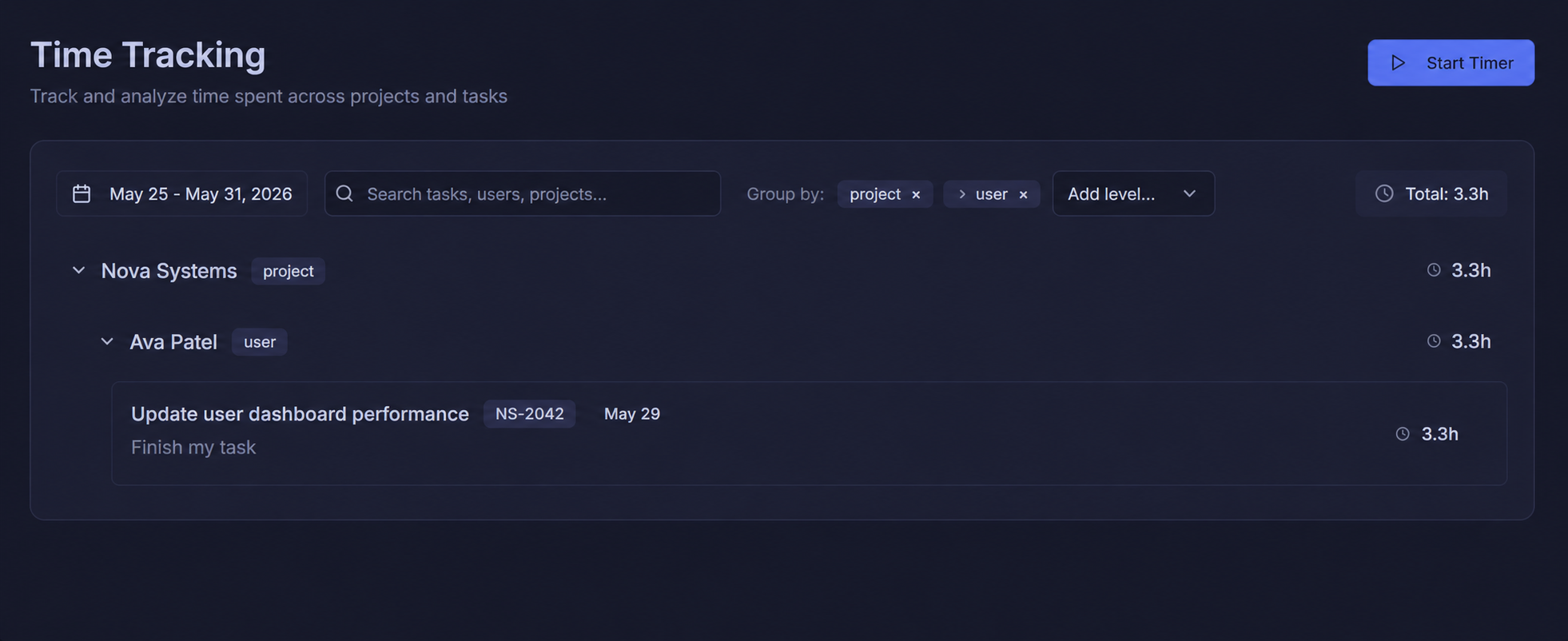
All your notes, perfectly organized
Browse all notes or shared notes from the sidebar. Organize into folders, search instantly, and open any note in a full rich-text editor with headings, bold, italic, underline, highlight, and more.
- Folder sidebar — personal & shared folders
- Full rich-text editor: H1–H3, bold, italic, highlight
- Tag notes for quick filtering
- Share or set reminders from the top bar
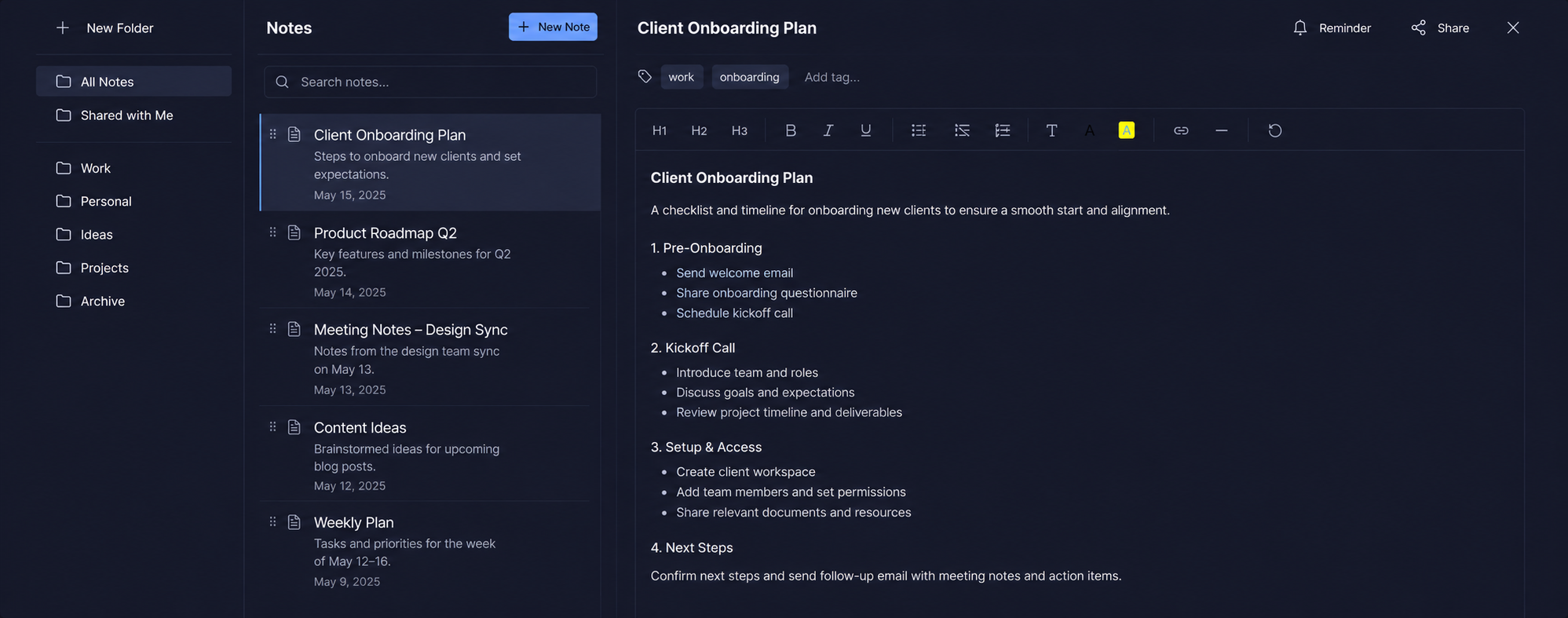
Attach files directly to any note
Every note has a dedicated Attachments section. Add files from your computer and keep them right alongside the note content — no more hunting through email threads or cloud folders for related files.
- Attach any file type to any note
- Files stored securely alongside your note
- View and manage attachments at a glance
- No storage limits on files per note
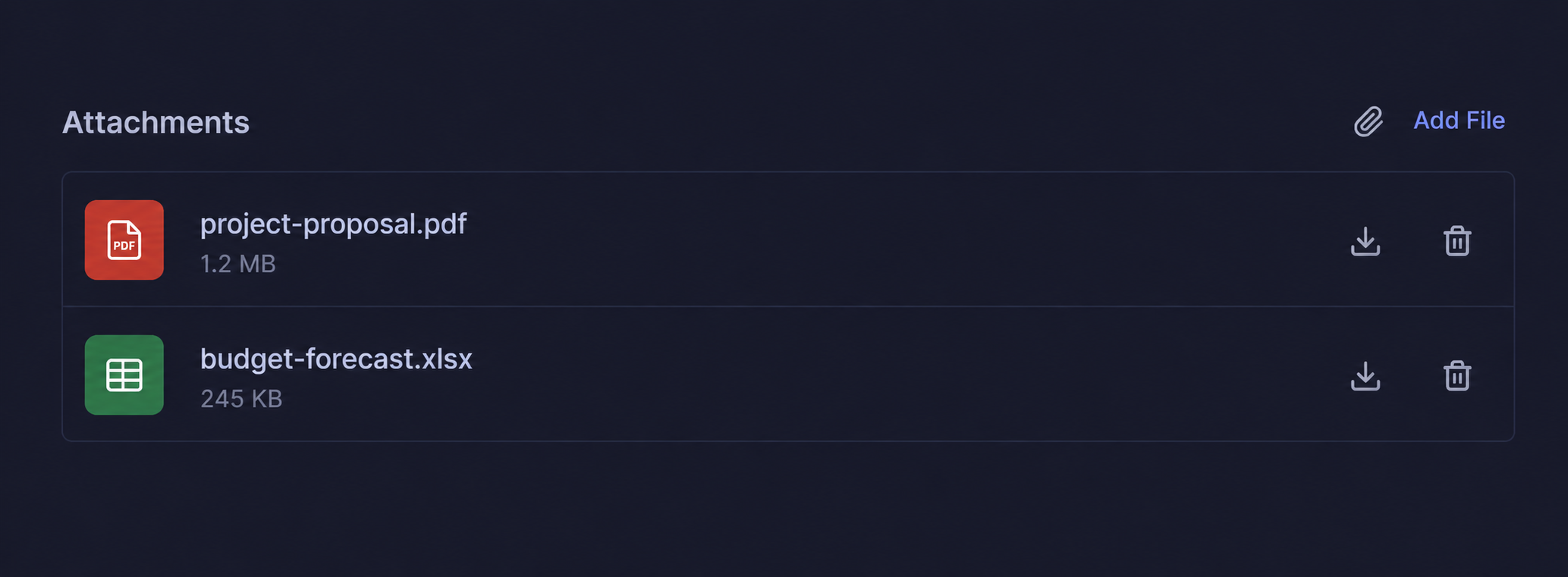
Never forget a note with smart reminders
Set a date, time, and custom message for any note. Choose to be notified via Email, SMS, or both. Your reminder fires exactly when you need it — keeping important notes front of mind.
- Pick any date and optional time
- Custom reminder message per note
- Notify via Email, SMS, or both
- Reminders tied directly to the note
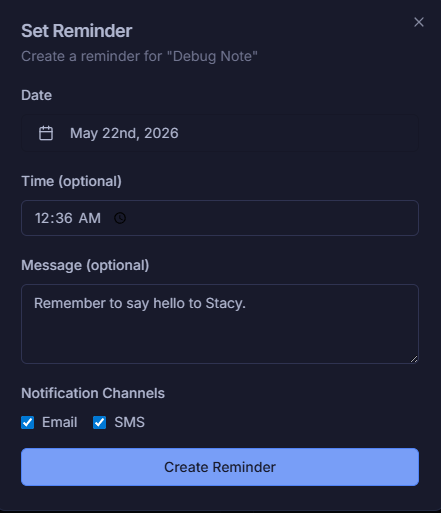
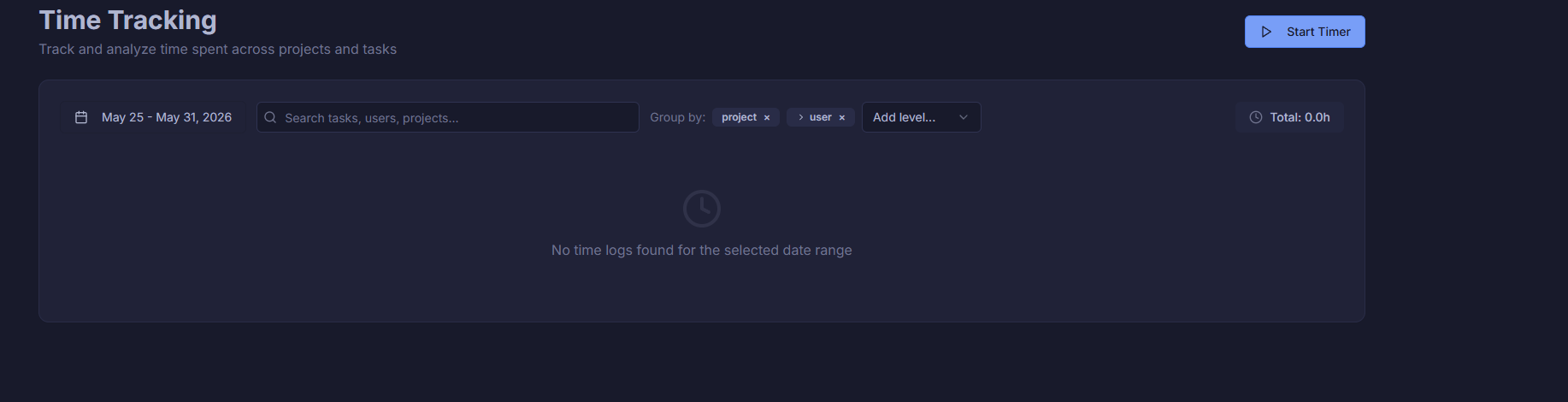
Track time spent across every project and task
The Time Tracking view gives you a full log of hours worked across your workspace. Filter by date range, search by task, user, or project, and group results however makes sense for your team.
- Date range picker for any period
- Group by project, user, or add custom levels
- Search across tasks, users & projects
- Total hours summary always visible
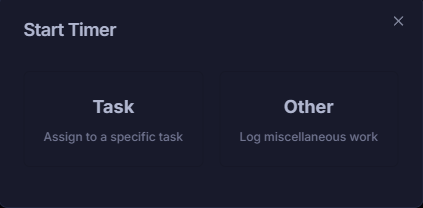
Log time against a task or miscellaneous work
When you start a timer, choose whether to assign it to a specific task or log it as general miscellaneous work. Every minute gets accounted for — no time slips through untracked.
- Task mode — assign time to a specific task
- Other mode — log miscellaneous work
- One-click timer start from anywhere
- Always visible Start New Timer button
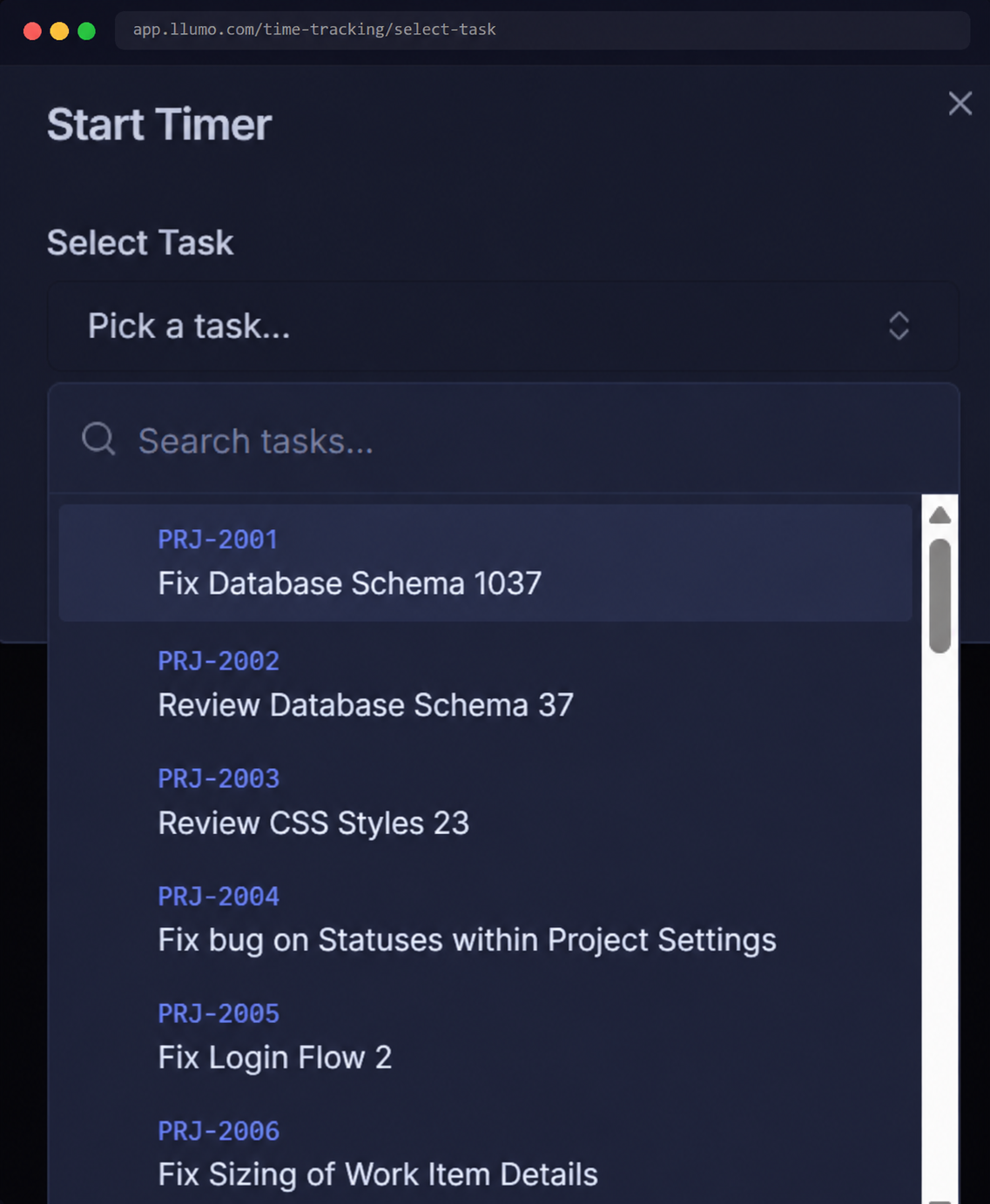
Pick any task from across your projects
Search and select from every task in your workspace. Tasks are listed with their project code and title so you always know exactly what you're logging time against.
- Search across all tasks in your workspace
- Project codes displayed alongside task names
- Scrollable list for quick selection
- Works across all active projects
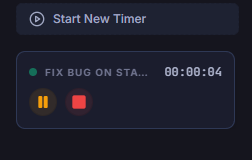
Watch your timer count up in real time
Once started, your timer runs live and is always visible. Pause or stop it at any time. Start a new timer alongside an existing one — perfect for multitasking across different tasks.
- Live seconds counter always visible
- Task name shown while timer runs
- Pause or stop with one click
- Start New Timer button for parallel tracking
Log time manually when you forget to start the timer
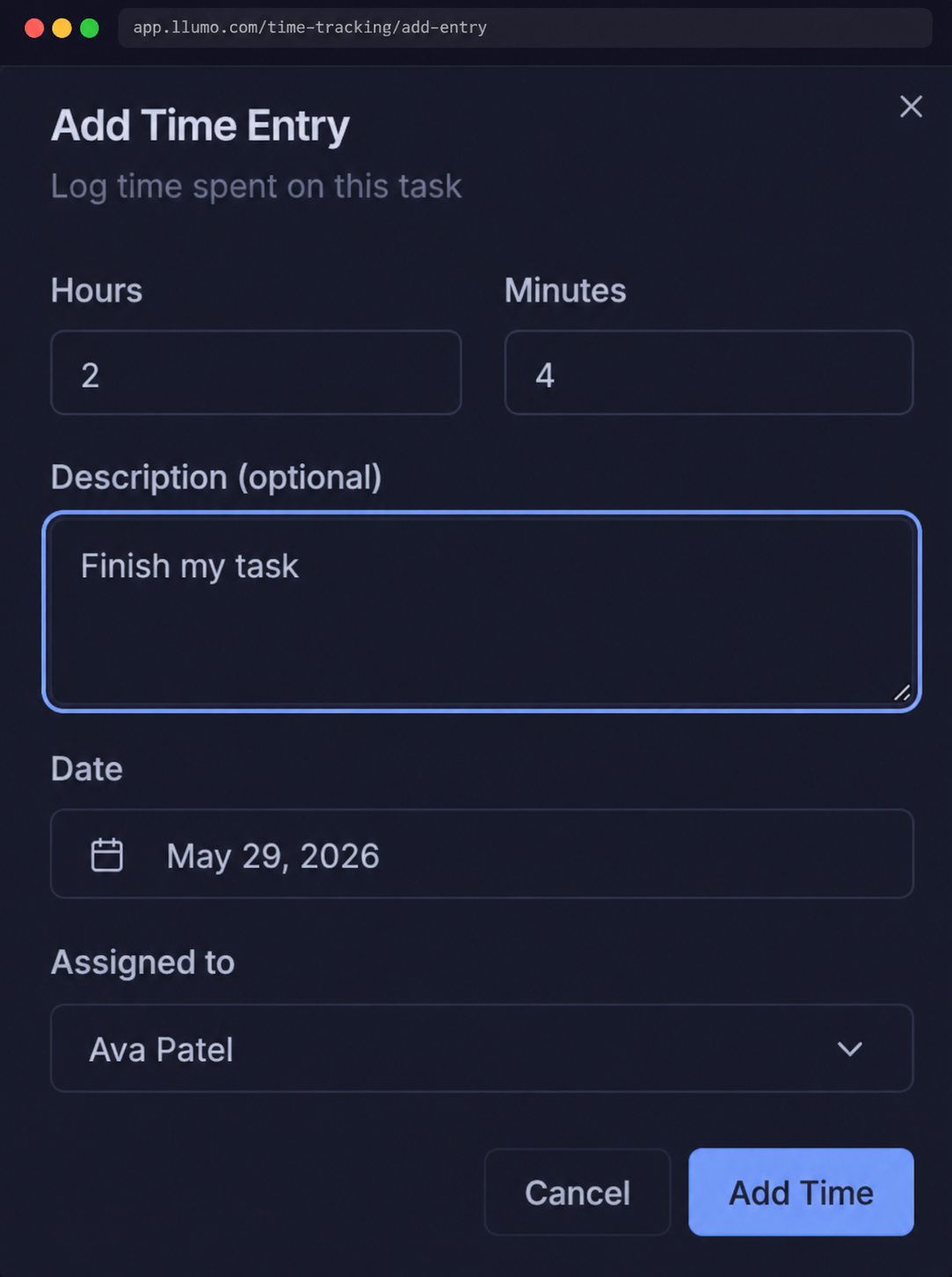
Didn't start a timer? No problem. Add a time entry manually with exact hours and minutes, an optional description, a date, and the team member it should be assigned to.
- Set hours and minutes precisely
- Add a description to explain the work
- Pick any date for the entry
- Assign to yourself or any team member
See exactly where every hour went
Group time logs by project and user to get a clear breakdown of who worked on what. Each entry shows the task name, task ID, date, and exact time logged — so nothing is ever a mystery.
- Grouped by project then by user
- Task ID and date shown per entry
- Per-user and per-project hour totals
- Grand total hours always visible top-right