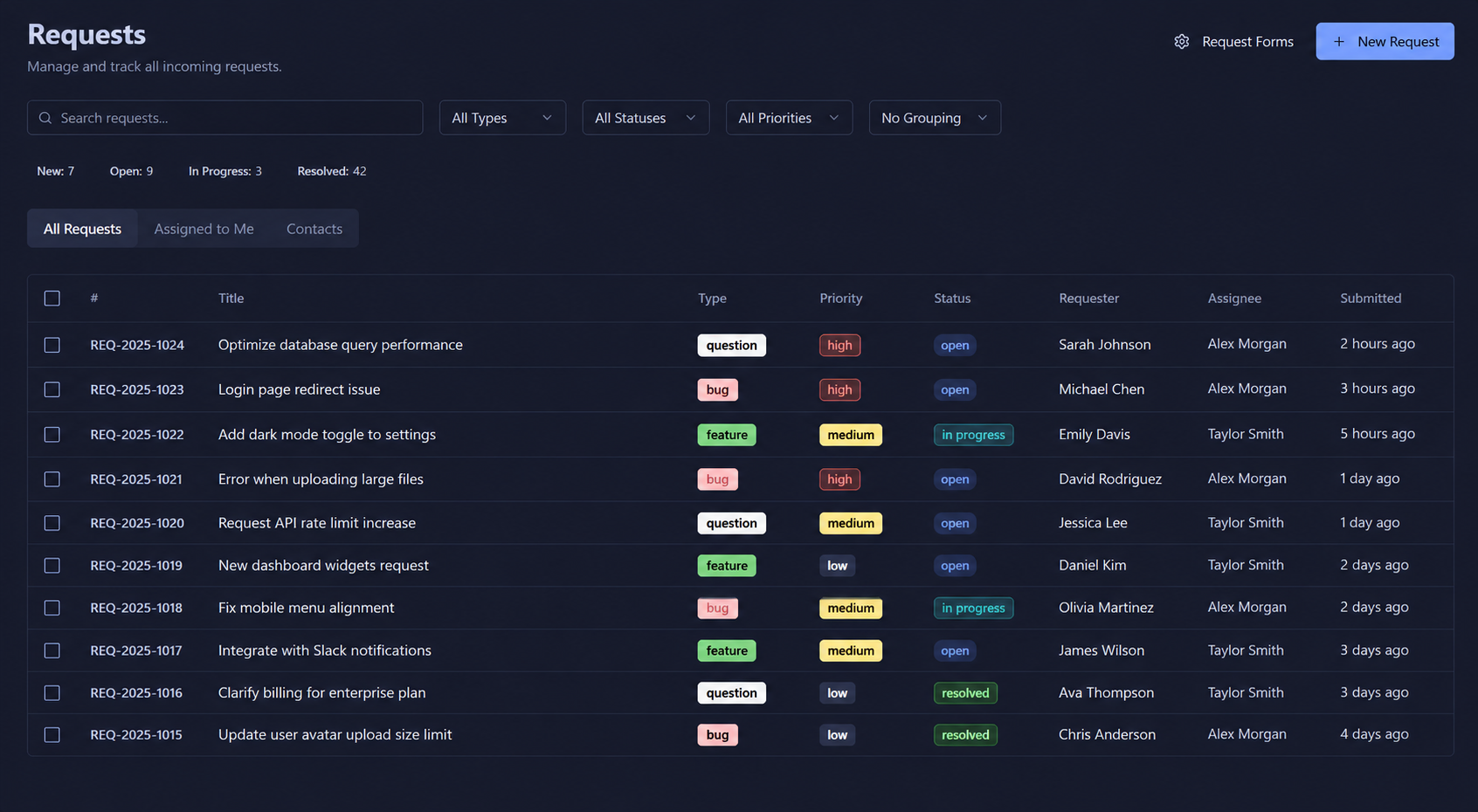
One inbox for every incoming request
See all requests in a clean, filterable queue. Filter by type, status, priority, or assignee. Instantly know what's new, in progress, and resolved.
- Filter by type, status, priority & grouping
- Live status badges — New, In Progress, Resolved
- Reporter & assignee visible at a glance
- Bulk actions and custom sorting
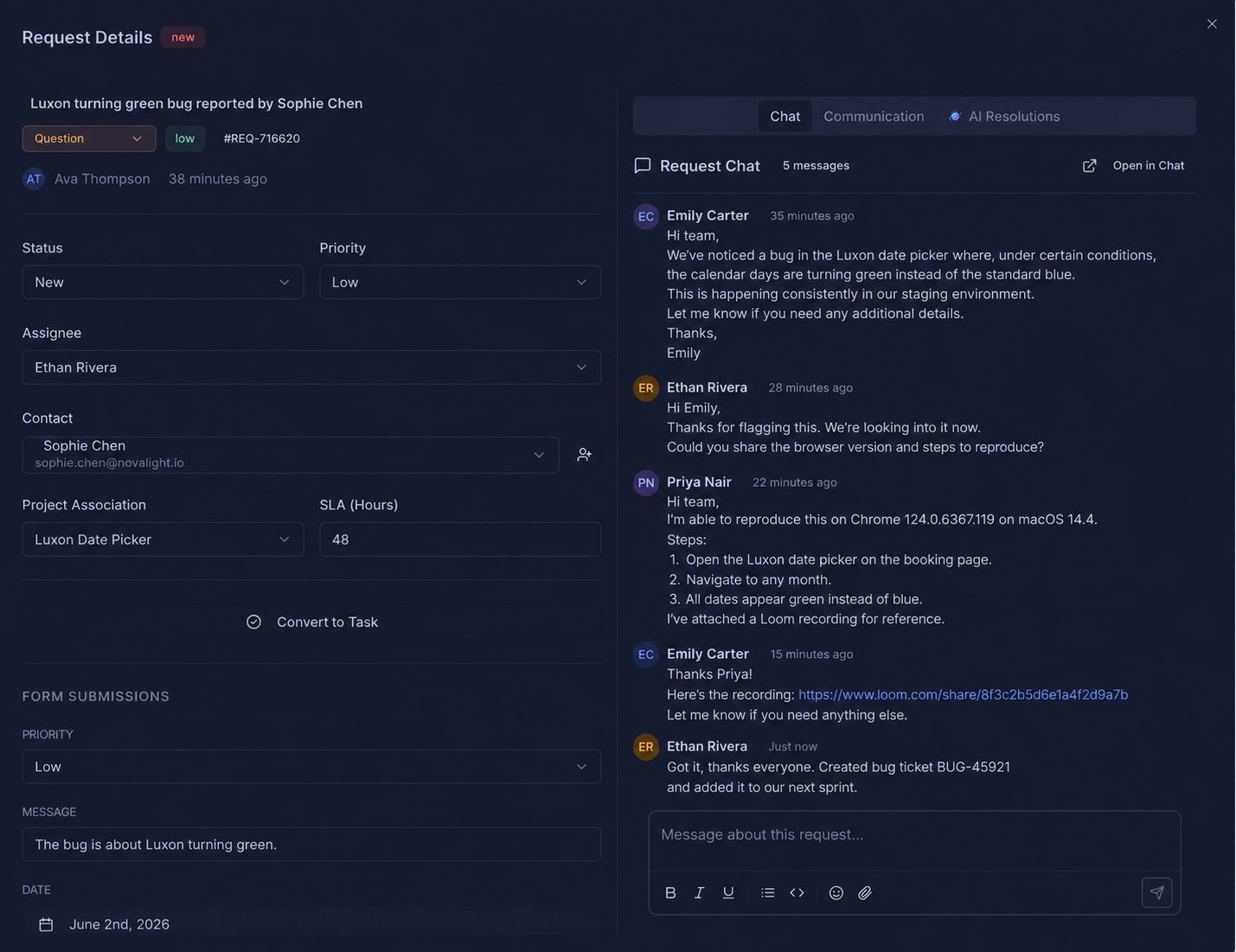
Full context on every request
Open any request to see its full history — form submissions, linked tasks, assignee, SLA hours, and a built-in chat thread. Everything in one view, no switching tabs.
- Linked work items connect requests to tasks
- Form submission data displayed inline
- Set priority, status & assignee in one panel
- File attachments with instant download
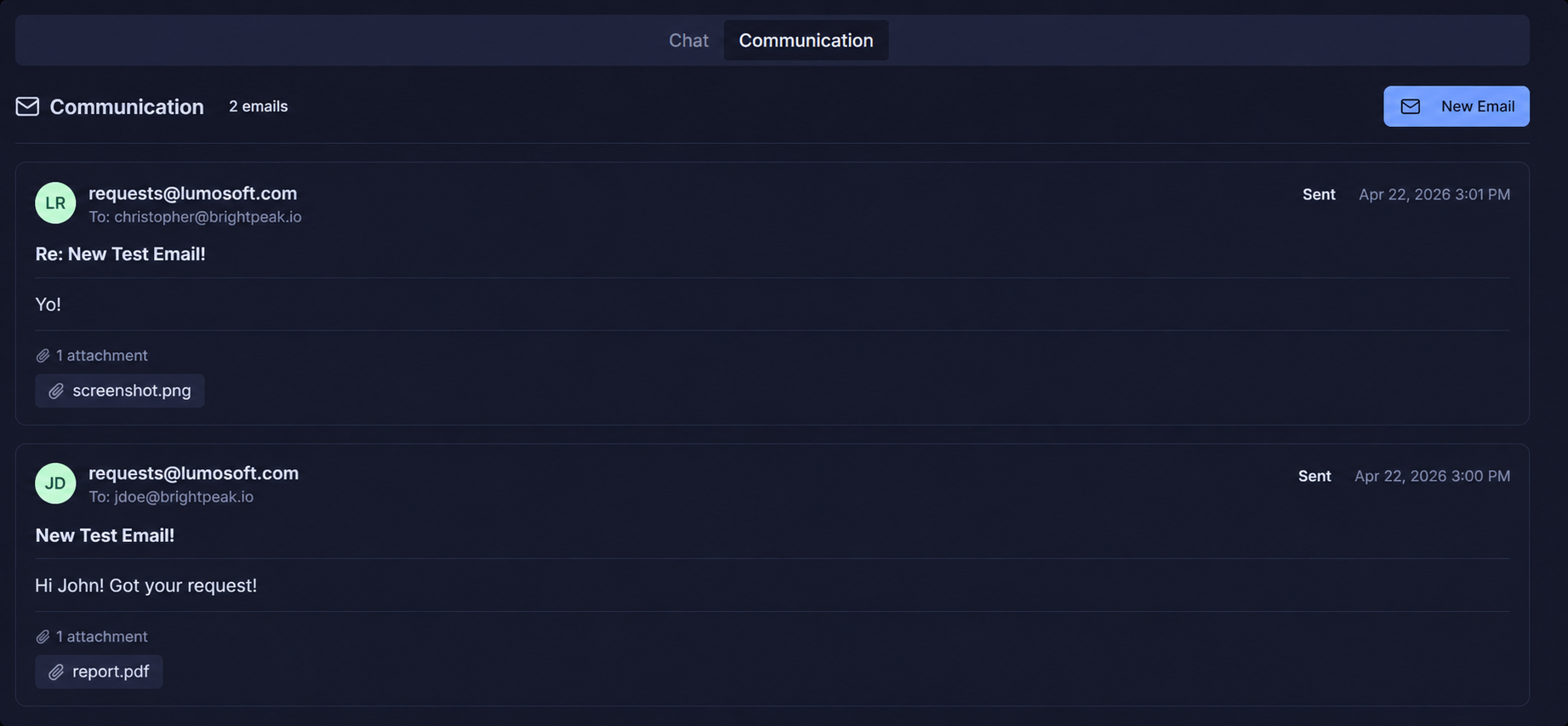
Reply to customers via email, right inside Llumo
Every request gets a dedicated email thread. Send and receive emails without leaving the platform — keep all communication logged and searchable alongside the request.
- Two-way email threading per request
- Attachments sent and received inline
- Timestamped email history always visible
- Compose new emails with one click
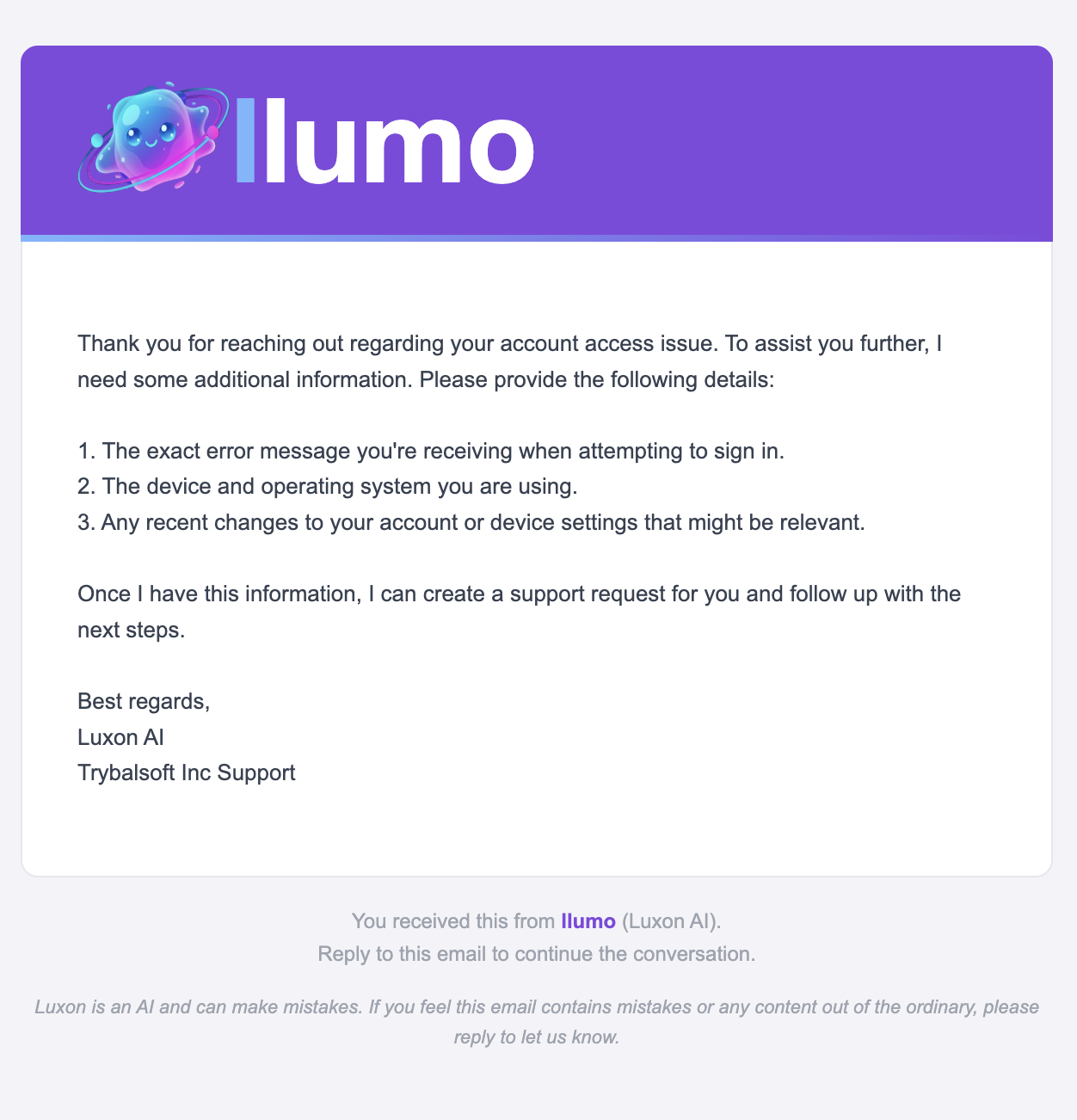
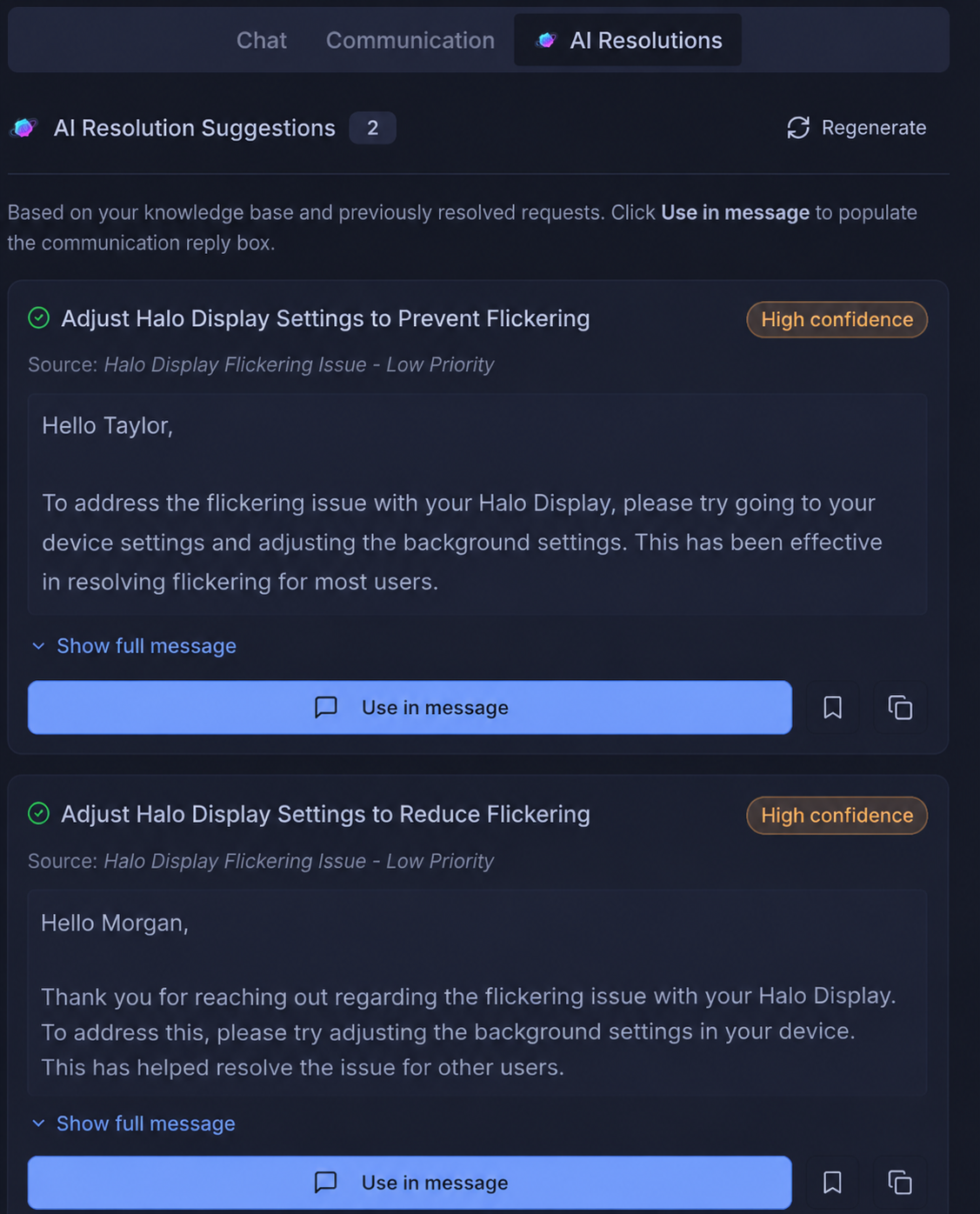
Populate replies instantly using AI
Luxon analyses every incoming request against your knowledge base and previously resolved requests — then surfaces ready-to-send reply suggestions with a single click. Stop typing the same answers twice.
- Pulls context from your knowledge base automatically
- Learns from past resolved requests
- One click to populate the communication thread
- Confidence scoring so agents know what to trust
Build public forms that feed your queue
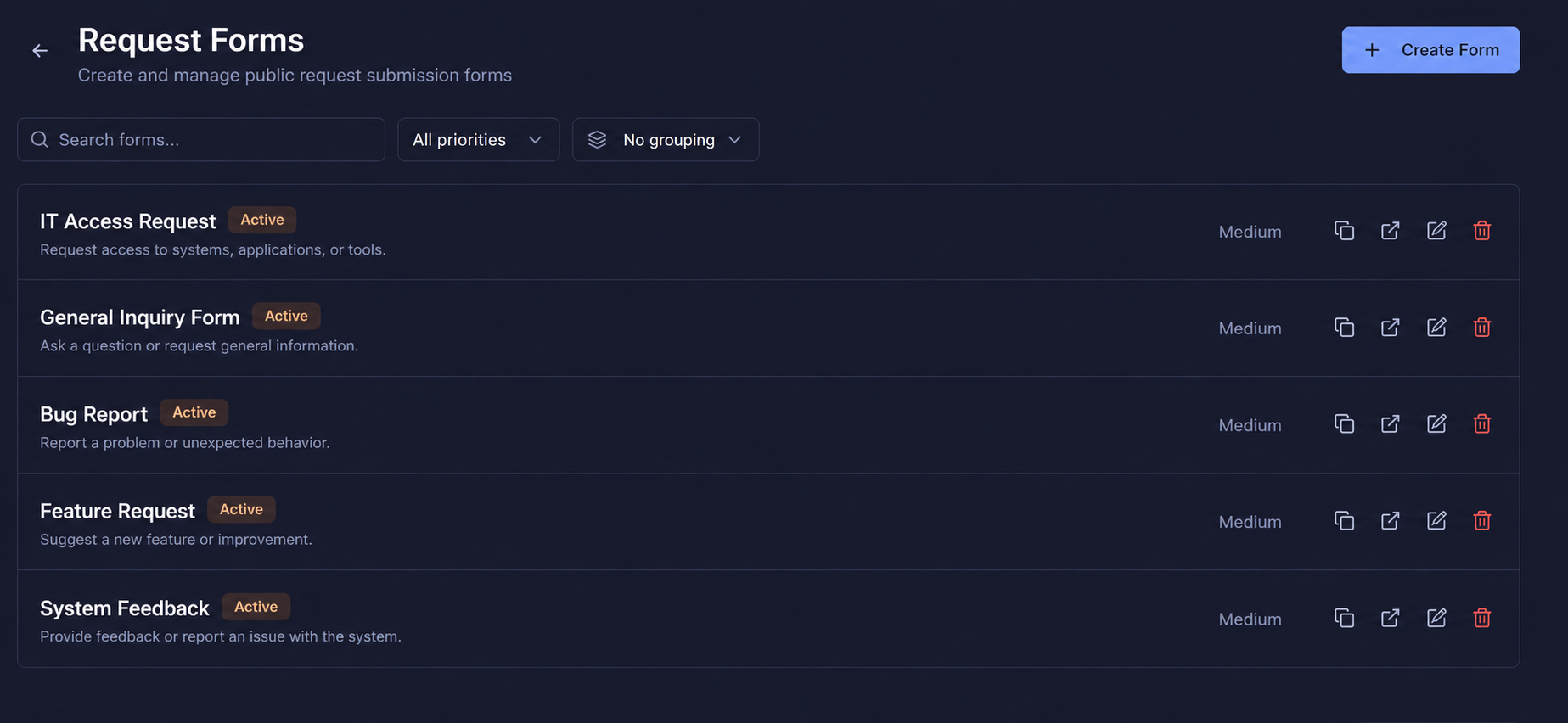
Create custom request forms and share a public URL — customers, employees, or clients submit directly into your queue. Manage all active forms from one place.
- Unlimited form types — bugs, questions, tasks
- Active/inactive status toggle per form
- Duplicate, edit, or share forms instantly
- Linked to projects for auto-task creation
Set up a new form in seconds
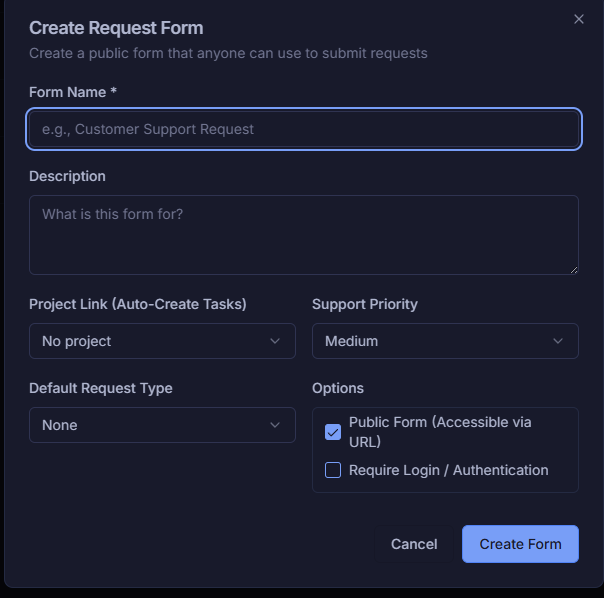
Name your form, write a description, link it to a project, and set a default request type — all in one simple modal. Make it public or require login to control who can submit.
- Auto-link to a project for task creation
- Set default priority & request type
- Public URL or login-required access control
- Go live instantly — no dev needed
Full control over every form you build
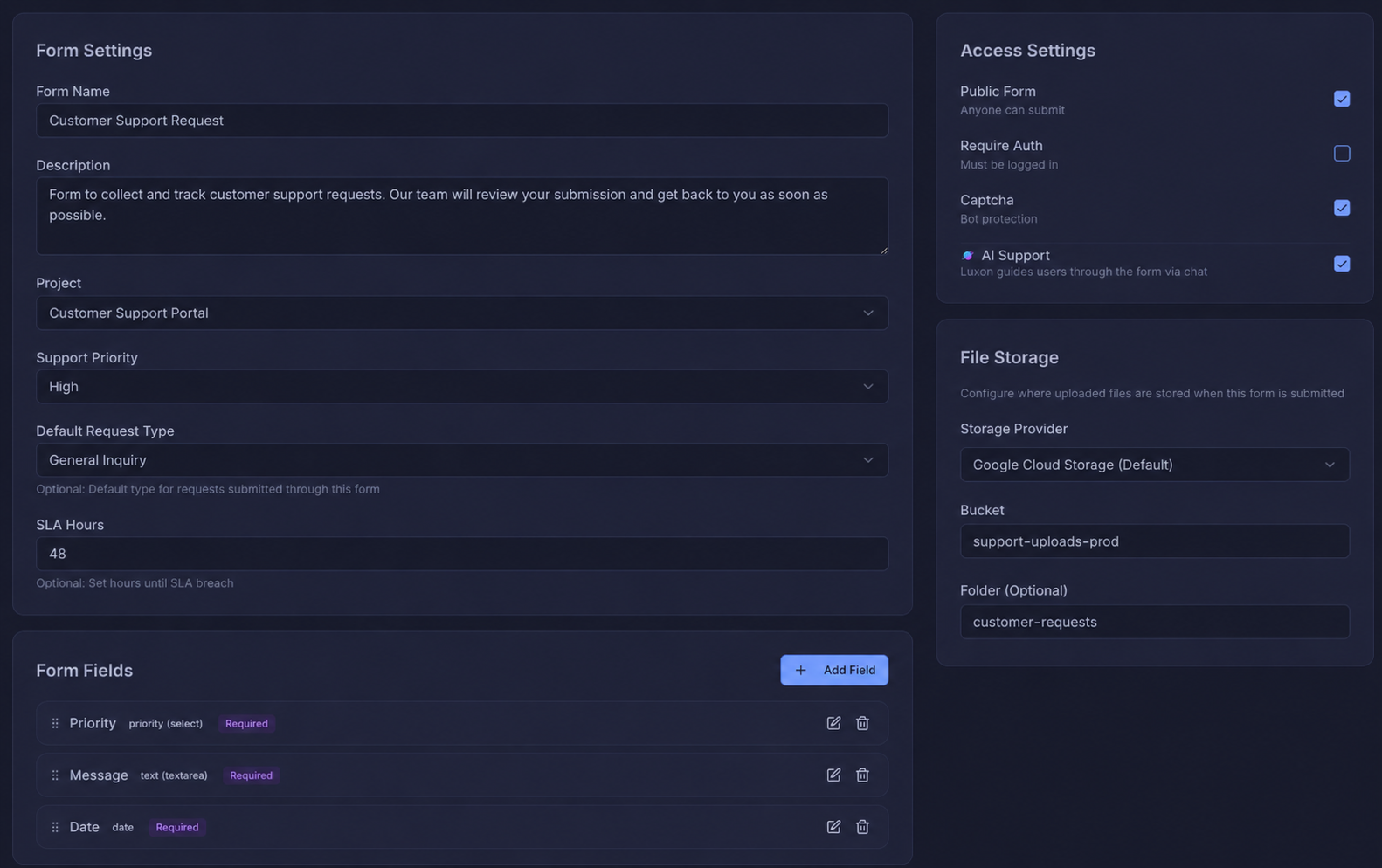
Configure every detail of your request form — name, description, project link, priority, SLA hours, access rules, CAPTCHA, and file storage provider. All in one place.
- Set SLA hours to trigger breach alerts
- Enable CAPTCHA for bot protection
- Public or auth-required access settings
- Google Cloud Storage for file uploads
Drag-and-drop custom fields for any request type
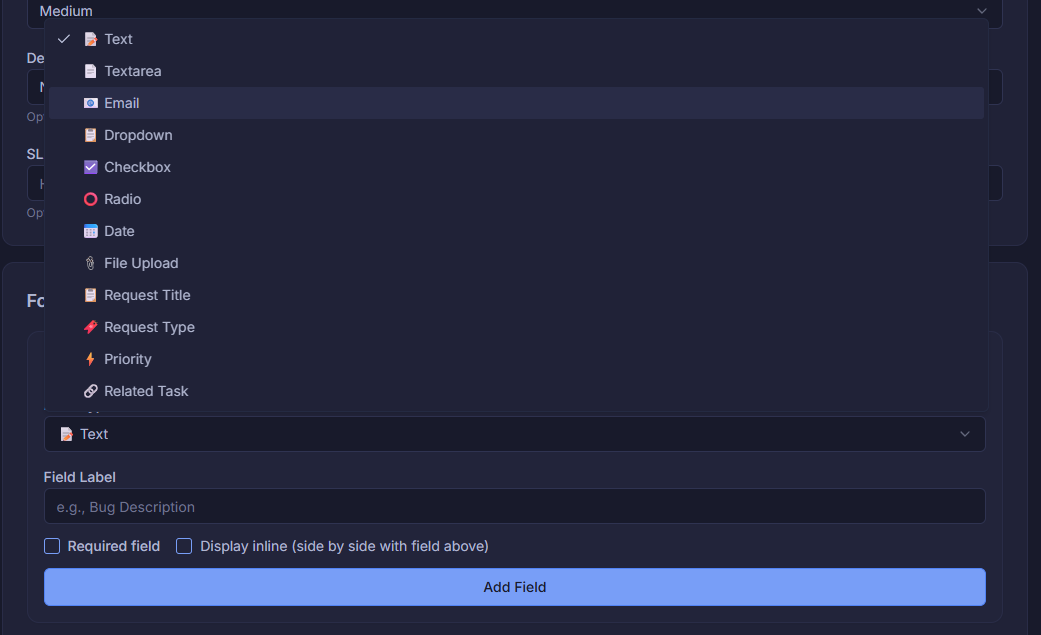
Add any field type you need — text, textarea, email, dropdown, checkbox, radio, date, file upload, and even built-in fields like Request Title, Request Type, Priority, and Related Task.
- 10+ field types including file upload
- Built-in fields: Priority, Request Type, Related Task
- Mark fields as required or display inline
- Drag to reorder fields instantly
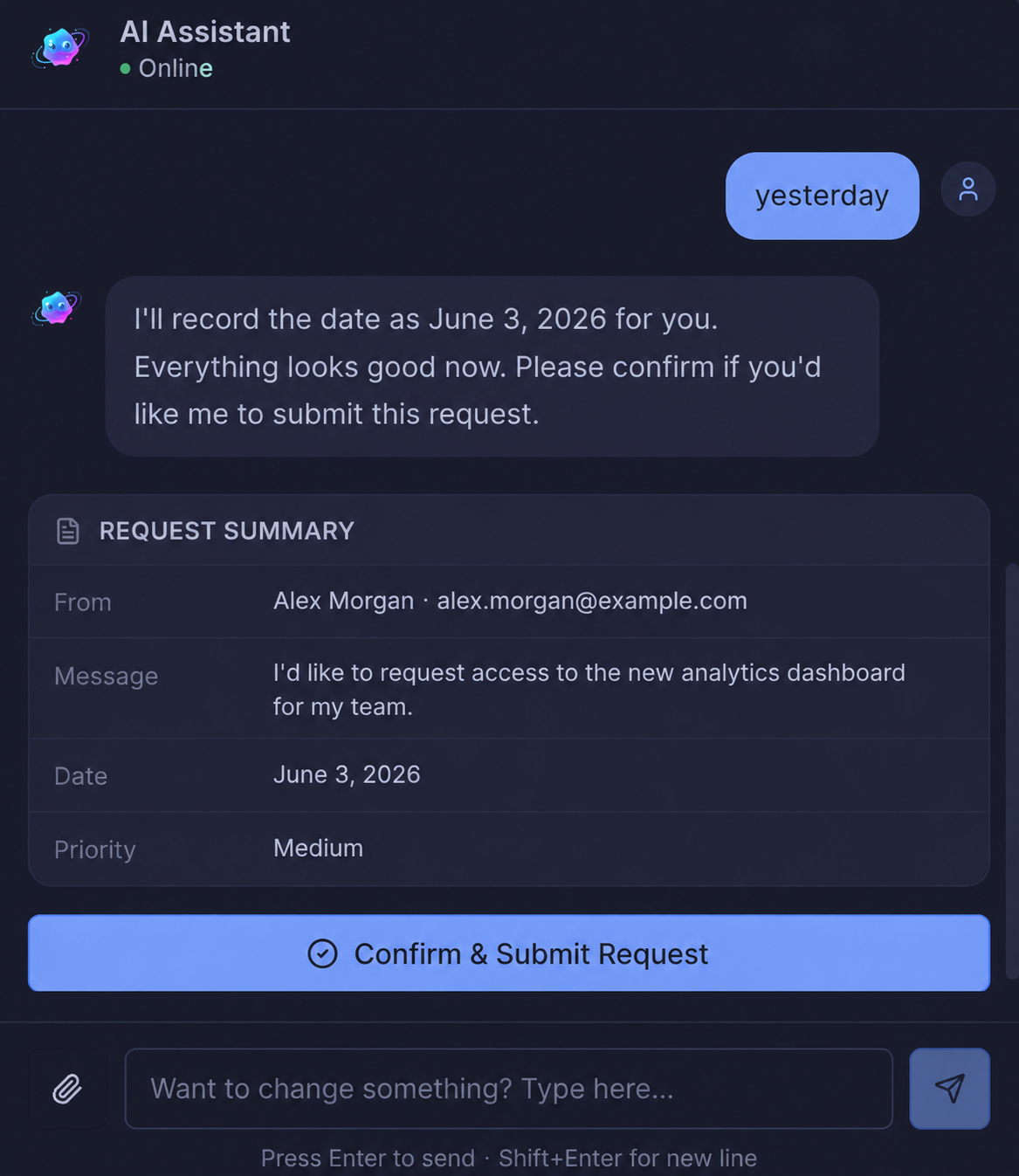
Let AI fill out the request form through conversation
Instead of a traditional form, Luxon guides users through a natural chat — asking the right questions, collecting details, and submitting the request automatically. No confusing fields, just a conversation.
- Luxon collects form fields through friendly dialogue
- Answers questions from your knowledge base instantly
- Submits the completed request on the user's behalf
- Falls back to human support if needed
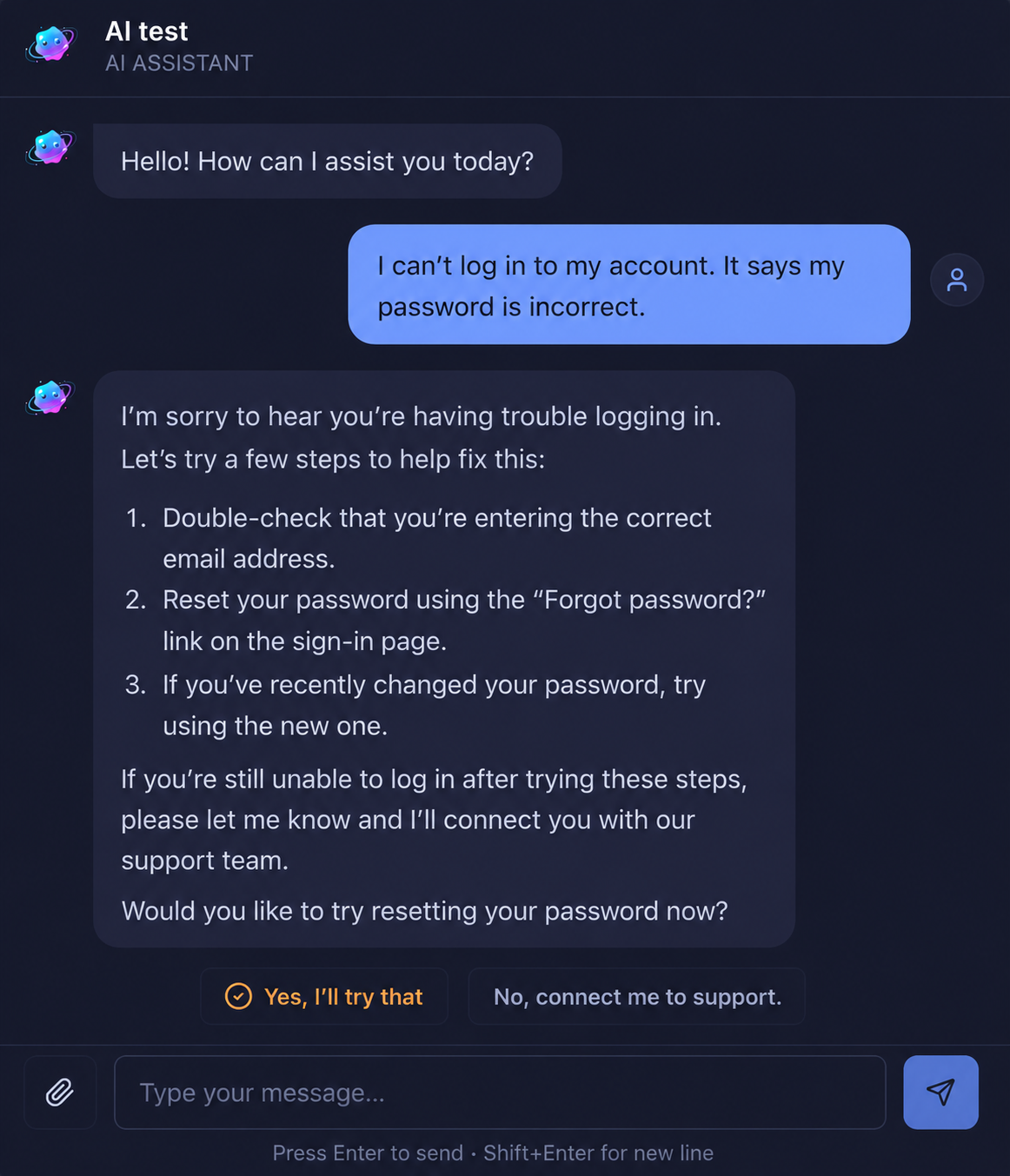
Already seen it? Luxon answers it on the spot
When a user's question matches a previously resolved request or knowledge base article, Luxon answers it directly in the chat — no form submission required. The issue is resolved before it ever becomes a ticket.
- Matches incoming questions against past resolutions
- Answers instantly without creating a request
- Reduces ticket volume for repeated issues
- Falls back to form submission if unresolved
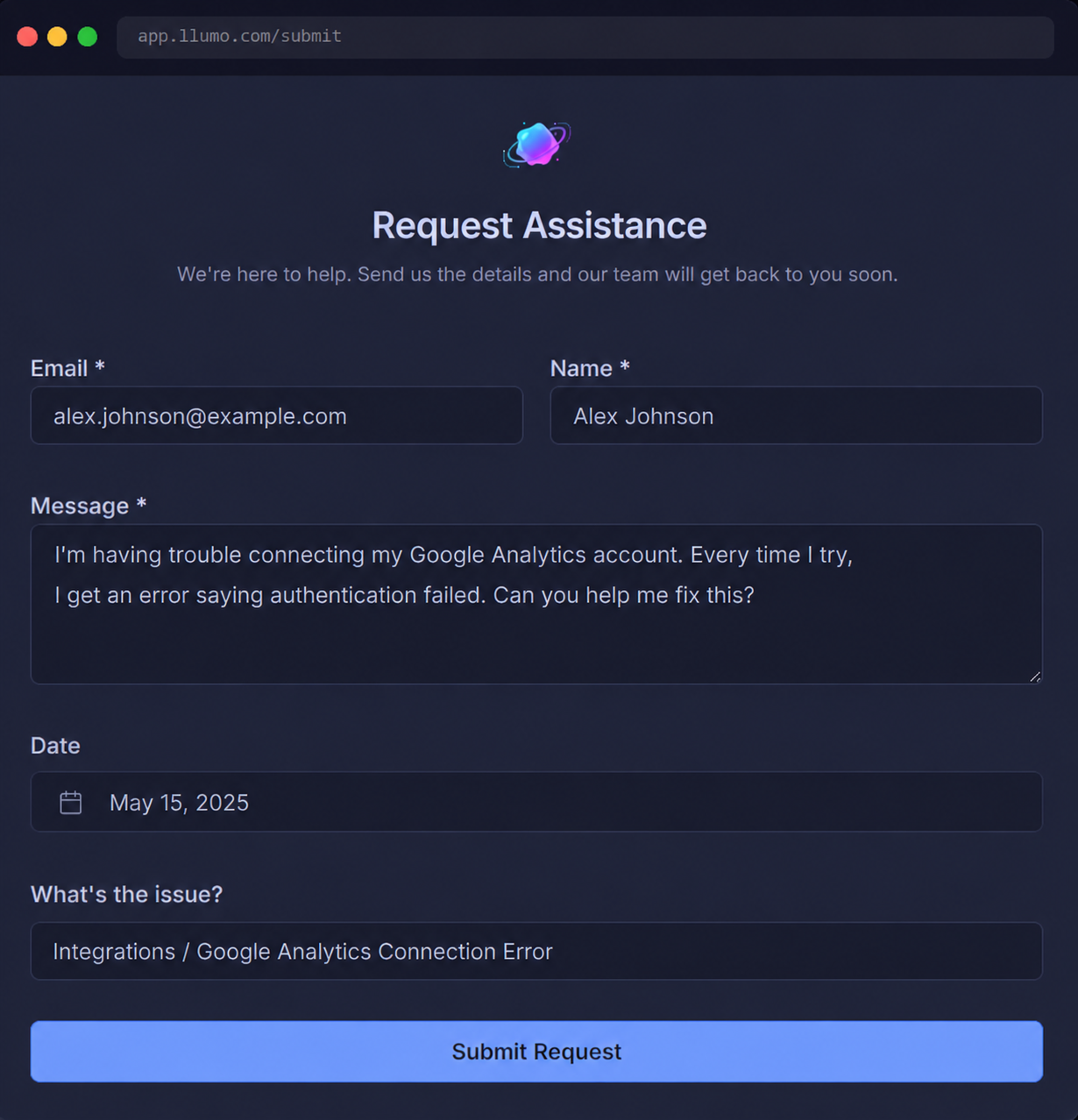
Prefer to fill it out yourself? That works too
Not every user wants a chat experience. The classic form is always available — clean, straightforward, and just as powerful. Users can fill in their details and submit at their own pace.
- Simple field-by-field form layout
- Works on any device without an account
- Custom fields, priorities, and attachments supported
- Submits directly into your requests queue
Luxon answers your emails and handles support — end to end
Luxon AI Copilot can manage your entire support queue without your team lifting a finger. When a request comes in, Luxon reads it, pulls the right answer from your knowledge base and past resolutions, and sends a response — automatically. No more answering the same questions over and over. No more chasing down information. Luxon either resolves it completely or gathers everything your team needs before they ever open the ticket.
- Handles support requests end-to-end, fully autonomously
- Stops your team from answering the same questions repeatedly
- Gathers all relevant information before escalating to a human
- Pulls answers from your knowledge base and past resolved requests
- Your team stays focused — Luxon handles the rest