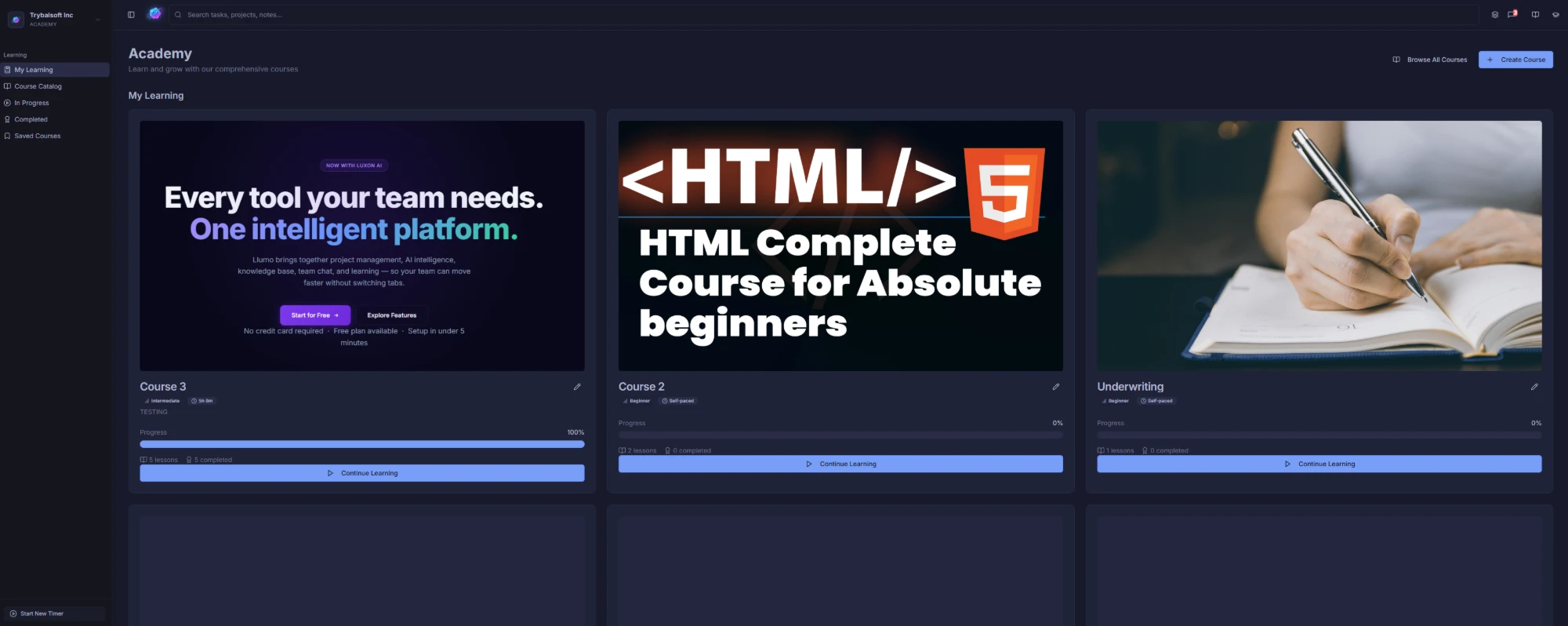
Your team’s training hub, at a glance.
Every learner sees exactly where they stand. In-progress courses, completed modules, and saved content — all organized in a clean, card-based dashboard that’s easy to navigate.
- My Learning, Course Catalog, In Progress & Completed views
- Progress bars and completion percentages per course
- Continue Learning shortcut on every course card
- Works for individuals and entire teams simultaneously
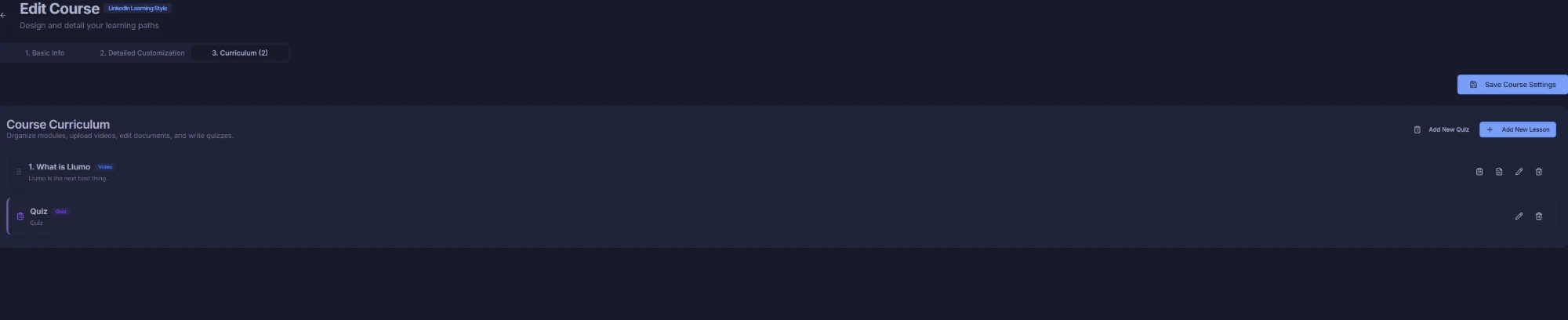
Build a full curriculum in minutes.
The LinkedIn Learning-style course editor lets you structure lessons and quizzes exactly how you want. Drag to reorder, add new lessons instantly, and publish when you’re ready.
- Step-by-step course creation: Basic Info → Customization → Curriculum
- Add video lessons and quizzes side by side
- Drag-and-drop lesson ordering
- Save settings and publish at any time
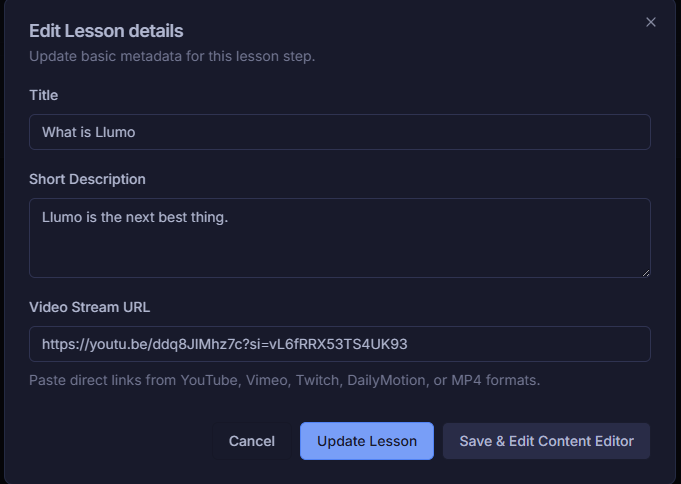
Any video source. One lesson step.
Paste a YouTube, Vimeo, Twitch, DailyMotion, or direct MP4 link and it’s instantly embedded. Add a title and description, then let learners watch right inside Llumo — no redirects.
- Supports YouTube, Vimeo, Twitch, DailyMotion & MP4
- Title and short description per lesson step
- Save & Edit Content Editor for rich text additions
- All lesson metadata stored and searchable
Test knowledge. Reinforce learning.
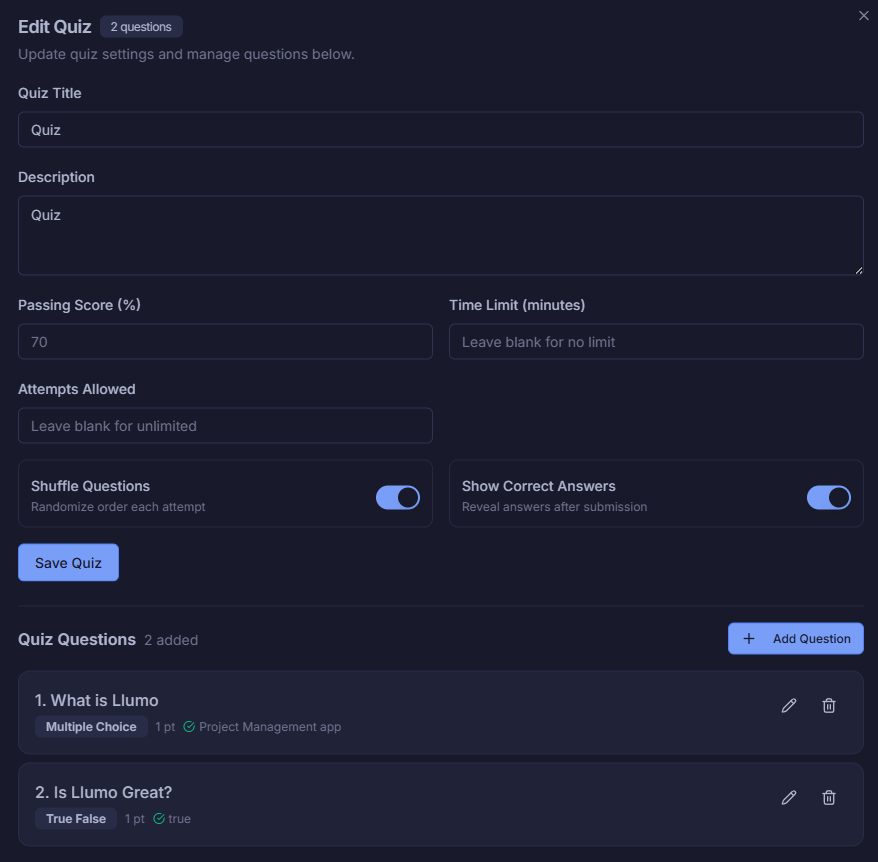
Build quizzes with multiple choice, true/false, and more. Set passing scores, time limits, and shuffle questions automatically. Show correct answers after submission to close the learning loop.
- Multiple choice and true/false question types
- Configurable passing score, time limit & attempts
- Shuffle questions to prevent pattern recognition
- Show correct answers after submission
Write lessons as rich as any doc.
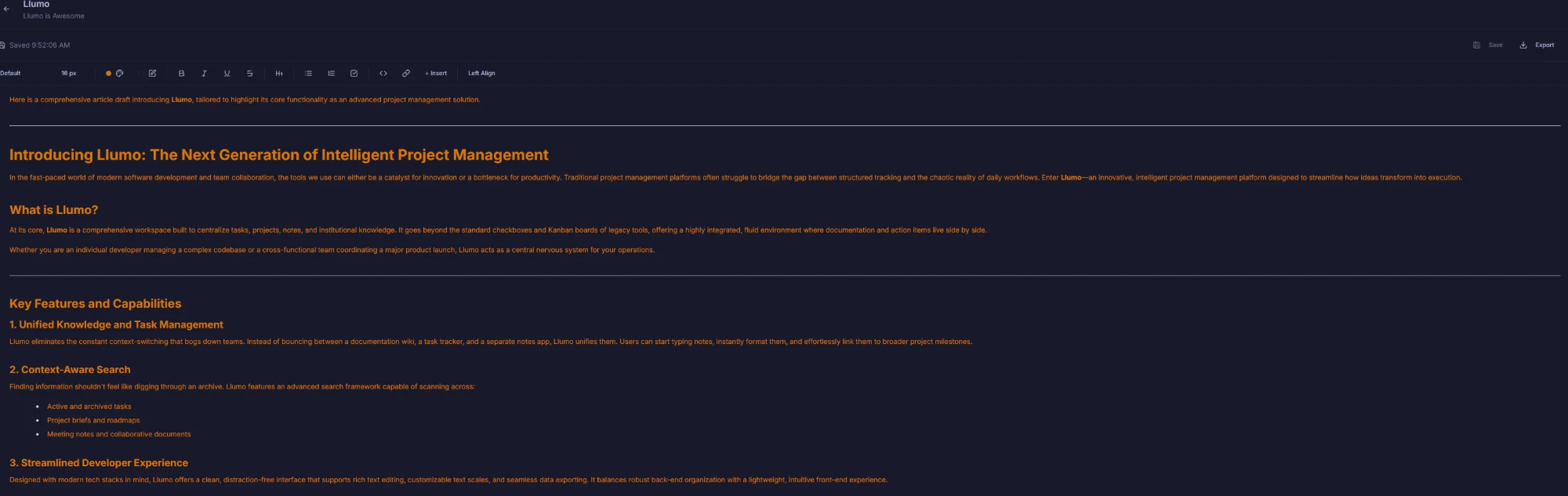
The full-featured content editor supports headings, bold, italic, lists, code blocks, links, and more. Write comprehensive lesson content directly inside Llumo — no external tools needed.
- Full rich text: headings, bold, italic, lists, code & links
- Auto-saves as you type so nothing is ever lost
- Export lesson content at any time
- Left, center, and right alignment controls
Set up a course in seconds.
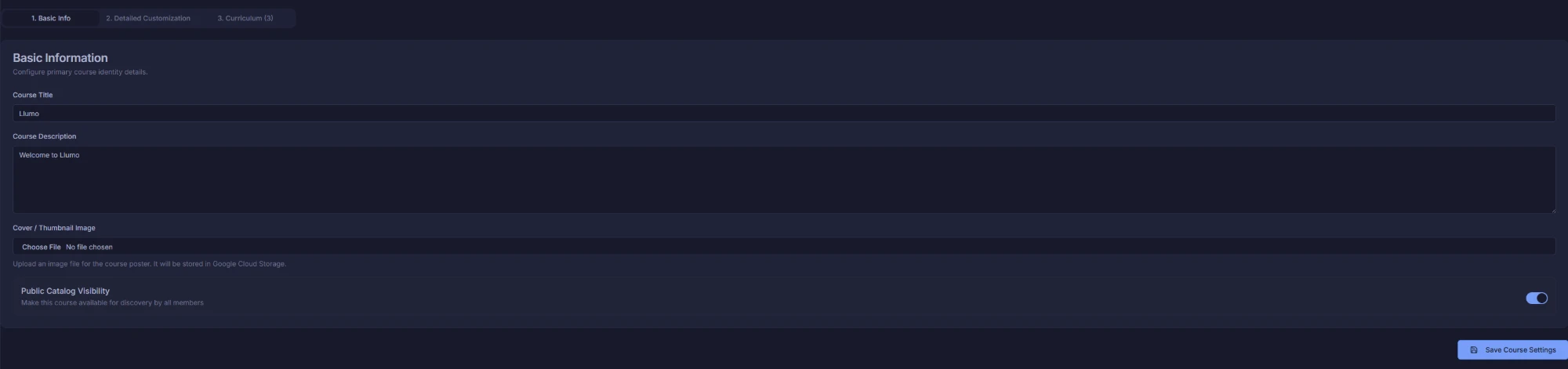
Give your course a title, description, and cover image. Toggle public catalog visibility so the right people can discover it. Everything is saved with one click — then move straight to building your curriculum.
- Course title, description & thumbnail image
- Public catalog visibility toggle
- Images stored securely in Google Cloud Storage
- Three-step flow: Basic Info → Customization → Curriculum
Define skills, goals, and who it’s for.
Go beyond a title. Set the skill target level, estimated duration, skills covered, and learning objectives. Your courses become discoverable, professional, and aligned with real outcomes.
- Skill target level: Beginner, Intermediate, Advanced
- Estimated duration in hours and minutes
- Tag skills covered with custom labels
- Add specific learning objectives & goals

Discover a course. Enroll in one click.
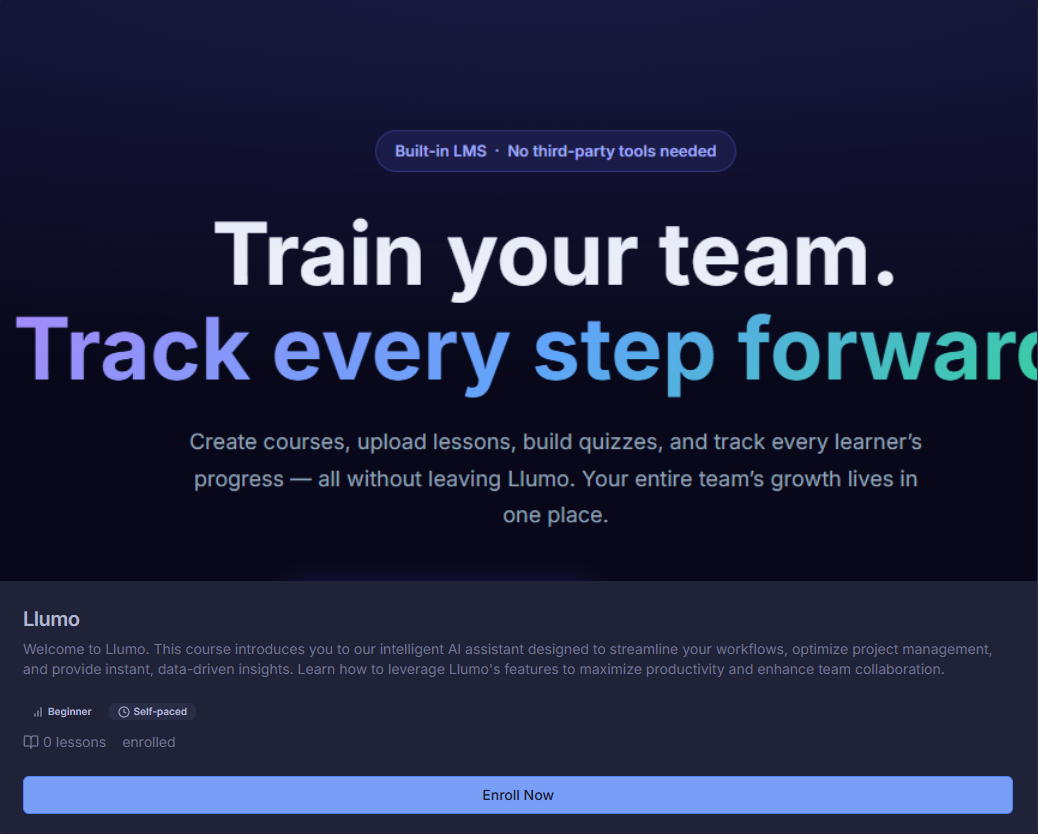
Learners can browse the course catalog and enroll instantly. Course cards show level, duration, and enrollment status — so it’s always clear what’s available and what you’re already in.
- Clean course card with title, description, and metadata
- Skill level and estimated duration shown upfront
- Enrolled status displayed after joining
- One-click Enroll Now button for instant access
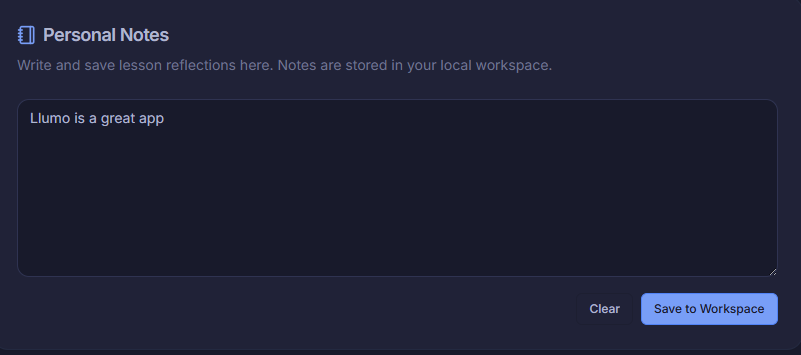
A course experience learners actually enjoy.
Learners get a clean, focused view: embedded video, course contents sidebar, chapter overview, skills covered, instructor profile, and a Q&A discussion tab — everything in one screen.
- Embedded video playback right inside Llumo
- Course Contents sidebar with progress indicators
- Overview, Notebook & Q&A Discussion tabs
- Instructor profile, skills, and learning goals visible
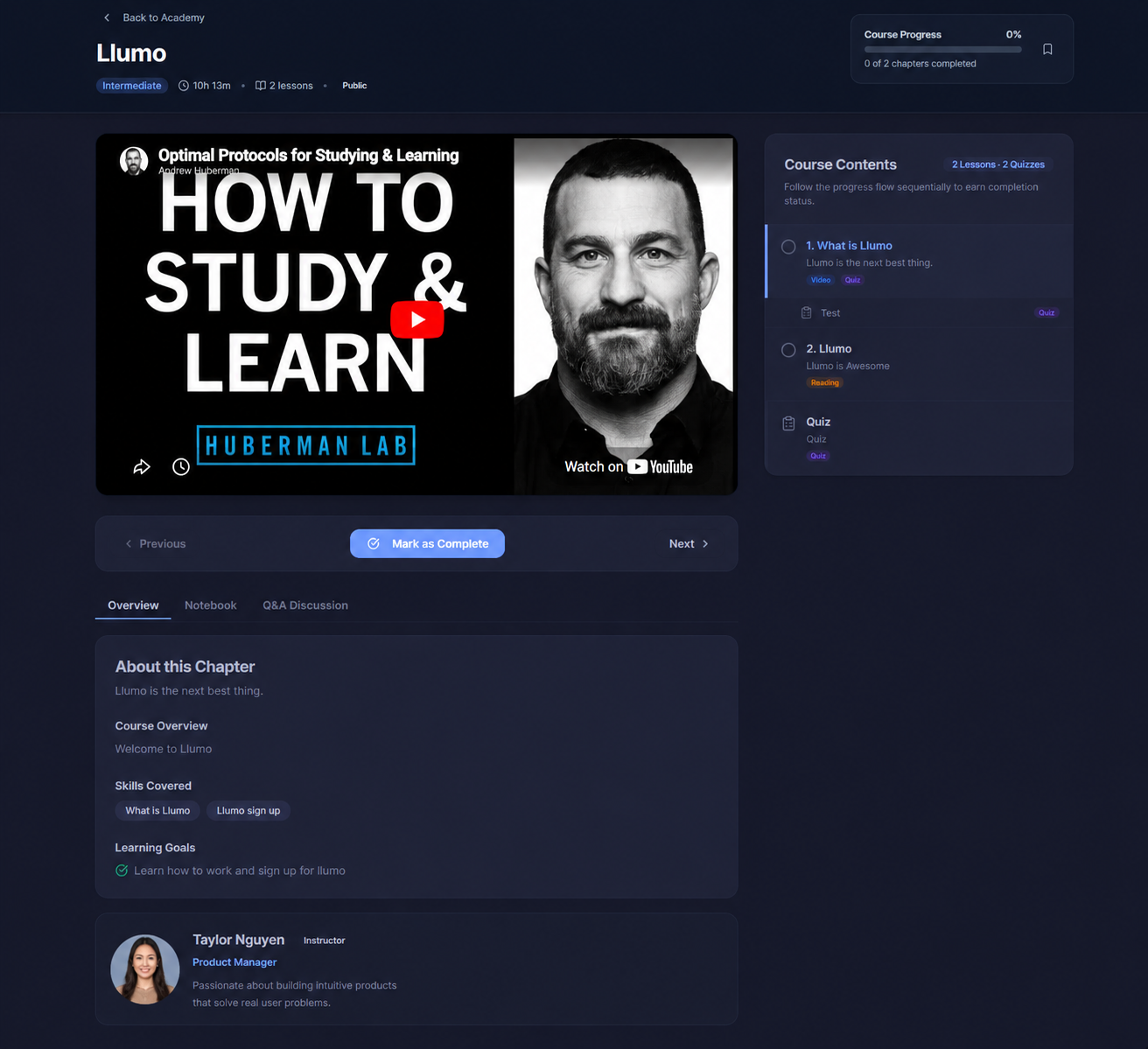
Pause the video. Test the knowledge.
Quizzes can be gated directly into the video flow. The video pauses and a quiz overlay appears — learners must complete it before continuing, ensuring comprehension at every step.
- Video pauses automatically at quiz checkpoints
- Learners must pass before resuming (or can skip)
- Points, passing score, and question count shown upfront
- Keeps learners engaged and accountable throughout
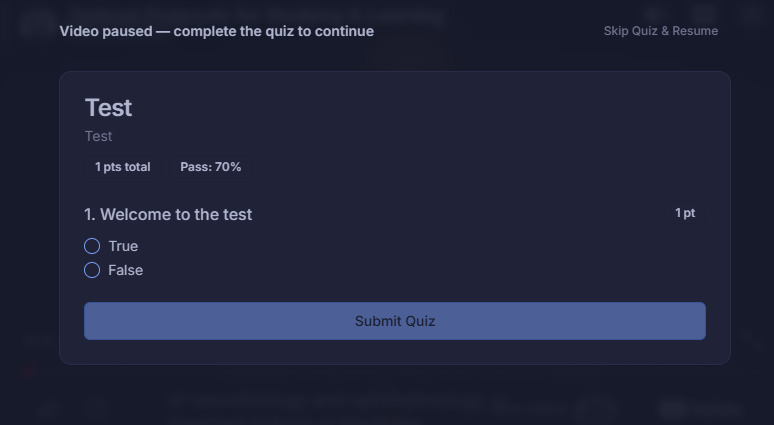
Pass, review, and keep moving.
After submitting, learners instantly see their score, which answers were correct, and the explanation for each one. The course contents sidebar updates in real time to reflect their progress.
- Instant score with pass/fail status and trophy icon
- Per-question answer review with explanations
- Course sidebar updates to show completed items
- Option to retake the quiz as many times as allowed
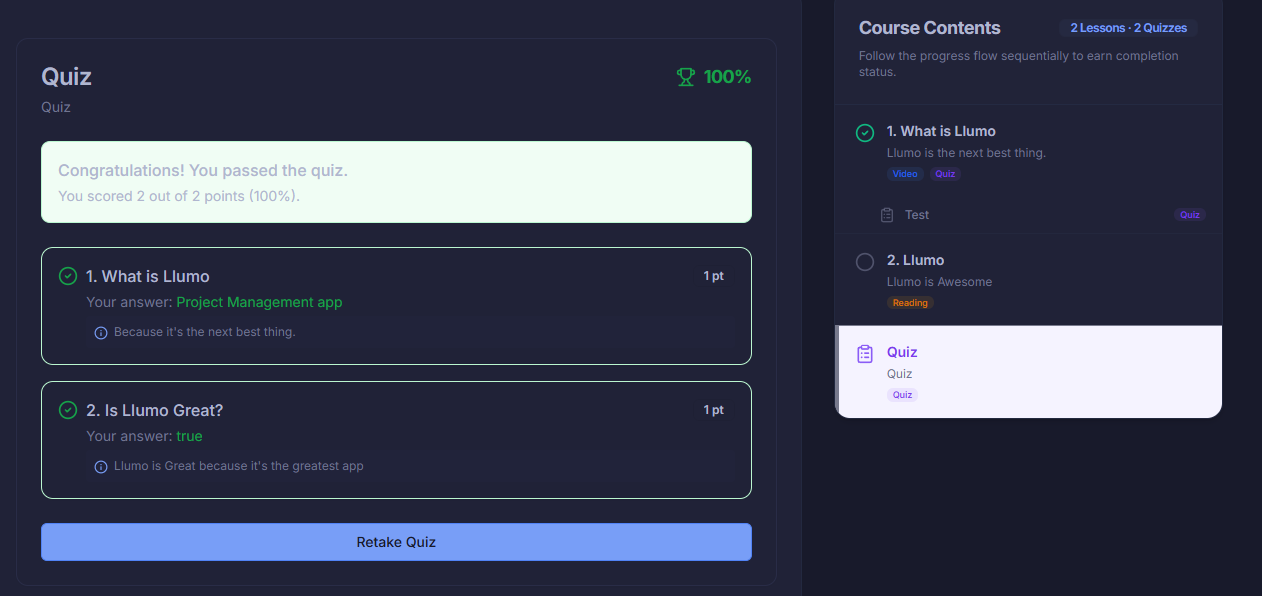
Write reflections as you learn.
The Notebook tab inside every lesson lets learners jot down personal notes and save them directly to their workspace. No copy-pasting into other apps — lesson insights stay with your work.
- Write personal notes for any lesson or chapter
- Saved directly to your Llumo workspace
- Clear and rewrite whenever you need to
- Keeps learning and work in one unified place
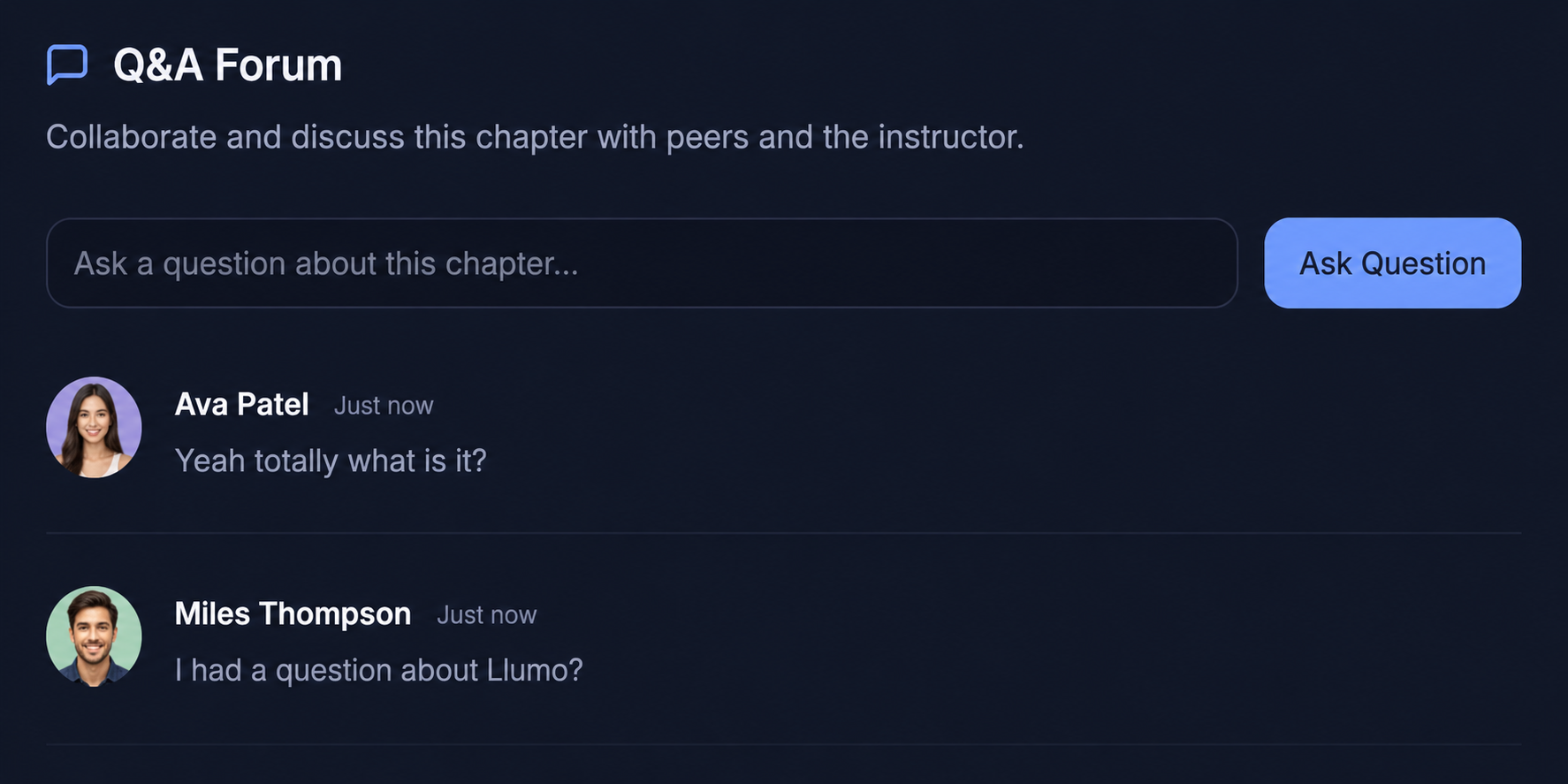
Ask questions. Learn together.
Every chapter has a built-in Q&A forum. Learners can post questions, peers can respond, and instructors can chime in — all in context with the lesson. No Slack threads required.
- Chapter-specific Q&A forum built into the course view
- Learners and instructors collaborate in real time
- Threaded discussion keeps questions and answers organized
- No external tools or channels needed