Marketing Teams

Plan, create, and launch
campaigns that convert

From strategy to publish day, Llumo keeps every brief, deadline, asset, and conversation in one connected hub — so your marketing team spends time creating, not coordinating.

faster campaign launches
100%
of assets linked to their tasks
4 tools
replaced in one workspace
AI
drafts briefs & copy for you

How marketing teams run campaigns in Llumo

A clear, repeatable workflow from idea to launch — without the chaos of scattered tools and email threads.

1

Brief the campaign

The Luxon AI drafts your campaign brief in seconds. Define goals, target audience, messaging, and channels — all in a structured doc linked to the project.

2

Build the content calendar

Map every piece of content — blogs, social posts, email sends, ads — on a shared calendar with owners, due dates, and status columns visible to the whole team.

3

Create & review

Attach creative files directly to tasks. Route content through approval workflows without chasing anyone on Slack. Every review and edit is tracked.

4

Launch & report

Mark content live, update campaign status in real time. Build a live dashboard to share performance with leadership — no spreadsheets needed.

Features built for how marketers work

From content strategy to campaign reporting, every Llumo feature is designed around the real marketing workflow.

Content Calendar

Plan blogs, social, emails, and ad campaigns on a shared calendar. See what's scheduled, in draft, or overdue — across every channel at a glance.

Campaign Management

Run each campaign as its own project with tasks, owners, due dates, and status stages. Link briefs, assets, and approvals directly to campaign tasks.

AI Content Assistance

Ask the Luxon AI to draft a brief, write social copy, generate email subject lines, or summarize campaign performance. First drafts in seconds.

Asset Organization

Attach brand assets and creative files directly to tasks. No more hunting through Google Drive — every asset lives next to the task it belongs to.

Approval Workflows

Set up structured review stages for campaigns, copy, and creative. Assign reviewers, track feedback, and move work forward without the back-and-forth.

Campaign Dashboards

Build custom dashboards showing campaign status, completion rates, and team workload. Share live reports with leadership in one link.

Brand & Strategy Docs

Keep messaging guides, brand style docs, and campaign playbooks in the Knowledge Base — searchable and always up to date for the whole team.

Campaign Channels

Keep #launches, #content, and #paid organized in Team Chat. Share files, feedback, and launch updates in context without switching apps.

Time & Budget Visibility

Track time spent per campaign. Understand where your team's hours actually go and make smarter decisions about resource allocation and agency spend.

📅 Content Calendar

Your entire content schedule, at a glance

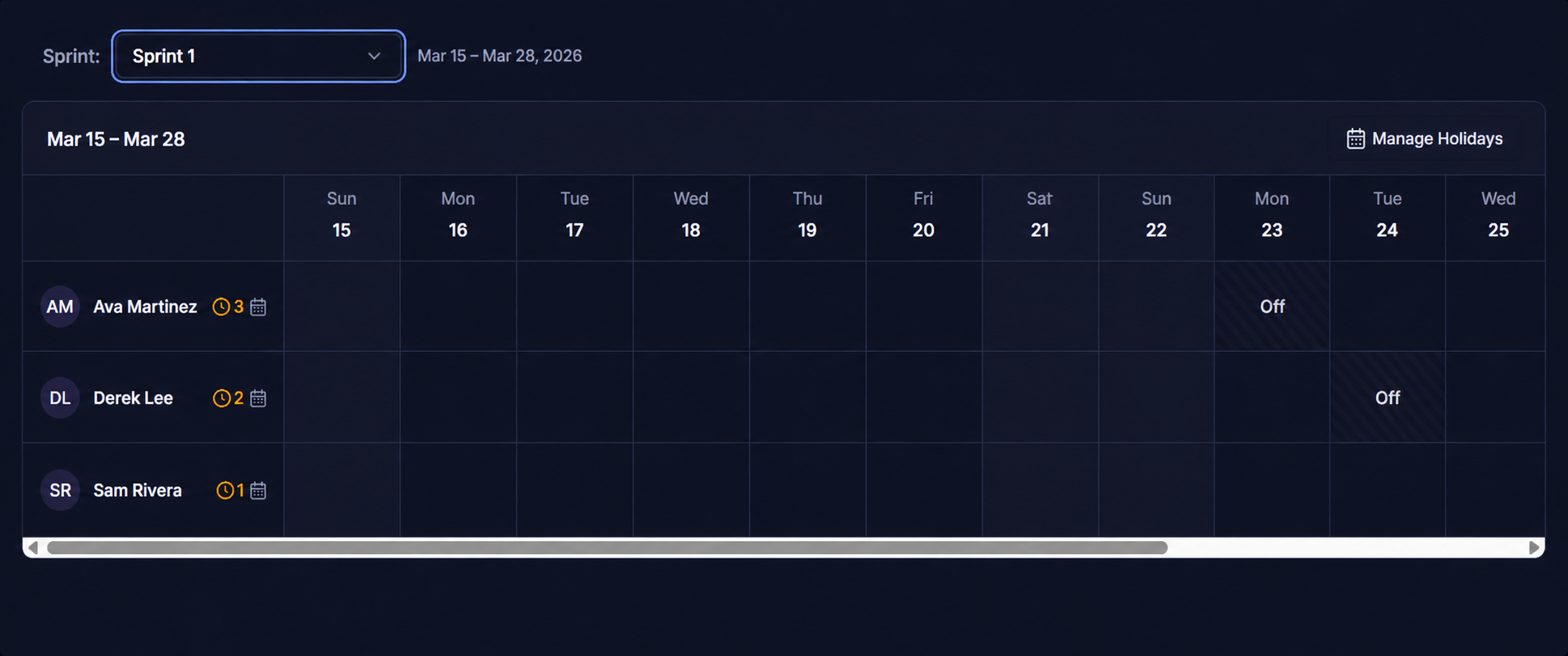
Map every campaign, blog post, social drop, and email send on a shared calendar. Your whole team sees what's launching when — no spreadsheets, no back-and-forth.

  • Visualise all scheduled content across channels in one view
  • Drag to reschedule tasks directly on the calendar
  • Filter by assignee, status, or campaign to cut the noise
Llumo Content Calendar View
📋 Task List View

Every campaign task, tracked and visible

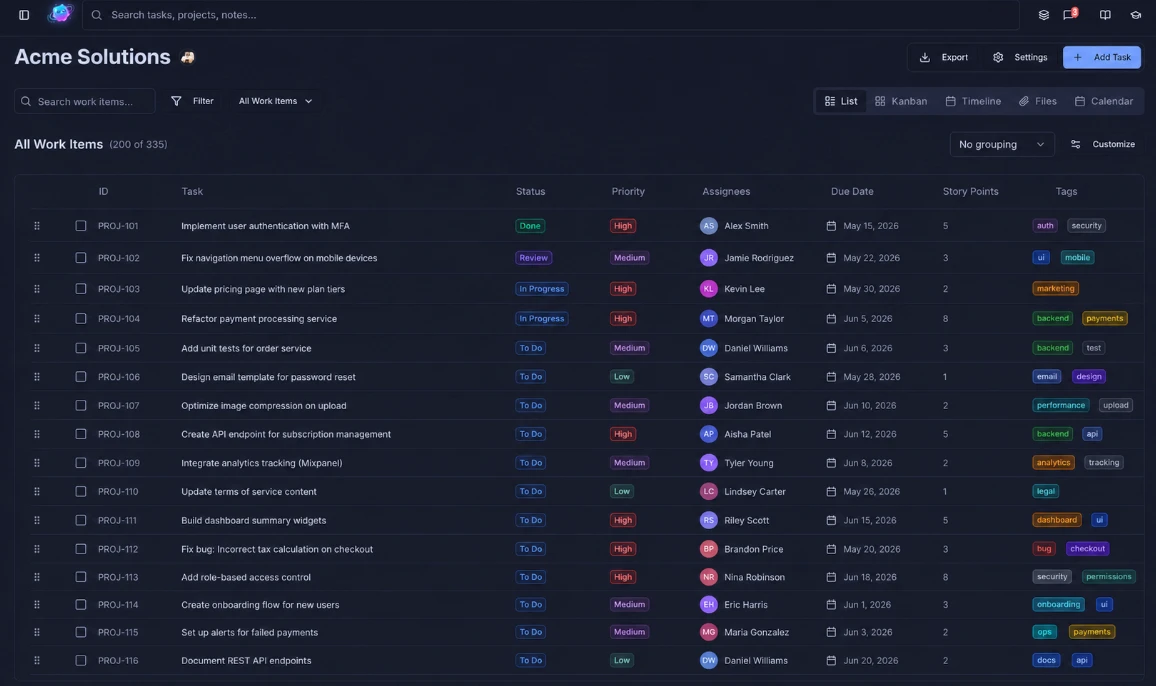
See every task across every campaign in one filterable list — with assignees, due dates, priorities, story points, and tags all inline. Nothing falls through the cracks.

  • Filter by assignee, status, priority, or custom tag instantly
  • Custom task IDs, due dates, and story points on every row
  • Switch to Kanban, Timeline, Files, or Calendar in one click
Llumo All Work Items Task List
📎 Attachments & Task Detail

All your assets live inside the task

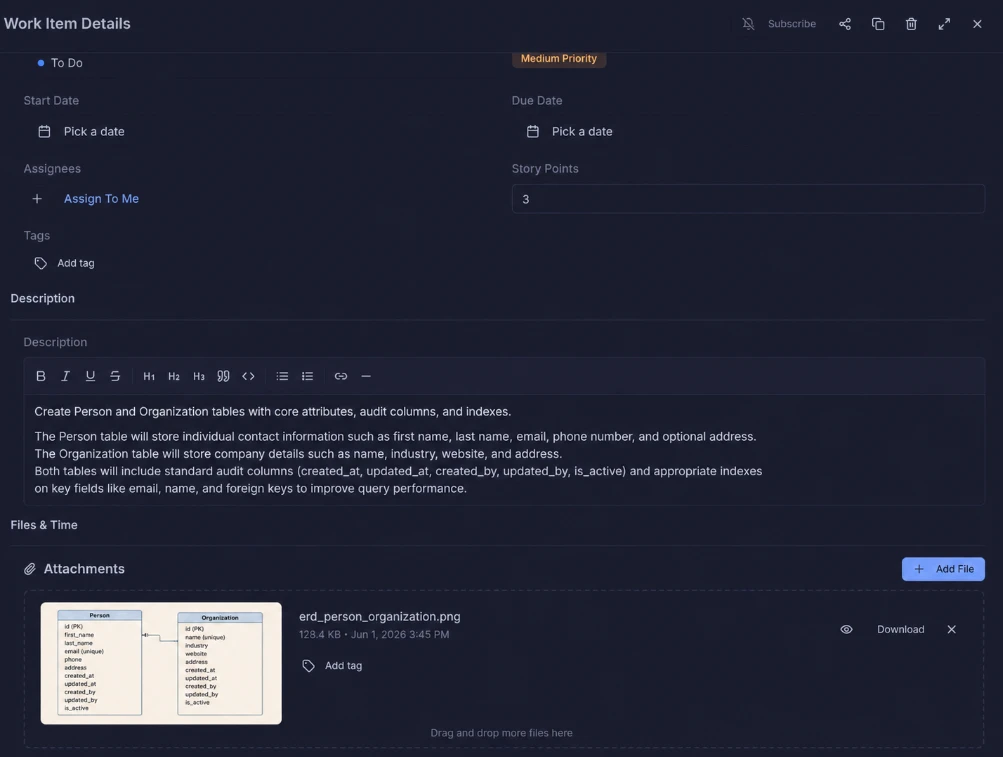
Attach briefs, creative files, ERDs, and brand assets directly to any task. No more hunting through Drive folders — everything your team needs is right where the work is.

  • Drag and drop files directly onto any task
  • Rich-text descriptions with headings, links, and code blocks
  • Assignees, due dates, priority, and story points all in one panel
Llumo Task Detail with Attachments
📖 Knowledge Base

Brand docs and campaign playbooks, always findable

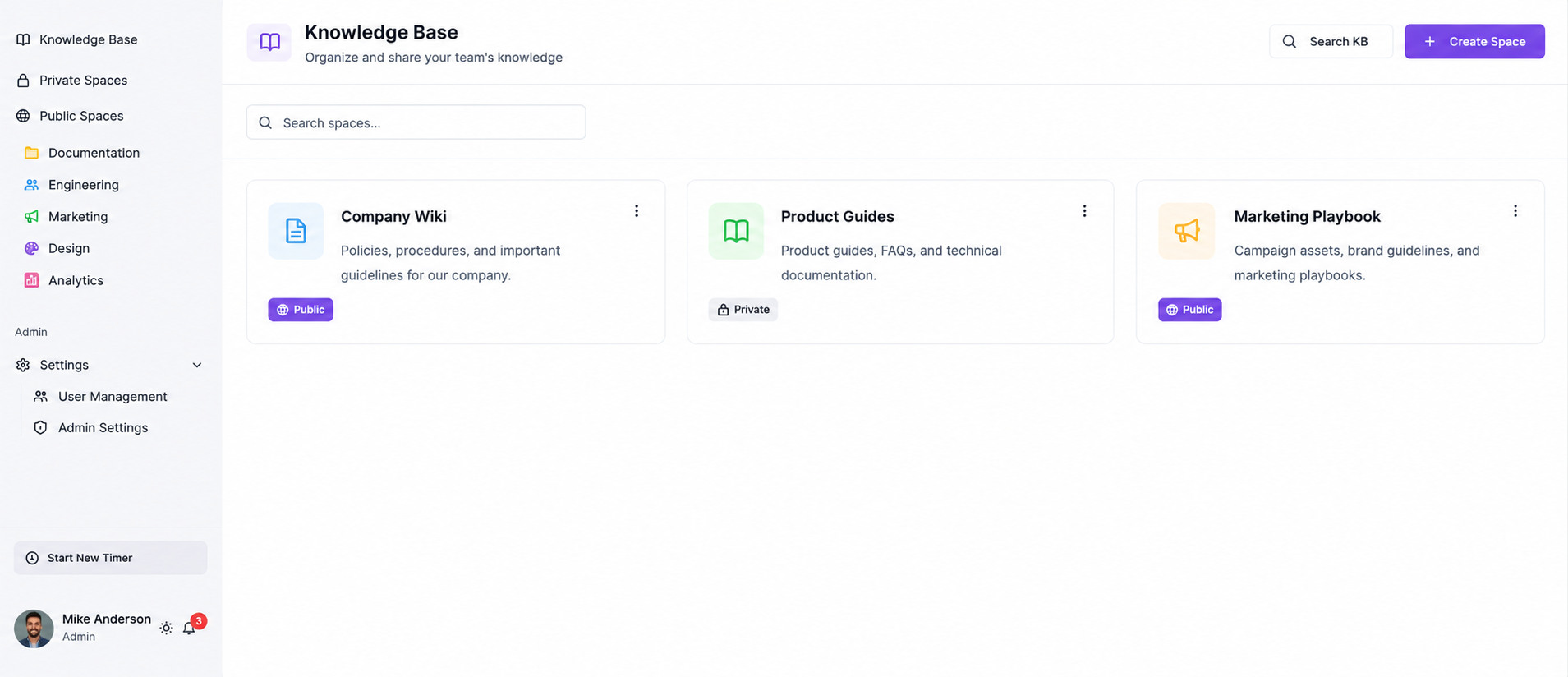
Store your messaging guides, brand standards, campaign playbooks, and creative briefs in a searchable team wiki. Everyone on the team works from the same source of truth.

  • Organised spaces for brand, campaigns, and strategy docs
  • Rich-text editor with real-time collaboration
  • Search across all docs instantly — no more digging through Drive
Llumo Knowledge Base
💬 Team Chat

Campaign conversations, in context

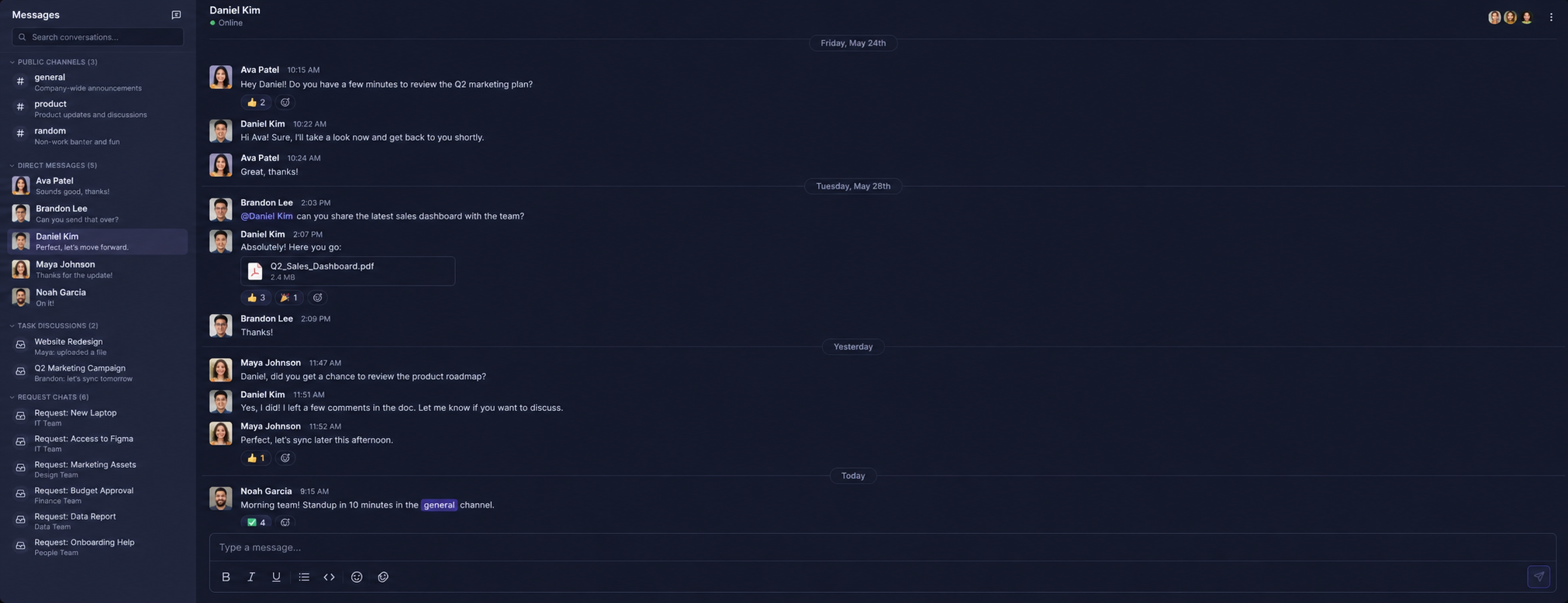
Keep #launches, #content, and #paid-ads organised in dedicated channels. Share creative assets, give feedback, and coordinate launches — all without leaving Llumo.

  • Dedicated channels per campaign, channel, or team
  • Share files, images, and links directly in chat
  • DMs and group threads so nothing gets buried
Llumo Team Chat

Replace your marketing tool stack

Marketing teams juggle too many apps that don't share context. Llumo unifies them all.

Before Llumo

Asana — campaign tasks
Notion — briefs & docs
Slack — team chat
Google Drive — assets
Spreadsheets — reporting

After Llumo

Project Management
Knowledge Base
Team Chat
Dashboards & Reports
Luxon AI — all of the above

The Llumo tools your marketing team will love

Every tool works together — calendar, tasks, docs, and chat all in one workspace so your team stays focused on creating.

Your next campaign starts here

Join marketing teams who replaced their scattered tools with Llumo and launched faster, more organized campaigns.